

ZipRar7 - Unzip the file
ZipRar7 - Unzip the file is made and published by kim juyoung. AppBrain is an independent app data site and isn't affiliated with kim juyoung. The app name, icon, screenshots and description belong to kim juyoung and are shown as published on the App Store.
AppBrain's verdict
Established- Rating on App Store
- 5.00
- 1 ratings
- Last updated
- March 2, 2026
- Size
- 71.2 MB
It doesn't have enough ratings yet to judge what users think.
User feedback
Ratings and reviews on the App StoreComments on ZipRar7 - Unzip the file for iOS
We don't have enough comments to show example comments. Please check back later.
Store listing
By kim juyoung, from the App StoreDescription by kim juyoung Written by the developer, not by AppBrain. Click to read.
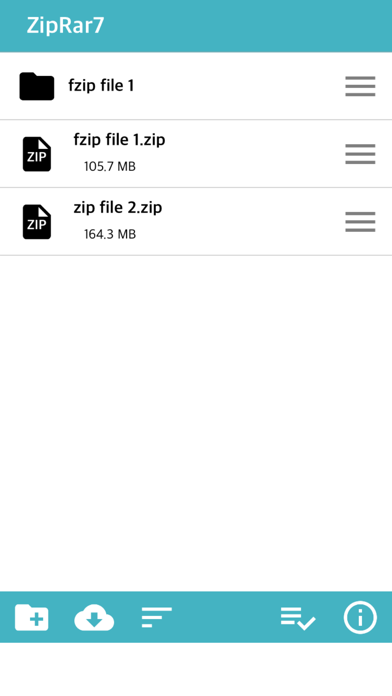
Zip, Rar, 7z files can be unlocked
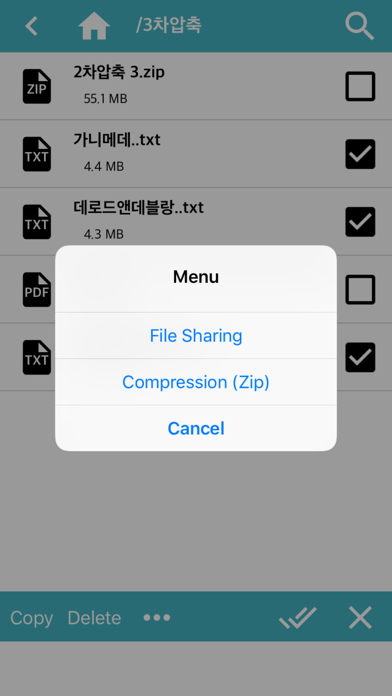
Support file compression (Zip)
* New features (2020.5 ~) *
1. FTP, WebDav, SMB download / upload support (+ iOS13)
2. OneDrive, DropBox direct login and download / upload support (+ iOS13)
3. External documents: You can browse and import files stored in other apps.
* Insert file (iPhone / iPad) *
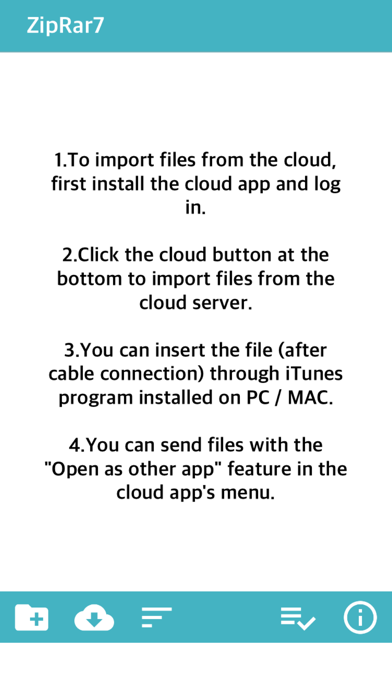
1. Install the cloud app and log in to import files from the cloud service. (iCloud, Google Drive, One Drive, Mega, Box, Dropbox)
2. Upload files through iTunes installed on PC (Finder for Mac)
3. Connect PC and iPhone to the same WIFI and upload via web browser
4. Import or take photos and videos from photos and save them as files
5. Save the copied text to the clipboard as a txt file
* Send file (PC / other apps) *
1. After connecting the iPhone to the PC by cable, you can import the folder through the installed iTunes. (Alternatively, only files)
2. Transfer files to another app through file sharing
3. Connect PC and iPhone to the same WIFI and download through web browser
* Compression *
1. Folder compression: Click the menu button on the right side of the folder-click the “Zip” item
2. File Compression: After selecting multiple files, click the “Compress” button at the bottom.
* Additional Features *
1. App lock function (Password must be set on the device)
2. Some documents / videos / audio files can be opened simply.
3. If the iPhone's capacity is insufficient, the “Erase All Files” function is supported in Settings.
4. When decompressing, some file names may not be displayed properly due to language encoding problems.
Safety and technology
Found in the app by AppBrain- Price
- Free
- App size
- 71.2 MB
- Content rating
- Everyone
Technologies used by ZipRar7 - Unzip the file
Releases
Updates seen on the App Store- Version
- 1.28
- Launched
- May 2019
No changelog data
Alternatives
Similar apps and more from kim juyoungAlternatives to ZipRar7 - Unzip the file


More from kim juyoung





Rankings
App Store top chartsApp Store Rankings for ZipRar7 - Unzip the file
About the app and developer
About ZipRar7 - Unzip the file
ZipRar7 - Unzip the file is an utilities app developed by kim juyoung.
User Ratings
ZipRar7 - Unzip the file is rated 5.00 out of 5 stars. The rating is based on one rating ratings.
App Information
ZipRar7 - Unzip the file is freely available from the App Store. The app size is 71.16 MB. The latest version available is 1.28. The last update was on March 2, 2026.
Technical Requirements
The app has a content rating of Everyone. The app has been available on the App Store since May 2019.
Developer information for kim juyoung
Address: