

WebToon Reader - WebComic File
WebToon Reader - WebComic File is made and published by kim juyoung. AppBrain is an independent app data site and isn't affiliated with kim juyoung. The app name, icon, screenshots and description belong to kim juyoung and are shown as published on the App Store.
AppBrain's verdict
Established- Rating on App Store
- 4.43
- 30 ratings
- Last updated
- September 17, 2026
It doesn't have enough ratings yet to judge what users think.
Rankings
App Store top chartsApp Store Rankings for WebToon Reader - WebComic File
Competitors
Similar apps and more from kim juyoungAlternatives to WebToon Reader - WebComic File








More from kim juyoung





Releases
Updates seen on the App Store- Version
- 1.95
- Launched
- January 2020
No changelog data
User feedback
Ratings and reviews on the App StoreComments on WebToon Reader - WebComic File for iOS
We don't have enough comments to show example comments. Please check back later.
Technology
Found in the app by AppBrain- Price
- Free
- App size
- 93.9 MB
- Content rating
- Everyone
Technologies used by WebToon Reader - WebComic File
About the app and developer
About WebToon Reader - WebComic File
WebToon Reader - WebComic File is a books app developed by kim juyoung.
User Ratings
WebToon Reader - WebComic File is rated 4.43 out of 5 stars. The rating is based on 30 ratings.
App Information
WebToon Reader - WebComic File is freely available from the App Store. The app size is 93.90 MB. The latest version available is 1.95. The last update was on September 17, 2026.
Technical Requirements
The app has a content rating of Everyone. The app has been available on the App Store since January 2020.
Developer information for kim juyoung
Address:
Frequently asked questions about WebToon Reader - WebComic File
Is WebToon Reader - WebComic File free?
Yes. WebToon Reader - WebComic File is free on the App Store.
Is WebToon Reader - WebComic File still available?
Yes. WebToon Reader - WebComic File is on the App Store, and the last update we saw was on September 17, 2026.
How large is WebToon Reader - WebComic File?
WebToon Reader - WebComic File is 93.90 MB.
Is WebToon Reader - WebComic File suitable for children?
App Store rates the content of WebToon Reader - WebComic File as suitable for everyone.
How do people rate WebToon Reader - WebComic File?
WebToon Reader - WebComic File scores 4.43 out of 5 stars, from 30 ratings on the App Store.
Who made WebToon Reader - WebComic File?
WebToon Reader - WebComic File was developed by kim juyoung. It is listed in the books category on the App Store.
What are the best alternatives to WebToon Reader - WebComic File?
People looking at WebToon Reader - WebComic File also look at these books apps: Mana Viewer - Zip File Viewer, Readin - Comics & Stories, Smart Comic Reader, TecViewer - Text Viewer, ColourComics.
Store listing
By kim juyoung, from the App Store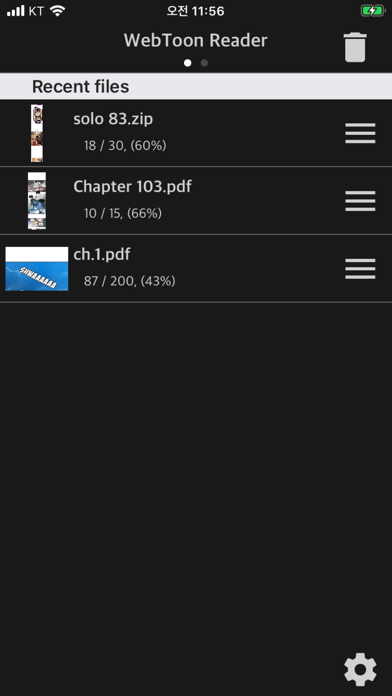
Description by kim juyoung Written by the developer, not by AppBrain. Click to read.
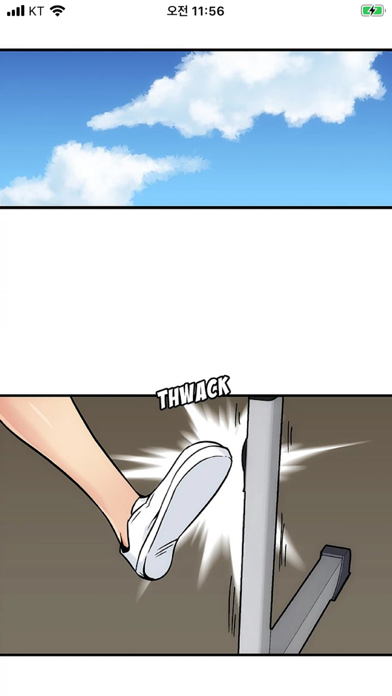
Horizontal Scroll Like Korean Webtoon
- Smooth horizontal scrolling
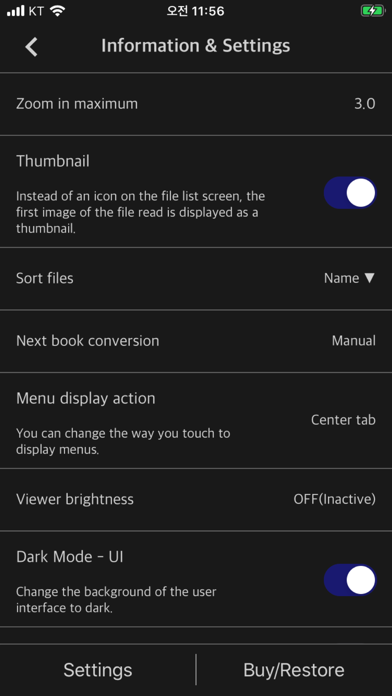
- Simple options
- CBR, CBZ, CB7, ZIP, RAR, 7Z
- Also supports PDF files
- iPhone, iPad, Mac(Apple Silicon) support (* Some functions may not be supported on Mac)
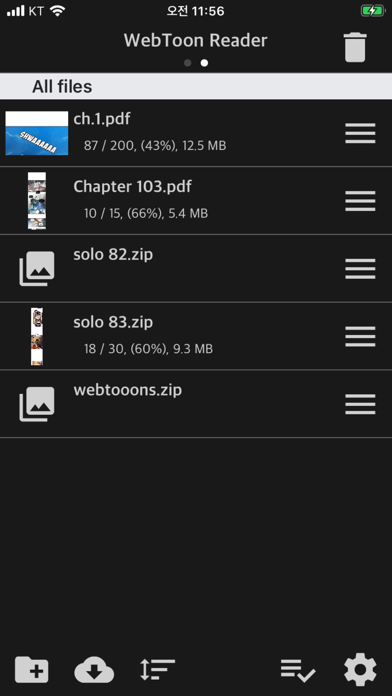
This app can upload and view compressed files or PDF files that users have. (File containing webtoon or Manga image files)
We've optimized and simplified the options to view webtoon files in the current “Manga Viewer” app.
Normal cartoon files can be viewed like watching a webtoon.
** Characteristic **
- Zip, RAR, 7z, cbz, cbr, cb7 compressed files (including images with png, jpeg, jpg and gif extensions + bmp, tiff, tif, webp, avif, jxl(26+), heif(18+))
- PDF file support
- Upload via PC web browser (WIFI)
- Import files from cloud apps such as iCloud, Google Drive, Dropbox, OneDrive, Box, etc.
- OneDrive, Dropbox direct login and download
- WebDav, SMB, FTP
- SFTP support
- Upload files with iTunes file sharing
- Cloud app, copy files from mail attachments
- Apply default image sharpening filter
- iPhone, iPad, Mac(Apple Silicon) support
- Pad supports multitasking
- Rotate the screen horizontally and vertically
- “App Lock” function to enter password when entering the app
- “File lock” function to enter password when opening file
- Screen auto off (ON / OFF)
- Continue to last file (ON / OFF)
** Please install the cloud app on your iPhone and log in to import files from the cloud.
If you have any bugs or issues, please send them to the Send button on the top right of the setting screen or send them to junhuloveapple@gmail.com. (Answer in comments may take up to a day to respond to Apple's comment system. Please email us for a quick reply.)