

Air Printer - Printer Server
Air Printer - Printer Server is made and published by Flyingbee Software Co., Ltd. AppBrain is an independent app data site and isn't affiliated with Flyingbee Software Co., Ltd. The app name, icon, screenshots and description belong to Flyingbee Software Co., Ltd. and are shown as published on the App Store.
AppBrain's verdict
- Last updated
- July 22, 2026
- Size
- 37.9 MB
User feedback
Ratings and reviews on the App StoreComments on Air Printer - Printer Server for iOS
We don't have enough comments to show example comments. Please check back later.
Store listing
By Flyingbee Software Co., Ltd., from the App Store
Description by Flyingbee Software Co., Ltd. Written by the developer, not by AppBrain. Click to read.
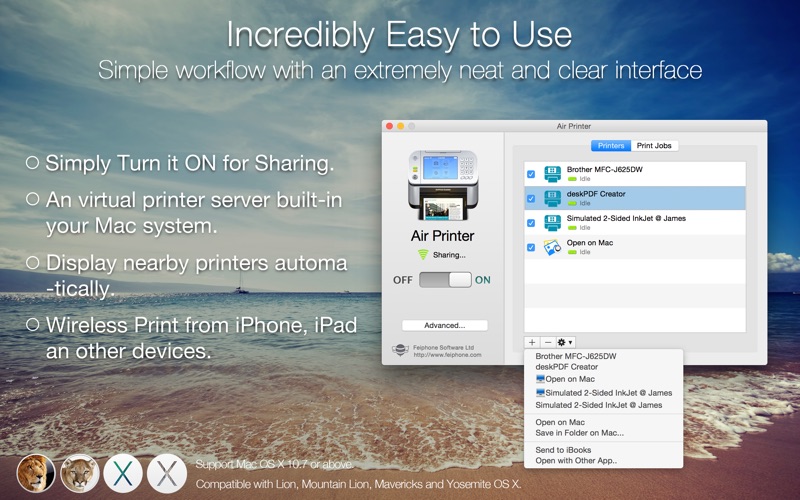
Air Printer enables wireless printing documents, photos, web pages, emails and more right from your computer to ALL your printers Anywhere.
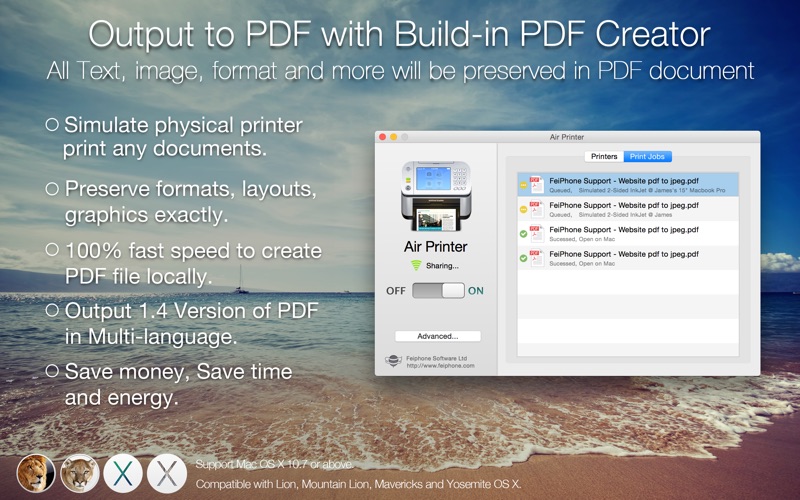
Air Printer can print any documents to pdf too, save you money and papers, you don't need to buy papers and physical printer from HP, Epson, and Canon anymore!
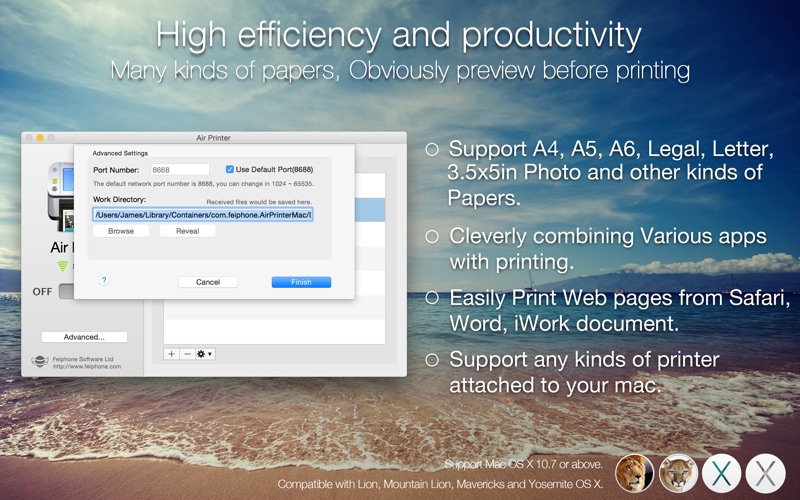
Air Printer displays many printer options that apply to the document or image being printed. Details such as paper type, page range, print quality, and orientation are automatically determined at search time.
You can wirelessly print photos, email, web pages, and documents to this virtual printer directly. It creates a PDF document that saves to the Mac disk, the PDF files could be opened in saved in iBook, PDF Reader for best reading experience. Also, you can send PDFs by e-mail, open in other apps and even transfer to iPhone or iPad over USB using iTunes File Sharing.
How to run this printer server?
1. Launch the printer app, the app window will be displayed in the middle of the screen.
2. If you close the app window, you can still find the printer icon of the app in the status bar at the top of the screen, and click on the menu to show the app window again.
3. If you want to quit this app, click the printer icon on the status bar and select "Quit Air Printer” from the menu to exit app.
How to print to HP/Canon/Epson... printer?
In preparation, You must connect your HP/Canon/Epson... printer to Mac via USB cable or WiFi, then test whether the printing is successful.
1. Launch Air Printer and add the physical printers to the list of shared printers.
2. Go to "System Preferences/Printers & Scanners", find the shared printer and add it to your system.
(Alternatively, skip to step 2 and install and use the shared printer on the printing window directly)
3. Try to print any documents on your mac, ensure the shared printer is selected, the app will receive and forward job to the physical printer automatically.
Tips: You can easily share physical printer in the home or company network, print files from Mac, PC or mobile devices anywhere, and improve work efficiency.
FAQ:
Q: How do I add a new printer on Mac?
A: Add printers to your Mac as you normally would, using the "Printer & Scanner” System Preferences. Once the printer has been added, it will also show up in Air Printer.
Q: Will Air Printer work on a 4/5G network?
A: No. Air Printer requires a Wi-Fi network. Your Mac and other devices must be on the same network in order to communicate.
Any questions, suggestions and problems please let us know.
We will reply ASSP, and continue to update.
Safety and technology
Found in the app by AppBrain- Price
- Free
- App size
- 37.9 MB
- Content rating
- Everyone
Technologies used by Air Printer - Printer Server
Releases
Updates seen on the App Store- Version
- 6.7.9
- Launched
- November 2014
No changelog data
Alternatives
Similar apps and more from Flyingbee Software Co., Ltd.More from Flyingbee Software Co., Ltd.





Rankings
App Store top chartsApp Store Rankings for Air Printer - Printer Server
About the app and developer
About Air Printer - Printer Server
Air Printer - Printer Server is a productivity app developed by Flyingbee Software Co., Ltd.
User Ratings
The app has no ratings yet.
App Information
Air Printer - Printer Server is freely available from the App Store. The app size is 37.85 MB. The latest version available is 6.7.9. The last update was on July 22, 2026.
Technical Requirements
The app has a content rating of Everyone. The app has been available on the App Store since November 2014.
Developer information for Flyingbee Software Co., Ltd.
Address:
Frequently asked questions about Air Printer - Printer Server
Is Air Printer - Printer Server free?
Yes. Air Printer - Printer Server is free on the App Store.
Is Air Printer - Printer Server still available?
Yes. Air Printer - Printer Server is on the App Store, and the last update we saw was on July 22, 2026.
How large is Air Printer - Printer Server?
Air Printer - Printer Server is 37.85 MB.
Is Air Printer - Printer Server suitable for children?
App Store rates the content of Air Printer - Printer Server as suitable for everyone.
Who made Air Printer - Printer Server?
Air Printer - Printer Server was developed by Flyingbee Software Co., Ltd. It is listed in the productivity category on the App Store.