

Befar Work Cam
Befar Work Cam is made and published by Morten Punnerud. AppBrain is an independent app data site and isn't affiliated with Morten Punnerud. The app name, icon, screenshots and description belong to Morten Punnerud and are shown as published on the App Store.
AppBrain's verdict
- Rating on App Store
- 3.67
- 3 ratings
- Last updated
- May 5, 2026
It doesn't have enough ratings yet to judge what users think.
Rankings
App Store top chartsApp Store Rankings for Befar Work Cam
Competitors
Similar apps and more from Morten PunnerudMore from Morten Punnerud


Releases
Updates seen on the App Store- Version
- 2.0
- Launched
- October 2024
No changelog data
User feedback
Ratings and reviews on the App StoreComments on Befar Work Cam for iOS
We don't have enough comments to show example comments. Please check back later.
Technology
Found in the app by AppBrain- Price
- Free
- App size
- 5.72 MB
- Content rating
- Everyone
Technologies used by Befar Work Cam
About the app and developer
About Befar Work Cam
Befar Work Cam is a productivity app developed by Morten Punnerud.
User Ratings
Befar Work Cam is rated 3.67 out of 5 stars. The rating is based on 3 ratings.
App Information
Befar Work Cam is freely available from the App Store. The app size is 5.72 MB. The latest version available is 2.0. The last update was on May 5, 2026.
Technical Requirements
The app has a content rating of Everyone. The app has been available on the App Store since October 2024.
Developer information for Morten Punnerud
Address:
Store listing
By Morten Punnerud, from the App Store


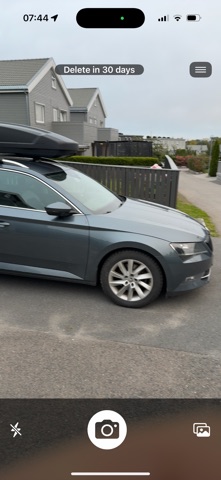
Description by Morten Punnerud Written by the developer, not by AppBrain. Click to read.
OPTIONAL AUTO-DELETE
Photos are kept indefinitely by default. If you want a tidier camera roll, set an auto-delete timer per photo or app-wide - 1 day, 7 days, 30 days, or anything in between. Mark a photo "Never delete" and it sticks around no matter the global setting. Originals always live in iCloud Photos either way.
WORK WITH A TEAM
Create sharing groups (electricians, inspectors, project crews) and invite teammates by email. Everyone in a group sees the same jobs, sites, photos, and notes - synced via the befar.app cloud.
JOBS, SITES, AND NOTES
Organise photos by job. Each job has its own sites, optional client and contact info, custom fields, and a notebook. Add notes per site or per job; everything syncs across devices.
CALENDAR PLANNING
Plan jobs as calendar events with start time, end time, location, and assignee. Push reminders 72h, 24h, or any custom offset before the event. View as week, month, or list with a separate Upcoming and Past section.
MAP VIEW
See every job as a numbered pin on a map at befar.app. Pin numbers match the calendar order. Jobs without coordinates land in a colour-coded sidebar so the unmappable ones never go missing.
CSV EXPORT
Pick the jobs and columns you want, export to a file, share via Files or email. Useful for client reports and accounting hand-offs.
CLOUD STORAGE
Start with 100 MB free, or upgrade to 1, 10, or 100 GB monthly subscriptions for shared cloud storage. Add prepaid GB-month credit packs that stack and can be earmarked to specific groups. Photos return automatically from iCloud when you upgrade later or reopen an older job.
PRIVACY
Photos go through your device first; only your group can read them. Strip EXIF metadata before sharing if you prefer. Watermark removal is available as a one-time purchase.
MORE
- Multi-site organisation inside a single job
- Custom fields per job (text, number, date, list)
- Group admin caps: max members and storage limit
- Auto-delete inactive jobs after a configurable number of days
- Up to 250 group members on the largest tier
- Magic-link sign-in - no password needed
Subscriptions auto-renew unless cancelled at least 24 hours before the period ends. Manage in Settings, Apple ID, Subscriptions. Privacy policy and terms at befar.app.