

Blur Photo Editor
Blur Photo Editor is made and published by Sohel Ibna Saad. AppBrain is an independent app data site and isn't affiliated with Sohel Ibna Saad. The app name, icon, screenshots and description belong to Sohel Ibna Saad and are shown as published on the App Store.
AppBrain's verdict
EstablishedWell rated- Rating on App Store
- 4.42
- 10,597 ratings
- Last updated
- October 12, 2026
Users rate it well: 4.4 stars from 10,597 ratings.
Rankings
App Store top chartsApp Store Rankings for Blur Photo Editor
Competitors
Similar apps and more from Sohel Ibna SaadAlternatives to Blur Photo Editor





More from Sohel Ibna Saad



Releases
Updates seen on the App Store- Version
- 5.9.7
- Launched
- November 2015
No changelog data
User feedback
Ratings and reviews on the App StoreComments on Blur Photo Editor for iOS
We don't have enough comments to show example comments. Please check back later.
Technology
Found in the app by AppBrain- Price
- Free
- App size
- 158.2 MB
- Content rating
- Everyone
Technologies used by Blur Photo Editor
About the app and developer
About Blur Photo Editor
Blur Photo Editor is a photo & video app developed by Sohel Ibna Saad.
User Ratings
Blur Photo Editor is rated 4.42 out of 5 stars. The rating is based on 11 thousand ratings.
App Information
Blur Photo Editor is freely available from the App Store. The app size is 158.23 MB. The latest version available is 5.9.7. The last update was on October 12, 2026.
Technical Requirements
The app has a content rating of Everyone. The app has been available on the App Store since November 2015.
Developer information for Sohel Ibna Saad
Address:
Store listing
By Sohel Ibna Saad, from the App Store


Description by Sohel Ibna Saad Written by the developer, not by AppBrain. Click to read.
Key Features:
• Wide range of blur and mosaic effects, including motion blur, point blur, bokeh, and more
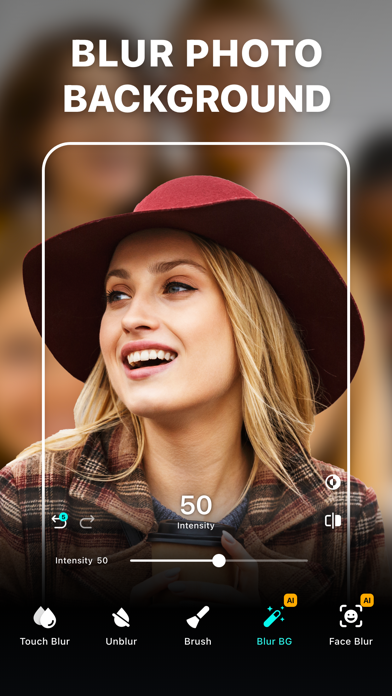
• One-tap background blur with AI subject detection
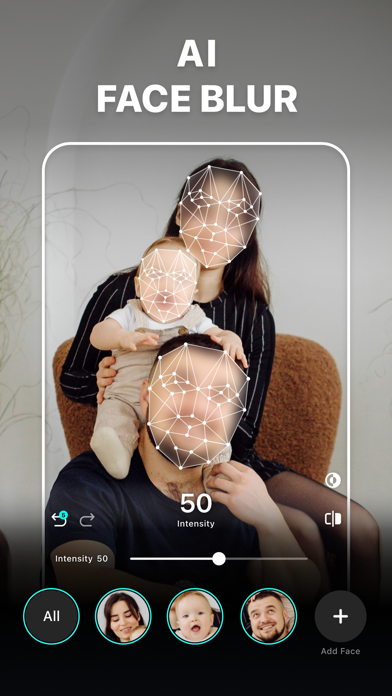
• AI-powered face blur and mosaic for censoring
• Detect and redact sensitive text information like documents, IDs, and credit cards
• Unblur parts of accidentally edited images
• Zoom for precise editing
• Radial and linear blur for depth effects
• Shape blur tools to highlight or hide areas
• Large catalog of photo filters
• Edit with tools like crop, rotate, and fine-tune using brilliance, denoise, and more
• Instant background removal
• Artistic RGB split effects with Split Color
• Enhance photo to improve clarity and sharpness
• 200+ creative templates to make stunning edits in seconds
• Add custom text to photos with fonts, colors, and styles.
• Photo collage maker with layouts
• Blend images with artistic double exposure effects.
• "My Project" to save work in progress
Advanced Blur Editing Suite
Blur, censor, and stylize your photos with precision using a powerful mix of tools. Apply Gaussian blur, pixelate, motion blur, bokeh, and mosaic effects, or experiment with glass, water, distortion, and paint-styles to create depth and visual impact. Fine-tune focus with radial and linear blur for DSLR-style depth, and enhance with a wide range of filters including B&W, vintage, portrait, and classic styles for a professional finish.
Creative Templates & Design Studio
Explore a rich library of professionally designed templates to create eye-catching visuals in seconds. Choose from a wide variety of formats including collage templates, scrapbook styles, posters, frames, cutout collages, and many more creative categories designed for social media, stories, and marketing content. Simply add your photos, personalize text, and instantly generate polished designs.
Enhance Photo Quality
Fix low-quality or blurry photos with intelligent improvements that sharpen details, reduce noise, and boost colors. Restore clarity and improve overall image quality effortlessly while preserving natural textures and realism.
How to mosaic + blur a photo on iPhone or iPad?
• From Home, tap Start Editing and select a photo
• Tap on Blur. Then swipe or trace your finger across the photo
• Go to Effects and select the desired blur effect
• Adjust intensity as needed
• Tap the tick and tap Save to export
Auto-Renewable Subscription Terms:
Subscribe to unlock full access to all features.
• Subscription Length: Weekly, Yearly
• Payment is charged to your Apple ID account at confirmation of purchase.
• Subscription with a free trial period automatically renews to a paid subscription unless canceled at least 24 hours before the end of the trial period.
• Your account will be charged for renewal within 24 hours before the end of the trial period.
• You can manage or cancel subscriptions from your App Store account settings.
• Any unused portion of a free trial will be forfeited when purchasing a subscription.
• By signing up for this subscription, you agree to our Terms of Use and Privacy Policy.
Terms of Use:
https://pixeltouch.net/legal/blurphoto/terms.html
Privacy Policy:
https://pixeltouch.net/legal/blurphoto/privacy.html
Disclaimer: This app is free to download but requires an auto-renewing subscription to access full functionality.