

Dark Table - Presets for LR
Dark Table - Presets for LR is made and published by Sohel Ibna Saad. AppBrain is an independent app data site and isn't affiliated with Sohel Ibna Saad. The app name, icon, screenshots and description belong to Sohel Ibna Saad and are shown as published on the App Store.
AppBrain's verdict
- Rating on App Store
- 4.50
- 94 ratings
- Last updated
- November 18, 2025
It doesn't have enough ratings yet to judge what users think.
Rankings
App Store top chartsApp Store Rankings for Dark Table - Presets for LR
Competitors
Similar apps and more from Sohel Ibna SaadMore from Sohel Ibna Saad



Releases
Updates seen on the App Store- Version
- 1.0.5
- Launched
- February 2024
No changelog data
User feedback
Ratings and reviews on the App StoreComments on Dark Table - Presets for LR for iOS
We don't have enough comments to show example comments. Please check back later.
Technology
Found in the app by AppBrain- Price
- Free
- App size
- 124.6 MB
- Content rating
- Everyone
Technologies used by Dark Table - Presets for LR
About the app and developer
About Dark Table - Presets for LR
Dark Table - Presets for LR is a graphics & design app developed by Sohel Ibna Saad.
User Ratings
Dark Table - Presets for LR is rated 4.50 out of 5 stars. The rating is based on 94 ratings.
App Information
Dark Table - Presets for LR is freely available from the App Store. The app size is 124.63 MB. The latest version available is 1.0.5. The last update was on November 18, 2025.
Technical Requirements
The app has a content rating of Everyone. The app has been available on the App Store since February 2024.
Developer information for Sohel Ibna Saad
Address:
Store listing
By Sohel Ibna Saad, from the App Store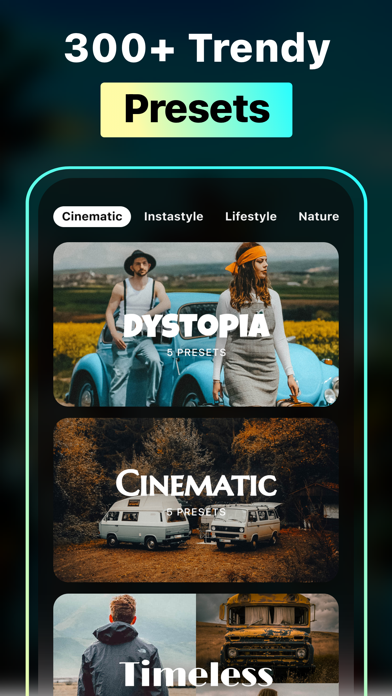
Description by Sohel Ibna Saad Written by the developer, not by AppBrain. Click to read.
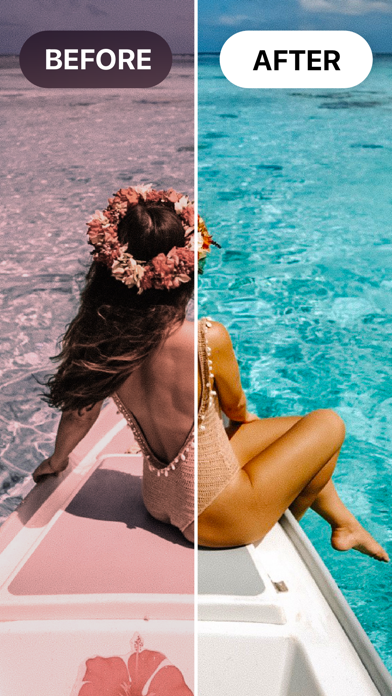
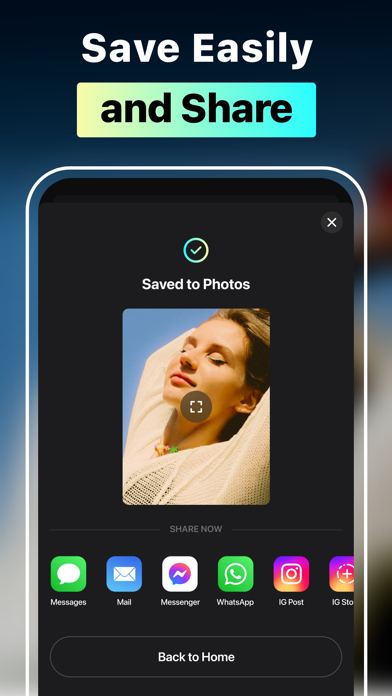
Apply and work on a preset instantly, or take it to Lightroom; the choice of creativity is yours. Choose from different categories that house multitudes of preset collections. Preview your favorite picture with different presets for Lightroom mobile and personalize the way you want before sharing it on social media.
Key features of Presets for Lightroom - LRPT
• Import photos from the library and apply effects with one tap
• Explore 300+ Lightroom mobile presets with different categories and tags
• Adjust the preset intensity to achieve the perfect look
• Customize exposure, highlights, contrast, brightness, saturation, etc., to make your photos more professional
• Mark your favorite presets for quick access anytime
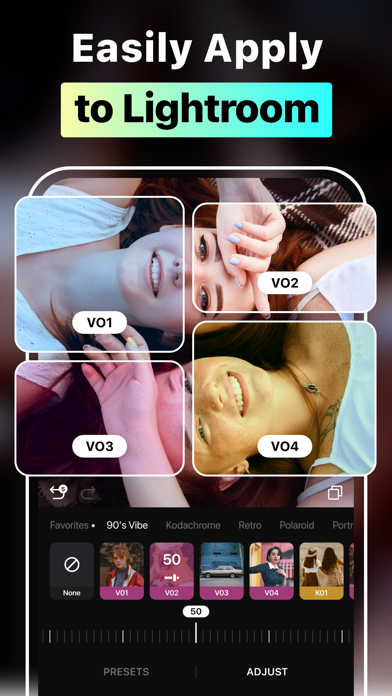
• Export presets to Lightroom and edit with ease
Rich Categories of Lightroom Filter Presets
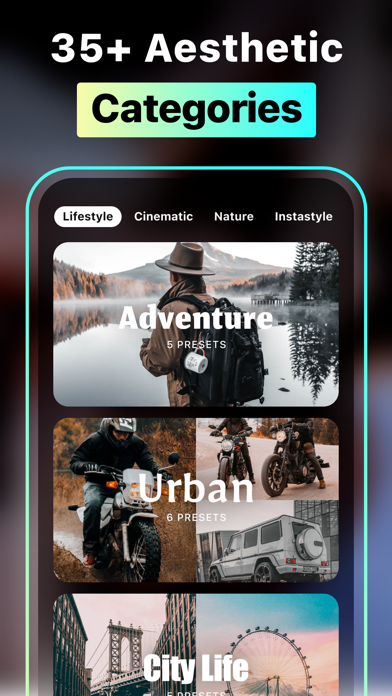
Spanning from Lifestyle to Instastyle, LRPT boasts a versatile collection of effects for Lightroom. Each effect is categorized with collections and tags so you can find the perfect iPhone photo presets without hassle. You don’t even have to head anywhere; simply find the best Lightroom presets for your portraits, landscapes, sports, or travel photography and directly preview the unique touch LRPT provides. Preset Filter categories: Cinematic, Instastyle, Lifestyle, Nature, Portrait, Retro, Season, Travel
Professional Photo Adjustment Tools
Edit like a pro using the ultimate photo editing tools of the Presets for Lightroom - LRPT app. Combining precision and creativity, take the best Lightroom presets for professional photographers and make them your own. For instance, experiment with exposure and highlights to adjust the lighting in your photo or play with brightness and contrast to make it more realistic. Fine-tune shadows, saturation, sharpness, or vibrance in your image to shape it how you see fit.
Export Presets to Lightroom Mobile
Wondering how to add presets to the Lightroom app on your iPhone? With the LRPT app, all you need is to choose your preferred effects for Lightroom. Be it aesthetic, natural, fall or spring, black and white, cinematic, fashion, or film presets for Lightroom, pick any and add instantly. You can even edit over the existing preset and retouch to tailor it to your preference.
Auto-Renewable Subscription Terms:
Subscribe to get unrestricted access to all the features outlined above.
• Subscription Length: Monthly, Yearly
• Subscription with a free trial period will automatically renew to a paid subscription unless it is canceled at least 24 hours before the end of the trial period.
• Payment will be charged to iTunes Account at confirmation of purchase.
• Your Apple ID account will be charged for renewal within 24 hours before the end of the trial period.
• You can manage and cancel your subscriptions by going to your account settings on the App Store.
• Any unused portion of a free trial period, if offered, will be forfeited when the user purchases a subscription to that publication, where applicable.
• By signing up for this subscription, you agree to our Terms of Use and Privacy Policy.
Terms of Use:
https://pixeltouch.net/legal/presets-for-lightroom/terms.html
Privacy Policy:
https://pixeltouch.net/legal/presets-for-lightroom/privacy.html
Disclaimer: This app is free to download, but you will be required to sign-up for an auto-renewing subscription to access the app's full functionality.