

BulletsMind - Simple Outliner
BulletsMind - Simple Outliner is made and published by YUKI TANAIKE. AppBrain is an independent app data site and isn't affiliated with YUKI TANAIKE. The app name, icon, screenshots and description belong to YUKI TANAIKE and are shown as published on the App Store.
AppBrain's verdict
- Rating on App Store
- 5.00
- 1 ratings
- Last updated
- September 24, 2026
It doesn't have enough ratings yet to judge what users think.
Rankings
App Store top chartsApp Store Rankings for BulletsMind - Simple Outliner
Competitors
Similar apps and more from YUKI TANAIKE







Releases
Updates seen on the App Store- Version
- 2.4.4
- Launched
- June 2022
No changelog data
User feedback
Ratings and reviews on the App StoreComments on BulletsMind - Simple Outliner for iOS
We don't have enough comments to show example comments. Please check back later.
Technology
Found in the app by AppBrain- Price
- Free
- App size
- 47.9 MB
- Content rating
- Everyone
Technologies used by BulletsMind - Simple Outliner
About the app and developer
About BulletsMind - Simple Outliner
BulletsMind - Simple Outliner is an utilities app developed by YUKI TANAIKE.
User Ratings
BulletsMind - Simple Outliner is rated 5.00 out of 5 stars. The rating is based on one rating ratings.
App Information
BulletsMind - Simple Outliner is freely available from the App Store. The app size is 47.92 MB. The latest version available is 2.4.4. The last update was on September 24, 2026.
Technical Requirements
The app has a content rating of Everyone. The app has been available on the App Store since June 2022.
Developer information for YUKI TANAIKE
Address:
Store listing
By YUKI TANAIKE, from the App Store


Description by YUKI TANAIKE Written by the developer, not by AppBrain. Click to read.
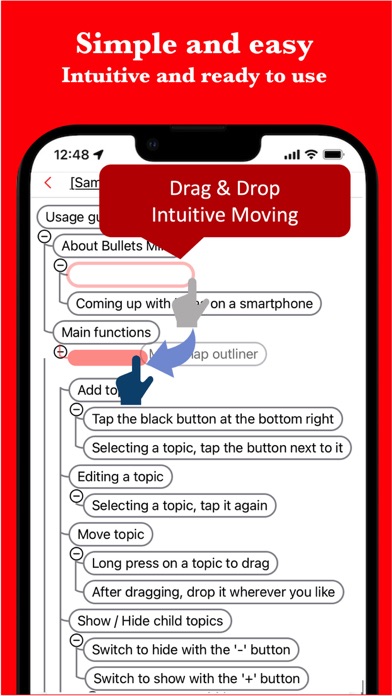
You can create hierarchical bulleted notes.
Bullets Mind works fast and helps you organize your ideas and information.
It applies the usability of the mind map application to the outline processor.
For example, it is used in the following situations.
* Notes for organizing ideas
* Organize information with bullet points
* Creating a table of contents
* Report creation
* Writing papers
* Proposal creation
* Task management
* Goal management
In addition to this, there are reports of various uses because it can be used for anything to manage outlines.
If you are looking for an outline organization or memo writing tool, please try it once.
It is also ideal for those who want a vertical mind map when creating a mind map on a smartphone.
# Features
* Intuitive operability
Ease of use is the most important thing for simple functions.
It operates quickly and can be used intuitively for editing.
* Rich expression
It also supports coloring and can be expressed to your liking.
* To-do management
You can insert the progress rate for each topic and use it for ToDo management.
* Link
Links can be inserted for each topic, which is convenient when you want to manage reference sites.
* Detailed note function
You can insert detailed explanations for each topic, so you can create sentences while organizing the outline with bullet points.
* Ready to use
You can use it immediately without registering an account.
* Export and share
You can export the created outline information and share it or edit it on your PC.
* Multi-Device Support
Sync seamlessly across multiple devices via Google Drive.
* Dark theme support
Since it supports a dark theme, it is also ideal for use at night.