

BusyCal: Calendar & Reminders
BusyCal: Calendar & Reminders is made and published by Busy Apps FZE. AppBrain is an independent app data site and isn't affiliated with Busy Apps FZE. The app name, icon, screenshots and description belong to Busy Apps FZE and are shown as published on the App Store.
AppBrain's verdict
- Last updated
- October 26, 2026
Rankings
App Store top chartsApp Store Rankings for BusyCal: Calendar & Reminders
Competitors
Similar apps and more from Busy Apps FZEMore from Busy Apps FZE


Releases
Updates seen on the App Store- Version
- 2026.4.4
- Launched
- November 2016
No changelog data
User feedback
Ratings and reviews on the App StoreComments on BusyCal: Calendar & Reminders for iOS
We don't have enough comments to show example comments. Please check back later.
Technology
Found in the app by AppBrain- Price
- Free
- App size
- 70.2 MB
- Content rating
- Everyone
Technologies used by BusyCal: Calendar & Reminders
About the app and developer
About BusyCal: Calendar & Reminders
BusyCal: Calendar & Reminders is a productivity app developed by Busy Apps FZE.
User Ratings
The app has no ratings yet.
App Information
BusyCal: Calendar & Reminders is freely available from the App Store. The app size is 70.23 MB. The latest version available is 2026.4.4. The last update was on October 26, 2026.
Technical Requirements
The app has a content rating of Everyone. The app has been available on the App Store since November 2016.
Developer information for Busy Apps FZE
Address:
Frequently asked questions about BusyCal: Calendar & Reminders
Is BusyCal: Calendar & Reminders free?
Yes. BusyCal: Calendar & Reminders is free on the App Store.
Is BusyCal: Calendar & Reminders still available?
Yes. BusyCal: Calendar & Reminders is on the App Store, and the last update we saw was on October 26, 2026.
How large is BusyCal: Calendar & Reminders?
BusyCal: Calendar & Reminders is 70.23 MB.
Is BusyCal: Calendar & Reminders suitable for children?
App Store rates the content of BusyCal: Calendar & Reminders as suitable for everyone.
Who made BusyCal: Calendar & Reminders?
BusyCal: Calendar & Reminders was developed by Busy Apps FZE. It is listed in the productivity category on the App Store.
Store listing
By Busy Apps FZE, from the App Store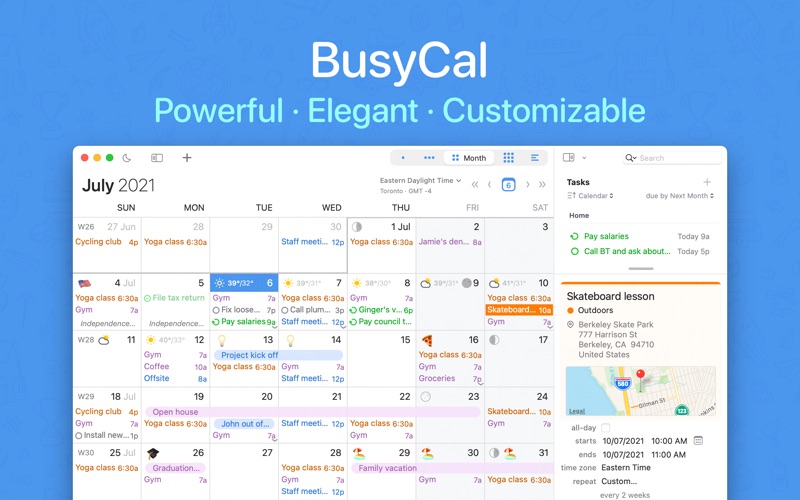
Description by Busy Apps FZE Written by the developer, not by AppBrain. Click to read.
Free to use for everyday calendaring. A 14-day trial unlocks the full app, and one subscription covers your whole family through Family Sharing.
VIEWS
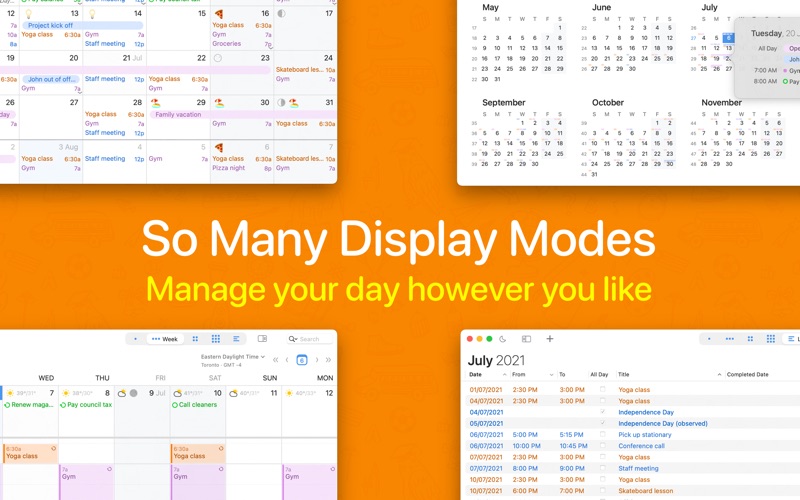
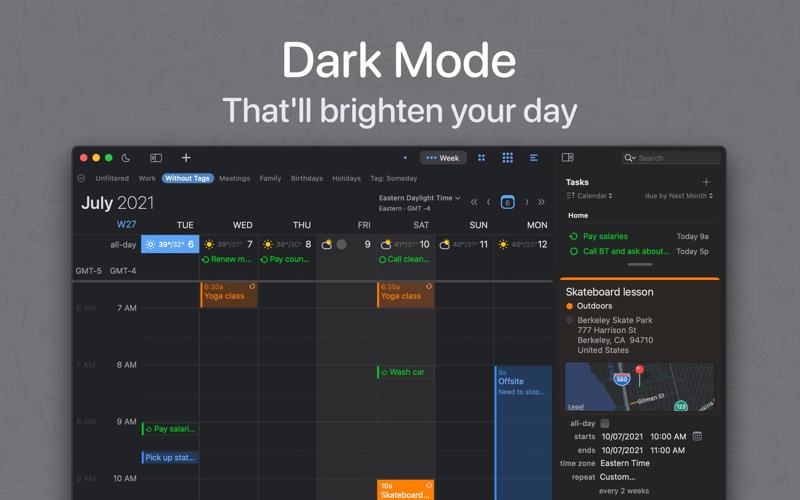
• Day, Week, Month, Year and List views: 1 to 12 weeks per month, 2 to 31 days per week, your own fonts, colors and work week
• Year view as a planner or heat map, with Highlights on your busiest months, calendars and people
• List view with sortable columns, custom date ranges and duration totals, and light, dark or automatic appearance
NATURAL LANGUAGE INPUT
• "Lunch with Joe next Tuesday at 12:30" or "Team meeting every other Monday at 9:30 /work alarm 15m" becomes a complete event as you type
• Understands repeats, alarms, locations, attendees, time zones and calendars, in English, German, French, Italian, Spanish, Dutch, Japanese, Korean and Simplified Chinese
TASKS IN YOUR CALENDAR
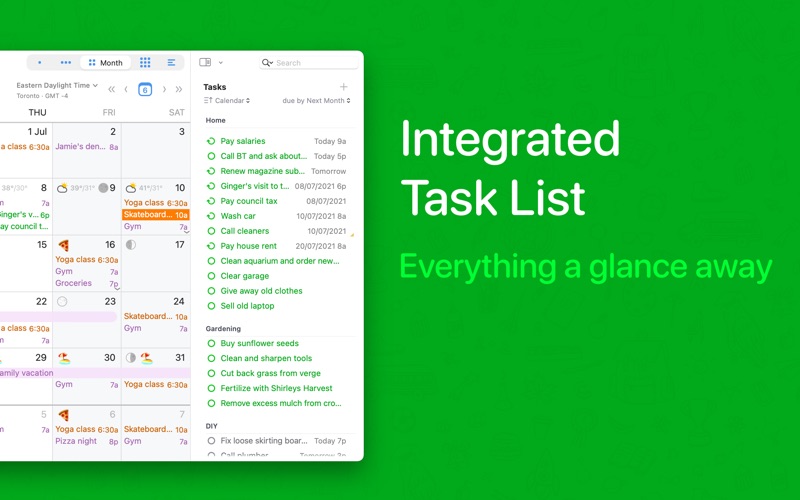
• Dated, timed and undated tasks sit right on the calendar and carry forward until done
• A Task List in the sidebar sorted by due date, priority, calendar, tag or by hand, with repeat after completion and Paste as Task
• Syncs with Apple Reminders, iCloud, Google Tasks, Todoist and Microsoft To Do
EVERY ACCOUNT
• iCloud, Google Calendar, Microsoft 365, Outlook.com, Exchange, Yahoo, Fastmail and any CalDAV server, plus WebDAV subscriptions for holidays and sports
• Push updates where the server supports them; settings, smart filters and tags follow you between Macs over iCloud
• Works alongside BusyCal for iPhone and iPad and the built-in Calendar app
MEETINGS DONE RIGHT
• Invite attendees, respond from the Inbox, propose a new time, and check availability on Exchange, Microsoft 365, Google and Fastmail
• Zoom, Microsoft Teams, Google Meet, Webex and GoTo links become join buttons, and Zoom meetings can be added with one click
• Block time on other calendars by rule or by hand, with details or just "busy"
BOOKINGS
• With BusyCal Bookings, share a booking page with others and let people book time with you
THE INFO PANEL
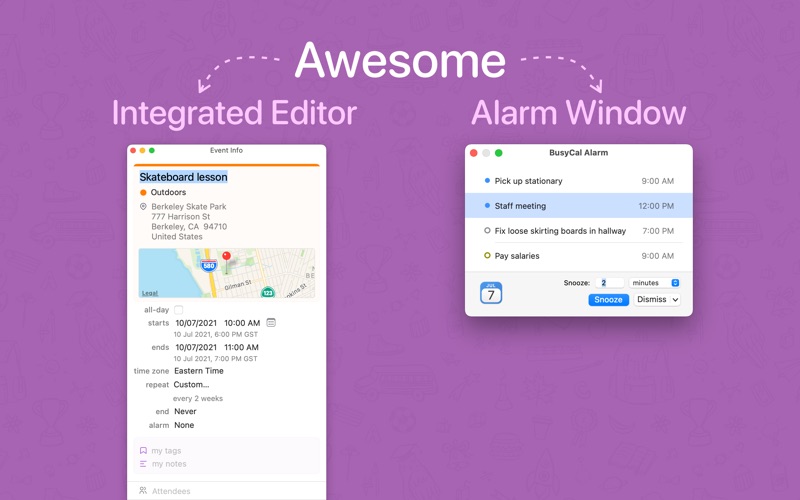
• View and edit everything about an event in the sidebar, a popover or a floating window
• Choose the fields you want: travel time, time zones, tags, maps, attachments, private notes and more
• Suggestions as templates reuse past events as you type, and Find and Replace works across your whole calendar
TRAVEL TIME, MAPS AND TIME ZONES
• Block out driving, walking or transit time to an event, with a Time to Leave alert that follows traffic
• Favorite time zones, extra time zone rulers, floating time, and events spanning two zones
MENU BAR, ALARMS AND WIDGETS
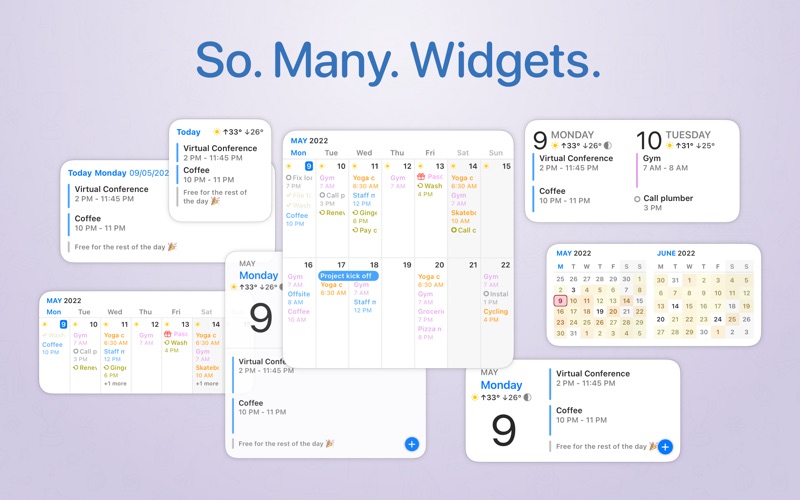
• The menu bar app shows a mini month, an endless agenda, the weather and Quick Entry, and keeps working when the main app is closed
• Alarms in a floating window you can snooze for any interval, plus email, file and location alarms
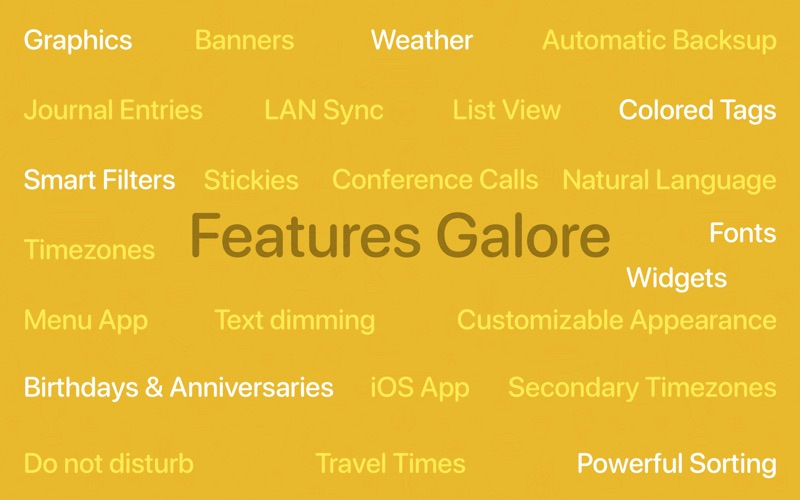
• Do Not Disturb with one click, and a full set of widgets for what is next, your agenda, the week and your tasks
TAGS, SMART FILTERS AND CALENDAR SETS
• Color-coded tags, automatic tagging rules per account, and time tracking by tag with duration totals
• Smart Filters save calendar sets, searches and view settings behind one click or shortcut
AND MORE
• Weather, moon phases, birthdays, anniversaries and holidays, plus graphics, stickies and journal entries
• Automatic backups, archiving, and export to .ics or .csv
• AppleScript, a URL scheme, Siri and Shortcuts, Raycast and Claude Desktop extensions for automation
• Pairs with BusyContacts to link people to meetings
Trusted by Mac users for more than a decade. Questions? Visit busymac.com/docs or write to us from within the app.