

BusyContacts: Contact Manager
BusyContacts: Contact Manager is made and published by Busy Apps FZE. AppBrain is an independent app data site and isn't affiliated with Busy Apps FZE. The app name, icon, screenshots and description belong to Busy Apps FZE and are shown as published on the App Store.
AppBrain's verdict
- Last updated
- October 4, 2026
Rankings
App Store top chartsApp Store Rankings for BusyContacts: Contact Manager
Competitors
Similar apps and more from Busy Apps FZEMore from Busy Apps FZE


Releases
Updates seen on the App Store- Version
- 2026.4.1
- Launched
- March 2015
No changelog data
User feedback
Ratings and reviews on the App StoreComments on BusyContacts: Contact Manager for iOS
We don't have enough comments to show example comments. Please check back later.
Technology
Found in the app by AppBrain- Price
- Free
- App size
- 33.9 MB
- Content rating
- Everyone
Technologies used by BusyContacts: Contact Manager
About the app and developer
About BusyContacts: Contact Manager
BusyContacts: Contact Manager is a productivity app developed by Busy Apps FZE.
User Ratings
The app has no ratings yet.
App Information
BusyContacts: Contact Manager is freely available from the App Store. The app size is 33.89 MB. The latest version available is 2026.4.1. The last update was on October 4, 2026.
Technical Requirements
The app has a content rating of Everyone. The app has been available on the App Store since March 2015.
Developer information for Busy Apps FZE
Address:
Store listing
By Busy Apps FZE, from the App Store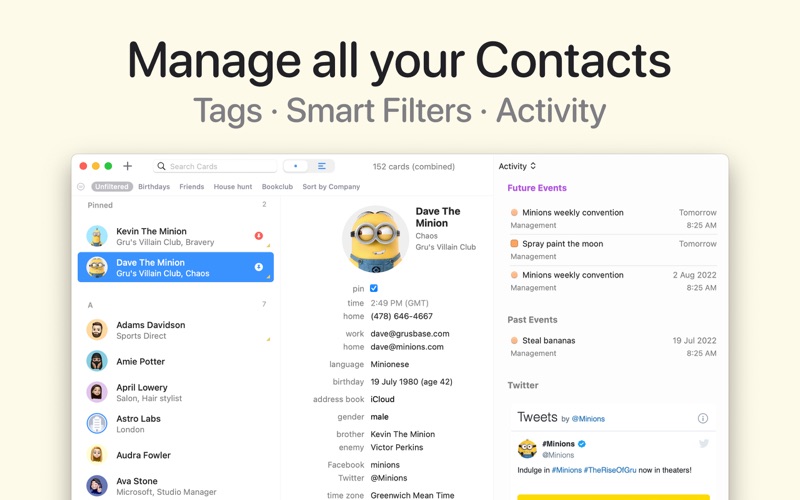

Description by Busy Apps FZE Written by the developer, not by AppBrain. Click to read.
Free to try for 14 days. A subscription unlocks the full app, and one subscription covers your whole family through Family Sharing.
ACTIVITY LIST
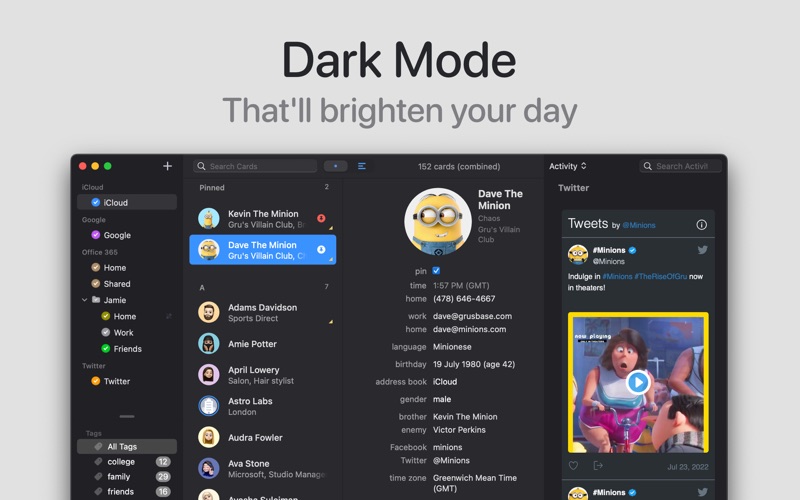
• See a timeline of everything connected to a contact: emails sent and received in Apple Mail, meetings, tasks and events from BusyCal, and posts from LinkedIn, Bluesky, Mastodon, Instagram, GitHub, Reddit, YouTube and more
• The BusyContacts Mail Assistant extension for Apple Mail captures the messages that matter and keeps them on your Mac
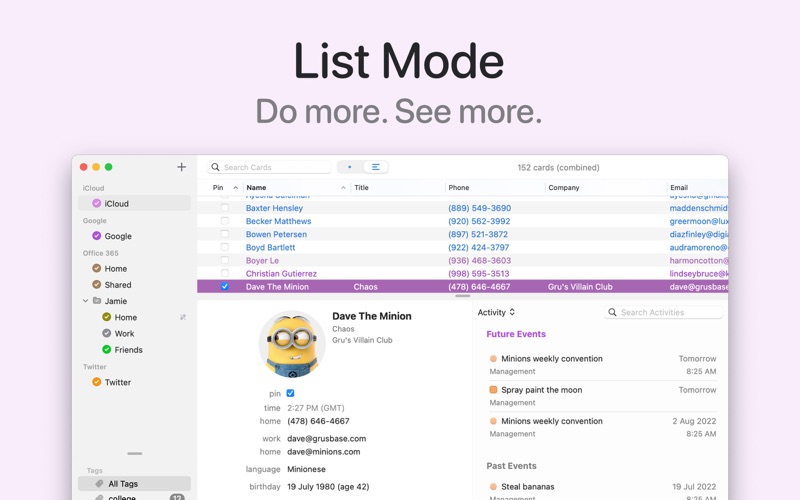
TWO VIEWS, YOUR RULES
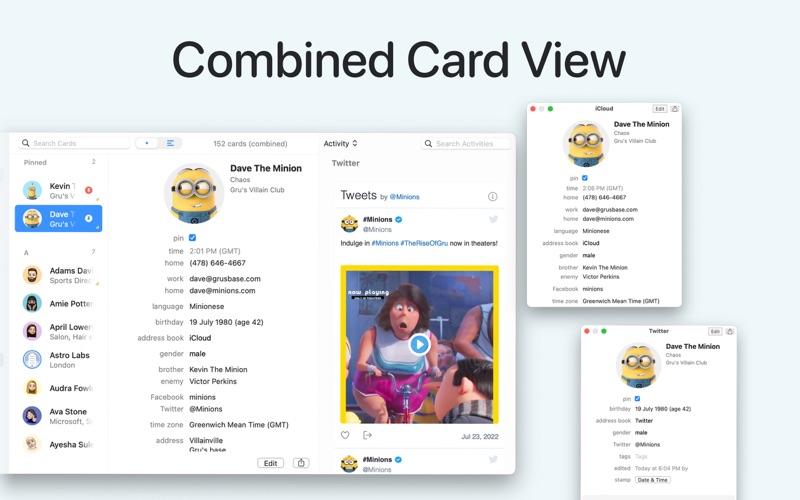
• Card View: a clean single column with photos and a letter index for fast scrolling
• List View: a table with over a hundred available columns, sorting on up to four levels, and up to ten custom fields as columns of their own
• A customizable info panel with side-by-side or stacked layout, and hover actions to call, write or map a contact in one click
TAGS, GROUPS AND SMART FILTERS
• Give each contact as many tags as you like, then filter by tag from the sidebar with live counts and colors
• Tags map to Groups in iCloud and Apple Contacts and to Categories in Exchange and Outlook, so they travel with your data
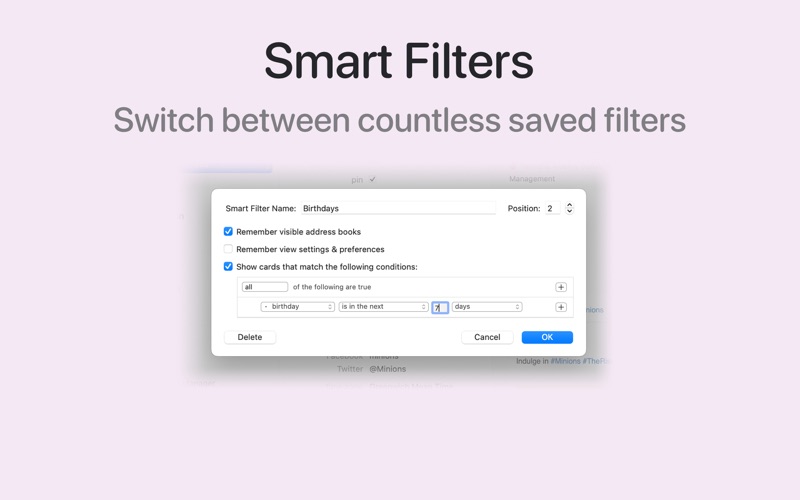
• Smart Filters find contacts by any condition (a tag, a company, an upcoming birthday, a custom field value) and sit on the filter bar as one-click buttons
EVERY ACCOUNT IN ONE PLACE
• iCloud, Google, Microsoft 365 / Office 365, Outlook.com, Exchange, Fastmail, Yahoo, Fruux, Contactzilla and CardDAV, with push sync where the server supports it
• Because BusyContacts syncs through your accounts, Apple Contacts and your iPhone stay in step automatically
LINK AND MERGE
• Cards for the same person across accounts are linked automatically and can be shown as one combined card
• Link, unlink, merge, or merge and link cards yourself to clean up duplicates; edit a combined card once and every linked card updates
BUSYCAL INTEGRATION
• Link contacts to events, meetings, tasks and journal entries, or drag a contact onto the calendar to schedule a meeting
• Birthday and anniversary calendars in BusyCal, and an Upcoming group in BusyContacts for the next two weeks of dates
SHARE ADDRESS BOOKS
• Share with other BusyContacts users, read-only or read-write, through Microsoft 365, Exchange, Fruux, Kerio, Zimbra and CardDAV servers that support sharing, or peer to peer over your local network
CAPTURE AND OUTPUT
• Business card reader: drop in a photo of a card or an email signature and BusyContacts reads it into a new contact, entirely on your Mac
• Quick Entry: type a name, number, email and company on one line and BusyContacts sorts out the fields
• Create a QR code for any contact, or import one by dropping a QR image on the Dock icon
• Print envelopes and mailing labels for Avery, DYMO and custom sizes
• Export as vCard or CSV, with automatic backups and one-click restore
AND MORE
• Unlimited fields per type, custom labels, and custom field types including numbers and money you can sort and filter
• Local time, pinned contacts, private notes that never leave your Mac, related names, attachments and a Me card
• Call from your Mac through your iPhone or Skype, keyboard shortcuts for everything, a busycontacts:// URL scheme, and ready-made Alfred and LaunchBar workflows
Made by the team behind BusyCal. Questions? Visit busymac.com/docs/busycontacts or write to us from within the app.