Cast TV - Screen Mirroring is an utilities app developed by Inza Iqbal.
What is the rating of Cast TV - Screen Mirroring?
Cast TV - Screen Mirroring has no ratings yet.
Is Cast TV - Screen Mirroring free?
Cast TV - Screen Mirroring is free. The app size is 56.88 MB. The latest version available is 2.2. The last update was on October 22, 2026.
What are the requirements for Cast TV - Screen Mirroring?
The app has a content rating of Everyone. The app has been available on the App Store since October 2026.
Cast TV - Screen Mirroring is made and published by
Inza Iqbal.
AppBrain is an independent app data site and isn't affiliated with Inza Iqbal.
The app name, icon, screenshots and description belong to Inza Iqbal and are shown as published on the App Store.
Description by Inza Iqbal(from the App Store)
Cast TV – Screen Mirroring & Media Casting
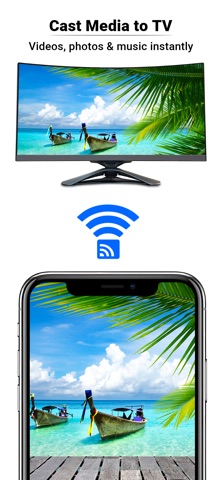
Cast TV makes it easy to enjoy your favorite photos, videos, and content on the big screen. Connect your iPhone to compatible Smart TVs and stream media wirelessly in just a few taps.
Features
Screen Mirroring Mirror your iPhone screen to your TV and enjoy content on a larger display.
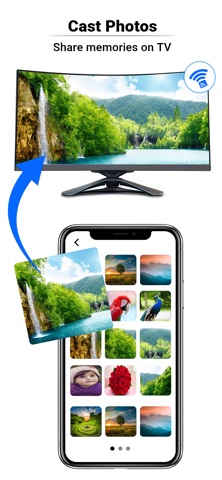
Photo Casting View photos from your gallery on your TV for family gatherings, presentations, and more.
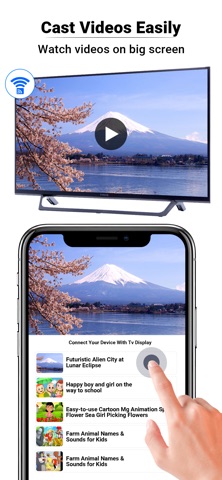
Video Casting Stream videos stored on your device directly to compatible Smart TVs.
Simple Connection Guide Easy-to-follow instructions help you connect your iPhone and TV on the same Wi-Fi network.
Wireless Streaming No cables required. Enjoy convenient casting and mirroring over your local network.
User-Friendly Interface Clean and intuitive design for quick access to casting and mirroring features.
How It Works
1. Connect your iPhone and TV to the same Wi-Fi network. 2. Select a photo, video, or screen mirroring option. 3. Choose your compatible TV. 4. Enjoy your content on the big screen.
Compatibility
Cast to TV works with many compatible Smart TVs and streaming devices that support screen casting and media streaming technologies.
Download Cast to TV today and enjoy photos, videos, and screen mirroring on your TV with a fast and simple wireless experience.
Subscription Information
Upgrade to Premium with a free trial (where available) to enjoy unlimited media casting, an ad-free experience, and access to all premium features. Your subscription automatically renews unless auto-renew is turned off at least 24 hours before the end of the current billing period. Payment is charged to your Apple ID account upon purchase or after the free trial ends. You can manage or cancel your subscription at any time in your App Store account settings.
Privacy Policy https://fofstudioapps.blogspot.com/2026/01/iq-cast-to-tv-app-privacy-policy.html Terms of Use https://fofstudioapps.blogspot.com/2026/06/media-casting-app-terms-of-uses.html
Each subscription will automatically renew 3 days before the expiration date for
the same time period. Subscriptions can be cancelled at any time before the renewal.