

Clock Widgets in Standby Mode
Clock Widgets in Standby Mode is made and published by 云云 唐. AppBrain is an independent app data site and isn't affiliated with 云云 唐. The app name, icon, screenshots and description belong to 云云 唐 and are shown as published on the App Store.
AppBrain's verdict
EstablishedWell rated- Rating on App Store
- 4.19
- 141 ratings
- Last updated
- January 2, 2024
- Size
- 57.8 MB
Users rate it well: 4.2 stars from 141 ratings.
User feedback
Ratings and reviews on the App StoreComments on Clock Widgets in Standby Mode for iOS
We don't have enough comments to show example comments. Please check back later.
Store listing
By 云云 唐, from the App Store


Description by 云云 唐 Written by the developer, not by AppBrain. Click to read.
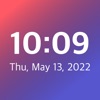
- Beautiful home screen digital clock display
- Support seconds display and real-time refresh
- Multiple theme styles
- Hourly chime:Real human voice tells the time on the hour
- Show time on home screen, Lock Screen, dynamic island, standby screen.
Safety and technology
Found in the app by AppBrain- Price
- Free
- App size
- 57.8 MB
- Content rating
- Everyone
Technologies used by Clock Widgets in Standby Mode
Releases
Updates seen on the App Store- Version
- 1.6
- Launched
- March 2021
No changelog data
Alternatives
Similar apps and more from 云云 唐Alternatives to Clock Widgets in Standby Mode






More from 云云 唐





Rankings
App Store top chartsApp Store Rankings for Clock Widgets in Standby Mode
About the app and developer
About Clock Widgets in Standby Mode
Clock Widgets in Standby Mode is a graphics & design app developed by 云云 唐.
User Ratings
Clock Widgets in Standby Mode is rated 4.19 out of 5 stars. The rating is based on 140 ratings.
App Information
Clock Widgets in Standby Mode is freely available from the App Store. The app size is 57.82 MB. The latest version available is 1.6. The last update was on January 2, 2024.
Technical Requirements
The app has a content rating of Everyone. The app has been available on the App Store since March 2021.
Developer information for 云云 唐
Address:
Frequently asked questions about Clock Widgets in Standby Mode
Is Clock Widgets in Standby Mode free?
Yes. Clock Widgets in Standby Mode is free on the App Store.
Is Clock Widgets in Standby Mode still available?
Yes. Clock Widgets in Standby Mode is on the App Store, and the last update we saw was on January 2, 2024.
How large is Clock Widgets in Standby Mode?
Clock Widgets in Standby Mode is 57.82 MB.
Is Clock Widgets in Standby Mode suitable for children?
App Store rates the content of Clock Widgets in Standby Mode as suitable for everyone.
How do people rate Clock Widgets in Standby Mode?
Clock Widgets in Standby Mode scores 4.19 out of 5 stars, from 141 ratings on the App Store.
Who made Clock Widgets in Standby Mode?
Clock Widgets in Standby Mode was developed by 云云 唐. It is listed in the graphics & design category on the App Store.
What are the best alternatives to Clock Widgets in Standby Mode?
People looking at Clock Widgets in Standby Mode also look at these graphics & design apps: Clock Widget with Seconds Live, My widget clock +, Simple Clocks: Clock Widgets, Clock Widget - Custom themes, Icon Changer: App Icon Maker.