

Convert to PDF: File Converter
Convert to PDF: File Converter is made and published by Mohsan Ali. AppBrain is an independent app data site and isn't affiliated with Mohsan Ali. The app name, icon, screenshots and description belong to Mohsan Ali and are shown as published on the App Store.
AppBrain's verdict
- Last updated
- December 18, 2024
- Size
- 95.1 MB
User feedback
Ratings and reviews on the App StoreComments on Convert to PDF: File Converter for iOS
We don't have enough comments to show example comments. Please check back later.
Store listing
By Mohsan Ali, from the App Store


Description by Mohsan Ali Written by the developer, not by AppBrain. Click to read.
Key Features:
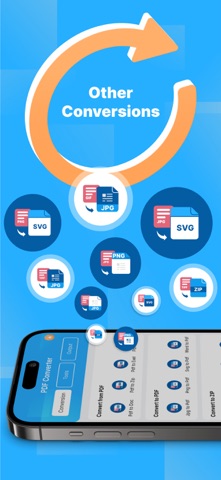
- All-in-One PDF Converter: Transform PDFs into Word, PNG, HTML, SVG, GIF, TIFF, and more.
- Word to PDF Converter: Convert Word files into high-quality PDFs, PNGs, and SVGs.
- Advanced OCR: Extract text from images and scanned documents with precision.
- Image to PDF: Quickly convert photos into PDFs.
- Compress & Merge: Reduce file sizes without losing quality and combine files effortlessly.
- Secure with Passwords: Protect sensitive files with advanced encryption.
- Batch Conversion: Process multiple files simultaneously to save time.
- Offline Mode: Convert and manage documents without needing an internet connection.
Additional Features:
- Customizable Settings: Tailor conversion preferences to suit your needs.
- Preview Before Conversion: Ensure perfect output with a built-in preview.
- Search & Organize: Quickly find and manage files for streamlined document handling.
- HTML & ZIP Support: Convert HTML to PDFs and extract files from ZIP archives effortlessly.
Why Choose PDF Wizard?
- Fast, accurate, and reliable conversions.
- User-friendly design for all skill levels.
- Perfect for professionals, students, and everyday users.
- Regular updates to ensure top-notch performance.
With PDF Wizard, you get professional-grade PDF conversion and editing tools in one app. Whether you’re converting PDFs to Word, scanning documents, or managing files, it’s the ultimate tool for personal and professional use.
Download PDF Wizard now and simplify your document management today!
Note:
We value your privacy and never use or share your personal data with any third parties. None of the text or document uploaded on our app is stored or shared with any third party. This app is completely safe and secure to use for everyone.
Payment will be charged to your iTunes account at confirmation of purchase.Your subscription will automatically renew unless auto-renew is turned off at least 24-hours before the end of the current subscription period. Your account will be charged for renewal within 24-hours prior to the end of the current subscription period. Automatic renewals will cost the same price you were originally charged for the subscription. You can manage your subscriptions and turn off auto-renewal by going to your Account Settings on the App Store after purchase.
Terms of use:
https://sites.google.com/view/pdf-wizard-terms-and-condition/home
Privacy Policy:
https://sites.google.com/view/privacy-policy-pdf-converter-/home
Safety and technology
Found in the app by AppBrain- Price
- Free
- App size
- 95.1 MB
- Content rating
- Everyone
Technologies used by Convert to PDF: File Converter
Releases
Updates seen on the App Store- Version
- 1.0.7
- Launched
- January 2024
No changelog data
Alternatives
Similar apps and more from Mohsan Ali











Rankings
App Store top chartsApp Store Rankings for Convert to PDF: File Converter
About the app and developer
About Convert to PDF: File Converter
Convert to PDF: File Converter is a productivity app developed by Mohsan Ali.
User Ratings
The app has no ratings yet.
App Information
Convert to PDF: File Converter is freely available from the App Store. The app size is 95.14 MB. The latest version available is 1.0.7. The last update was on December 18, 2024.
Technical Requirements
The app has a content rating of Everyone. The app has been available on the App Store since January 2024.
Developer information for Mohsan Ali
Address:
Frequently asked questions about Convert to PDF: File Converter
Is Convert to PDF: File Converter free?
Yes. Convert to PDF: File Converter is free on the App Store.
Is Convert to PDF: File Converter still available?
Yes. Convert to PDF: File Converter is on the App Store, and the last update we saw was on December 18, 2024.
How large is Convert to PDF: File Converter?
Convert to PDF: File Converter is 95.14 MB.
Is Convert to PDF: File Converter suitable for children?
App Store rates the content of Convert to PDF: File Converter as suitable for everyone.
Who made Convert to PDF: File Converter?
Convert to PDF: File Converter was developed by Mohsan Ali. It is listed in the productivity category on the App Store.
What are the best alternatives to Convert to PDF: File Converter?
People looking at Convert to PDF: File Converter also look at these productivity apps: Easy AI Writer, PDF Converter: Scan & Editor, Taskman: Smart Task Manager, HTML To PDF App, Convert pdf to excel.