
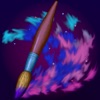
Cosmic Brush is made and published by Norbyte. AppBrain is an independent app data site and isn't affiliated with Norbyte. The app name, icon, screenshots and description belong to Norbyte and are shown as published on the App Store.
AppBrain's verdict
EstablishedLoved by users- Rating on App Store
- 4.58
- 132 ratings
- Last updated
- December 6, 2023
Users love it: 4.6 stars from 132 ratings.
Rankings
App Store top chartsApp Store Rankings for Cosmic Brush
Competitors
Similar apps and more from NorbyteAlternatives to Cosmic Brush





More from Norbyte



Releases
Updates seen on the App Store- Version
- 5.3.1
- Launched
- May 2013
No changelog data
User feedback
Ratings and reviews on the App StoreComments on Cosmic Brush for iOS
We don't have enough comments to show example comments. Please check back later.
Technology
Found in the app by AppBrain- Price
- Free
- App size
- 23.9 MB
- Content rating
- Everyone
Technologies used by Cosmic Brush
About the app and developer
About Cosmic Brush
Cosmic Brush is a graphics & design app developed by Norbyte.
User Ratings
Cosmic Brush is rated 4.58 out of 5 stars. The rating is based on 130 ratings.
App Information
Cosmic Brush is freely available from the App Store. The app size is 23.88 MB. The latest version available is 5.3.1. The last update was on December 6, 2023.
Technical Requirements
The app has a content rating of Everyone. The app has been available on the App Store since May 2013.
Developer information for Norbyte
Address:
Store listing
By Norbyte, from the App Store


Description by Norbyte Written by the developer, not by AppBrain. Click to read.
Only your imagination sets the limits for what you can create!
• INSPIRING PAINTING TOOLS •
Be as creative as you want with inspiring out-of-this-world painting tools like 3D-Shaded Brush, Halo Brush, Plasma Chain Brush, and Translucent Brush.
It also has Lighten and Darken tools, a tremendous help when you want to add some depth and life to your drawings.
• FINGERTIP = STROKE SIZE •
When you paint, the app measures how much of your finger is touching the screen and changes the stroke size accordingly.
Apply just the corner of your fingertip for a thin line, or the whole fingerprint area for a broad stroke.
A 2nd tool assigned to your finger will still use this feature, so don’t ignore it just because you have an Apple Pencil!
• LEFT-HANDED? •
Just swipe the toolbar over to the other side!
• PARAMETERS CAN BE CHANGED LIVE •
Use any buttons or controls to change/adjust color, size, force, simultaneously while painting.
• UNIVERSAL PURCHASE •
If you choose to buy the Pro upgrade, this one-time in-app purchase will unlock all Pro features in the app on all available platforms (iPad-iPhone-Mac)!
• METAL •
The engine is based on Metal, with 128-bit color and floating-point arithmetic.
• SWIFT •
The app was developed entirely using Swift (earlier versions used C++).
• APPLE PENCIL SUPPORT • FULL SCREEN PAINTING •
• DARK MODE • LANDSCAPE • PORTRAIT • WIDE COLOR •
• MULTIPLE LAYERS • PHOTO TRACING MODE (Pro feature) •