

Document Scan & Edit
Document Scan & Edit is made and published by Durmus Caner Bal. AppBrain is an independent app data site and isn't affiliated with Durmus Caner Bal. The app name, icon, screenshots and description belong to Durmus Caner Bal and are shown as published on the App Store.
AppBrain's verdict
- Last updated
- July 27, 2026
Rankings
App Store top chartsApp Store Rankings for Document Scan & Edit
Competitors
Similar apps and more from Durmus Caner BalAlternatives to Document Scan & Edit


More from Durmus Caner Bal


Releases
Updates seen on the App Store- Version
- 3.0
- Launched
- July 2026
No changelog data
User feedback
Ratings and reviews on the App StoreComments on Document Scan & Edit for iOS
We don't have enough comments to show example comments. Please check back later.
Technology
Found in the app by AppBrain- Price
- Free
- App size
- 6.52 MB
- Content rating
- Everyone
Technologies used by Document Scan & Edit
About the app and developer
About Document Scan & Edit
Document Scan & Edit is a productivity app developed by Durmus Caner Bal.
User Ratings
The app has no ratings yet.
App Information
Document Scan & Edit is freely available from the App Store. The app size is 6.52 MB. The latest version available is 3.0. The last update was on July 27, 2026.
Technical Requirements
The app has a content rating of Everyone. The app has been available on the App Store since July 2026.
Developer information for Durmus Caner Bal
Address:
Store listing
By Durmus Caner Bal, from the App Store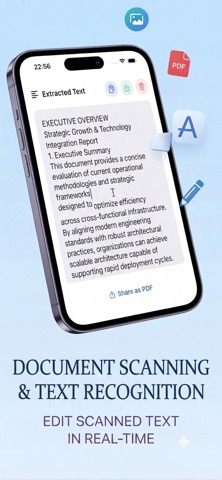
Description by Durmus Caner Bal Written by the developer, not by AppBrain. Click to read.
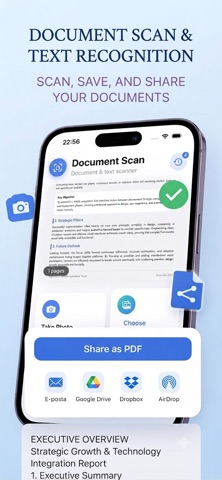
Turn paper documents, receipts, notes, and PDF files into editable digital text instantly. Document Scan reads text quickly and accurately — so you can edit, copy, and share in seconds.
HOW IT WORKS
1. Take a photo, pick an image from your gallery, or open a PDF
2. Text is extracted automatically
3. Edit, copy, or share as PDF
KEY FEATURES
• Camera scan — Snap a document and get text instantly
• Photo library — Extract text from saved images
• PDF support — Read text from multi-page PDF files
• Edit text — Refine extracted text right in the app
• One-tap copy — Copy text to clipboard instantly
• Share as PDF — Export and share your scans as PDF
• Scan history — Revisit and continue previous scans
• Multi-language — Supports Turkish, English, German, French, Spanish, Italian, Portuguese, and Japanese
PERFECT FOR
• Students — Digitize notes and textbook pages
• Professionals — Convert invoices, contracts, and documents to text
• Everyone — Copy text from handwritten notes, receipts, or screenshots
Go Premium for unlimited scans and full history access. Start with 3 free scans — try DocScan today!
Privacy-first: Your scans are processed on device and history is stored locally.
Privacy Policy: https://sites.google.com/view/documentscanprivacypolicy
Terms of Use :https://sites.google.com/view/documentscantermsofuse