


AppBrain's verdict
- Last updated
- April 14, 2026
- Size
- 4.78 MB
User feedback
Ratings and reviews on the App StoreComments on Document Scanner · Save Image for iOS
We don't have enough comments to show example comments. Please check back later.
Store listing
By Bhargav Narola, from the App StoreDescription by Bhargav Narola Written by the developer, not by AppBrain. Click to read.
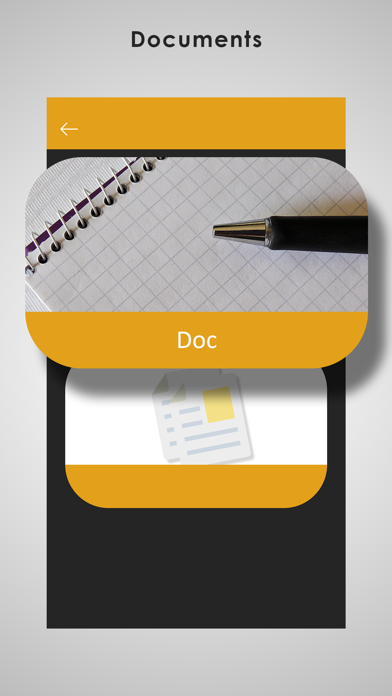
Scan documents, notes, receipts and more, then save them instantly as images. No complex steps, just open, scan and save.
KEY FEATURES:
• Scan documents using your camera
• Save scans as high-quality images
• Quick and easy capture process
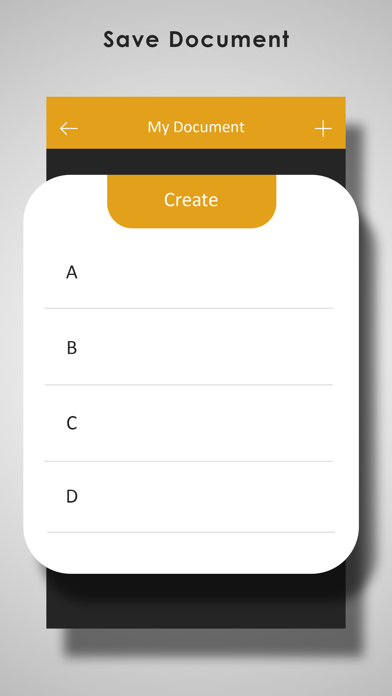
• Organize your scans in one place
• Share images anytime
• Lightweight and fast performance
• Works offline
WHY USE THIS APP?
Designed for users who want a simple way to scan and save documents as images without unnecessary features.
Perfect for:
• Students
• Office work
• Personal document storage
• Quick daily scanning needs
Download now and start scanning instantly.
Safety and technology
Found in the app by AppBrain- Price
- Free
- App size
- 4.78 MB
- Content rating
- Everyone
Technologies used by Document Scanner · Save Image
Releases
Updates seen on the App Store- Version
- 12.0
- Launched
- August 2017
No changelog data
Alternatives
Similar apps and more from Bhargav NarolaAlternatives to Document Scanner · Save Image





More from Bhargav Narola





Rankings
App Store top chartsApp Store Rankings for Document Scanner · Save Image
About the app and developer
About Document Scanner · Save Image
Document Scanner · Save Image is a productivity app developed by Bhargav Narola.
What is the rating of Document Scanner · Save Image?
Document Scanner · Save Image has no ratings yet.
Is Document Scanner · Save Image free?
Document Scanner · Save Image is free. The app size is 4.78 MB. The latest version available is 12.0. The last update was on April 14, 2026.
What are the requirements for Document Scanner · Save Image?
The app has a content rating of Everyone. The app has been available on the App Store since August 2017.
Document Scanner · Save Image is made and published by Bhargav Narola. AppBrain is an independent app data site and isn't affiliated with Bhargav Narola. The app name, icon, screenshots and description belong to Bhargav Narola and are shown as published on the App Store.
Developer information for Bhargav Narola
Address:
Frequently asked questions about Document Scanner · Save Image
Is Document Scanner · Save Image free?
Yes. Document Scanner · Save Image is free on the App Store.
Is Document Scanner · Save Image still available?
Yes. Document Scanner · Save Image is on the App Store, and the last update we saw was on April 14, 2026.
How large is Document Scanner · Save Image?
Document Scanner · Save Image is 4.78 MB.
Is Document Scanner · Save Image suitable for children?
App Store rates the content of Document Scanner · Save Image as suitable for everyone.
Who made Document Scanner · Save Image?
Document Scanner · Save Image was developed by Bhargav Narola. It is listed in the productivity category on the App Store.
What are the best alternatives to Document Scanner · Save Image?
People looking at Document Scanner · Save Image also look at these productivity apps: Scanner App, Doc Scanner – PDF Creator, Doc Scanner- PDF Document Scan, PDFCamera - scan to PDF, Folda: PDF Document Scanner.