

Document Scanner - Photo Scan
Document Scanner - Photo Scan is made and published by Laxay Gajera. AppBrain is an independent app data site and isn't affiliated with Laxay Gajera. The app name, icon, screenshots and description belong to Laxay Gajera and are shown as published on the App Store.
AppBrain's verdict
Established- Rating on App Store
- 4.71
- 24 ratings
- Last updated
- March 22, 2026
- Size
- 86.3 MB
It doesn't have enough ratings yet to judge what users think.
User feedback
Ratings and reviews on the App StoreComments on Document Scanner - Photo Scan for iOS
We don't have enough comments to show example comments. Please check back later.
Store listing
By Laxay Gajera, from the App Store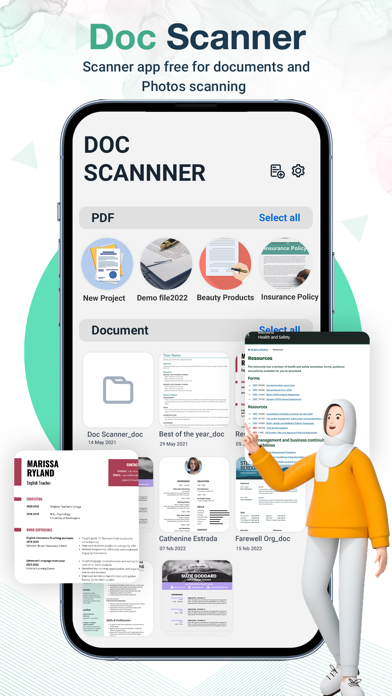



Description by Laxay Gajera Written by the developer, not by AppBrain. Click to read.
Welcome to Document scan iScan Pro, the cutting-edge document scanner and PDF creator app designed exclusively for iOS. With ScanSwift, turn your iPhone or iPad into a powerful portable scanner, allowing you to digitize your documents with ease.
DOCUMENT SCANNER
scanner app is a must-have for students and anyone involved in a small business: accountants, realtors, managers, or lawyers. Scan anything you need, including receipts, contracts, paper notes, fax papers, books, and store your scans as multipage PDF or JPG files
CAMERA SCANNER
Camera Scanner : Scan, Print & Share any document to PDF.Now you can simply scan, import and share right inside this portable cs scanner app.
Text Recognition (OCR):
Transform scanned documents into editable text with EditEase's Optical Character Recognition (OCR) feature.
Key Features:
1. Effortless Scanning:
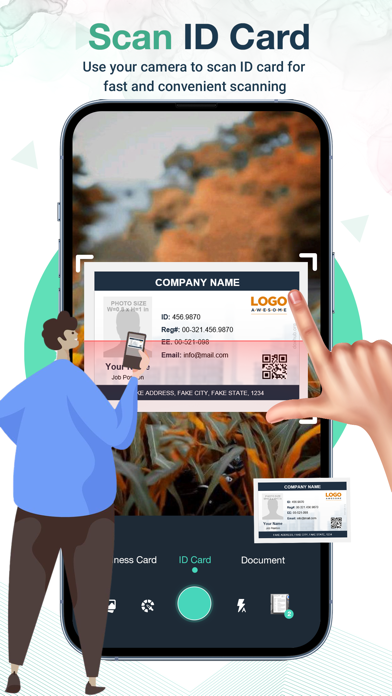
Enjoy a seamless scanning experience with Document scan. Simply point your device's camera at the document, and the app will automatically detect edges and capture high-quality scans.
2. Advanced Image Processing:
Our advanced image processing technology ensures crisp and clear scans every time. Say goodbye to distorted or blurry documents; Scanner pro optimizes your scans for professional results.
3. Multi-Page Scanning:
Need to scan multiple pages into a single PDF? PDF Scanner has you covered. Effortlessly scan and compile multiple pages into a single, organized PDF document.
4. OCR (Optical Character Recognition):
Unlock the power of OCR to convert scanned documents into editable and searchable text. Easily extract text from images, making it convenient to copy, edit, and share your scanned content.
5. Smart Document Organization:
Keep your scanned documents organized with customizable folders and tags. Access your files easily and stay on top of your digital paperwork.
6. Secure and Private:
Your privacy is our priority.Doc Scanner Enjoy peace of mind knowing that your scanned documents are stored securely on your device and can be optionally encrypted for an extra layer of protection.
7. Share with Ease:
Share your scanned documents effortlessly through email, messaging apps, or directly to your preferred cloud storage platform.
Why ScanSwift?
• User-Friendly Interface:
• Doc Scanner is designed with simplicity in mind. The intuitive interface ensures that users of all levels can navigate the app effortlessly.
• Environmentally Friendly:
• Reduce paper clutter and contribute to a greener environment by digitizing your documents with ScanSwift.
Download ScanSwift now and experience the convenience of having a powerful document scanner in your pocket. Say goodbye to paper chaos and hello to organized, digital efficiency!
(Note: This content is a generic template and should be customized to fit the specific features and branding of your iOS document scanner application.)
[Doc Scanner Pro]
- Doc Scanner Pro subscription is billed weekly, monthly or annually at the rate corresponding to the selected plan. In addition, a one-time payment will be offered if needed, which is not one of the subscription plan.
- Payment will be charged to iTunes Account at confirmation of purchase.
- Subscription automatically renews unless auto-renew is turned off at least 24-hours before the end of the current period.
- Account will be charged for renewal within 24-hours prior to the end of the current period, and identify the cost of the renewal.
- Subscriptions may be managed by the user and auto-renewal may be turned off by going to the user's Account Settings after purchase.
- Any unused portion of a free trial period, if offered, will be forfeited when the user purchases a subscription to that publication, where applicable.
[Terms of Use]
https://skyinfotechdeveloper.com/terms_and_condition_ios.html
[Privacy Policy]
https://skyinfotechdeveloper.com/privacy_policy_ios.html
Safety and technology
Found in the app by AppBrain- Price
- Free
- App size
- 86.3 MB
- Content rating
- Everyone
Technologies used by Document Scanner - Photo Scan
Releases
Updates seen on the App Store- Version
- 1.0.15
- Launched
- January 2021
No changelog data
Alternatives
Similar apps and more from Laxay GajeraAlternatives to Document Scanner - Photo Scan





More from Laxay Gajera


Rankings
App Store top chartsApp Store Rankings for Document Scanner - Photo Scan
About the app and developer
About Document Scanner - Photo Scan
Document Scanner - Photo Scan is an utilities app developed by Laxay Gajera.
User Ratings
Document Scanner - Photo Scan is rated 4.71 out of 5 stars. The rating is based on 24 ratings.
App Information
Document Scanner - Photo Scan is freely available from the App Store. The app size is 86.28 MB. The latest version available is 1.0.15. The last update was on March 22, 2026.
Technical Requirements
The app has a content rating of Everyone. The app has been available on the App Store since January 2021.
Developer information for Laxay Gajera
Address: