

Dokia: PDF Scanner & Sign
Dokia: PDF Scanner & Sign is made and published by Pylonex Labs. AppBrain is an independent app data site and isn't affiliated with Pylonex Labs. The app name, icon, screenshots and description belong to Pylonex Labs and are shown as published on the App Store.
AppBrain's verdict
- Rating on App Store
- 5.00
- 2 ratings
- Last updated
- October 1, 2026
It doesn't have enough ratings yet to judge what users think.
Rankings
App Store top chartsApp Store Rankings for Dokia: PDF Scanner & Sign
Competitors
Similar apps and more from Pylonex LabsAlternatives to Dokia: PDF Scanner & Sign


 PDFMaker: JPG to PDF converter


More from Pylonex Labs


Releases
Updates seen on the App Store- Version
- 3.0
- Launched
- February 2026
No changelog data
User feedback
Ratings and reviews on the App StoreComments on Dokia: PDF Scanner & Sign for iOS
We don't have enough comments to show example comments. Please check back later.
Technology
Found in the app by AppBrain- Price
- Free
- App size
- 40.3 MB
- Content rating
- Everyone
Technologies used by Dokia: PDF Scanner & Sign
About the app and developer
About Dokia: PDF Scanner & Sign
Dokia: PDF Scanner & Sign is a productivity app developed by Pylonex Labs.
User Ratings
Dokia: PDF Scanner & Sign is rated 5.00 out of 5 stars. The rating is based on 2 ratings.
App Information
Dokia: PDF Scanner & Sign is freely available from the App Store. The app size is 40.35 MB. The latest version available is 3.0. The last update was on October 1, 2026.
Technical Requirements
The app has a content rating of Everyone. The app has been available on the App Store since February 2026.
Developer information for Pylonex Labs
Address:
Store listing
By Pylonex Labs, from the App Store




Description by Pylonex Labs Written by the developer, not by AppBrain. Click to read.
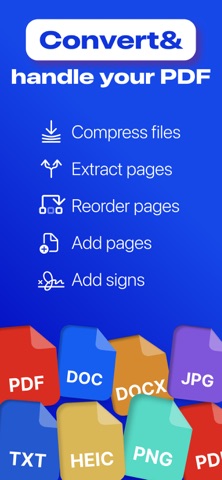
SCAN ANY DOCUMENT Point the camera at a page. Dokia finds the edges, straightens the image and clears shadows. Contracts, ID cards, invoices, receipts, book pages. Multi-page scans are merged into one PDF as you go.
SIGN AND SEND IT BACK Draw your signature once and keep it. Add it to a scan, a photo or an existing PDF, resize it, place it exactly where it belongs, export.
FILL IN FORMS Type straight onto a PDF — names, dates, amounts, tick boxes. No printing it out and scanning it back in.
CONVERT WHEN YOU HAVE TO Turn documents, photos and office files into PDF, or a PDF back into DOC, DOCX or an image. Supported formats: PDF, JPG, PNG, DOC, DOCX, TXT, PPT, PPTX. Not every combination is available.
BRING FILES IN, SEND THEM OUT Import from the Files app, iCloud, your photo library, or any other app through the share sheet. Send the result by mail or iMessage, open it elsewhere, print it, or save it back to Files.
EVERYTHING IN ONE PLACE Every document you scan, sign or convert stays in History — ready to share again, export or delete.
PRIVACY Scanning, signing and filling in forms happen entirely on your iPhone. Those files are never uploaded. Some conversions between office formats are processed on our servers and need an internet connection: they are sent over an encrypted connection and deleted once the conversion is done.
Payment is charged to your Apple Account when you confirm the purchase. It renews automatically unless cancelled at least 24 hours before the end of the current period. Manage or cancel it in your Apple Account settings. Prices vary by region.
Privacy Policy: https://pylonex.dev/privacy-policy-app
Terms of Use: https://pylonex.dev/terms-of-use-app