


AppBrain's verdict
- Last updated
- March 27, 2026
- Size
- 2.18 MB
User feedback
Ratings and reviews on the App StoreComments on DotSign - Sign & Fill PDFs for iOS
We don't have enough comments to show example comments. Please check back later.
Store listing
By Tommy Ong, from the App StoreDescription by Tommy Ong Written by the developer, not by AppBrain. Click to read.
FREE to use. Upgrade to Pro for $4.99 once to unlock unlimited signing, multiple signatures, and all annotation tools. No subscription. No
ads. Ever.
You shouldn't need a $120/year subscription to put your name on a lease.
FREE FEATURES:
→ Sign up to 3 PDF documents per day
→ Draw your signature with finger or Apple Pencil
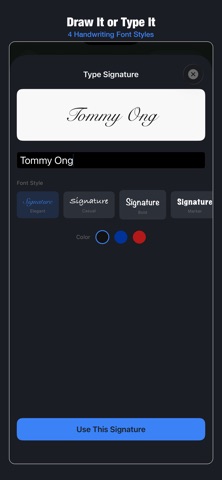
→ Type your signature in a handwriting font
→ Add text to fill form fields
→ Navigate multi-page PDFs
→ Export and share signed documents
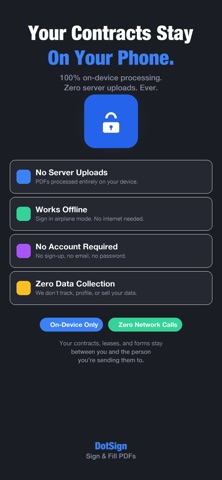
→ 100% on-device — your documents never leave your phone
PRO FEATURES ($4.99 once):
→ Unlimited document signing
→ Save multiple signatures and initials
→ Import signature from a photo
→ 4 signature font styles
→ Signature colors (black, blue, red, custom)
→ Pen thickness options
→ Date stamps and checkboxes
→ Photo-to-PDF conversion
→ Document history with annotation persistence
→ Flatten PDF (lock your annotations permanently)
HOW IT WORKS:
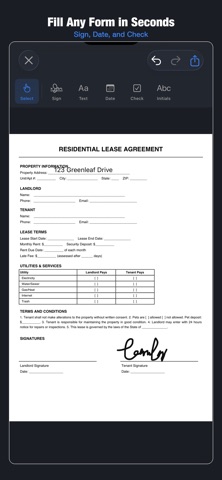
1. Import a PDF from Files, email, or any app
2. Tap where you want to sign
3. Draw or type your signature
4. Resize and position it perfectly
5. Export the signed PDF
SIGN FROM ANYWHERE:
→ Share Extension — sign PDFs directly from Mail, Messages, or Safari without switching apps
→ Quick Actions — long-press the icon to start signing instantly
FILL FORMS:
→ Tap anywhere to add text
→ Adjustable font sizes for any field
→ Date stamps for quick date entry (Pro)
→ Checkboxes for form fields (Pro)
→ All annotations are movable and deletable
YOUR DOCUMENTS ARE PRIVATE:
→ Everything happens on your device
→ No server uploads — ever
→ No account required
→ Works completely offline
→ Your contracts, leases, and forms stay between you and the person you're sending them to
PERFECT FOR:
→ Signing leases and rental agreements
→ Filling out job applications
→ Signing contracts and freelance agreements
→ Completing insurance or medical forms
→ Signing school permission slips
→ Any PDF that says "sign here"
Stop paying monthly to sign your own name.
Safety and technology
Found in the app by AppBrain- Price
- Free
- App size
- 2.18 MB
- Content rating
- Everyone
Technologies used by DotSign - Sign & Fill PDFs
Releases
Updates seen on the App Store- Version
- 1.0
- Launched
- March 2026
No changelog data
Alternatives
Similar apps and more from Tommy OngAlternatives to DotSign - Sign & Fill PDFs


More from Tommy Ong





Rankings
App Store top chartsApp Store Rankings for DotSign - Sign & Fill PDFs
About the app and developer
About DotSign - Sign & Fill PDFs
DotSign - Sign & Fill PDFs is a business app developed by Tommy Ong.
User Ratings
The app has no ratings yet.
App Information
DotSign - Sign & Fill PDFs is freely available from the App Store. The app size is 2.18 MB. The latest version available is 1.0. The last update was on March 27, 2026.
Technical Requirements
The app has a content rating of Everyone. The app has been available on the App Store since March 2026.
DotSign - Sign & Fill PDFs is made and published by Tommy Ong. AppBrain is an independent app data site and isn't affiliated with Tommy Ong. The app name, icon, screenshots and description belong to Tommy Ong and are shown as published on the App Store.
Developer information for Tommy Ong
Address: