

EchoDraw: AR Drawing & Sketch
EchoDraw: AR Drawing & Sketch is made and published by Gregory Hogan. AppBrain is an independent app data site and isn't affiliated with Gregory Hogan. The app name, icon, screenshots and description belong to Gregory Hogan and are shown as published on the App Store.
AppBrain's verdict
- Rating on App Store
- 3.25
- 8 ratings
- Last updated
- October 20, 2026
It doesn't have enough ratings yet to judge what users think.
Rankings
App Store top chartsApp Store Rankings for EchoDraw: AR Drawing & Sketch
Competitors
Similar apps and more from Gregory HoganAlternatives to EchoDraw: AR Drawing & Sketch


More from Gregory Hogan


Releases
Updates seen on the App Store- Version
- 2.3.3
- Launched
- September 2025
No changelog data
User feedback
Ratings and reviews on the App StoreComments on EchoDraw: AR Drawing & Sketch for iOS
We don't have enough comments to show example comments. Please check back later.
Technology
Found in the app by AppBrain- Price
- Free
- App size
- 15.2 MB
- Content rating
- Everyone
Technologies used by EchoDraw: AR Drawing & Sketch
About the app and developer
About EchoDraw: AR Drawing & Sketch
EchoDraw: AR Drawing & Sketch is a graphics & design app developed by Gregory Hogan.
User Ratings
EchoDraw: AR Drawing & Sketch is rated 3.25 out of 5 stars. The rating is based on 8 ratings.
App Information
EchoDraw: AR Drawing & Sketch is freely available from the App Store. The app size is 15.16 MB. The latest version available is 2.3.3. The last update was on October 20, 2026.
Technical Requirements
The app has a content rating of Everyone. The app has been available on the App Store since September 2025.
Developer information for Gregory Hogan
Address:
Store listing
By Gregory Hogan, from the App Store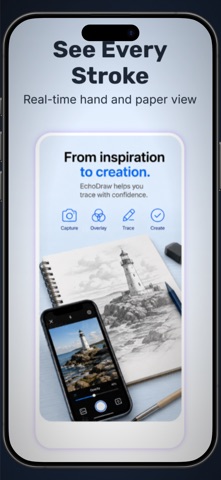




Description by Gregory Hogan Written by the developer, not by AppBrain. Click to read.
No projector, no lightbox, no special gear. Just your iPhone or iPad, a stand or a stack of books, and a sheet of paper.
HOW IT WORKS
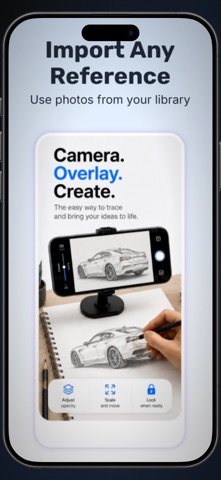
1. Pick any photo or reference from your library
2. Point your camera at your paper
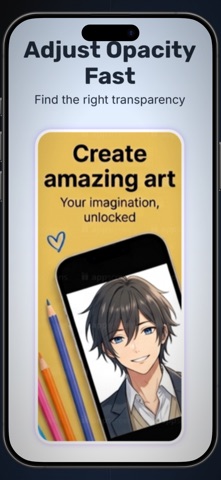
3. Lower the opacity and trace what you see on screen
WHAT YOU GET
- Live camera overlay: watch your pencil move in real time as you trace
- Adjustable opacity: fade the image in and out with one slider
- Turn photos into sketches: switch to a clean outline to make tracing easier
- Import any reference: photos, screenshots, characters, lettering, patterns
- Record your process: capture your drawing session to share or review
- Simple, distraction-free design built for drawing, not menus
GREAT FOR
- Beginners learning to draw and building confidence
- Anime, manga and character art
- Murals, wall art and signs
- Tattoo stencils and flash designs
- Lettering, calligraphy and hand-drawn logos
- Kids' crafts, coloring pages and school projects
- Art students practicing proportion and shading
Tracing is how many artists learn. It trains your eye and your hand, and every finished piece is a little more yours than the last. EchoDraw makes that practice easy anywhere you have your phone.
Download EchoDraw and trace your first drawing in under a minute.