

FastFinga 3 is made and published by Catalystwo. AppBrain is an independent app data site and isn't affiliated with Catalystwo. The app name, icon, screenshots and description belong to Catalystwo and are shown as published on the App Store.
AppBrain's verdict
Established- Rating on App Store
- 4.57
- 7 ratings
- Last updated
- September 14, 2024
It doesn't have enough ratings yet to judge what users think.
Rankings
App Store top chartsApp Store Rankings for FastFinga 3
Competitors
Similar apps and more from CatalystwoAlternatives to FastFinga 3



More from Catalystwo





Releases
Updates seen on the App Store- Version
- 3.9.11
- Launched
- August 2011
No changelog data
User feedback
Ratings and reviews on the App StoreComments on FastFinga 3 for iOS
We don't have enough comments to show example comments. Please check back later.
Technology
Found in the app by AppBrain- Price
- $9.99
- App size
- 30.4 MB
- Content rating
- Everyone
Technologies used by FastFinga 3
About the app and developer
About FastFinga 3
FastFinga 3 is a productivity app developed by Catalystwo.
What is the rating of FastFinga 3?
FastFinga 3 is rated 4.57 out of 5 stars, based on 7 ratings.
Is FastFinga 3 free?
FastFinga 3 costs $9.99. The app size is 30.43 MB. The latest version available is 3.9.11. The last update was on September 14, 2024.
What are the requirements for FastFinga 3?
The app has a content rating of Everyone. The app has been available on the App Store since August 2011.
Developer information for Catalystwo
Address:
Store listing
By Catalystwo, from the App Store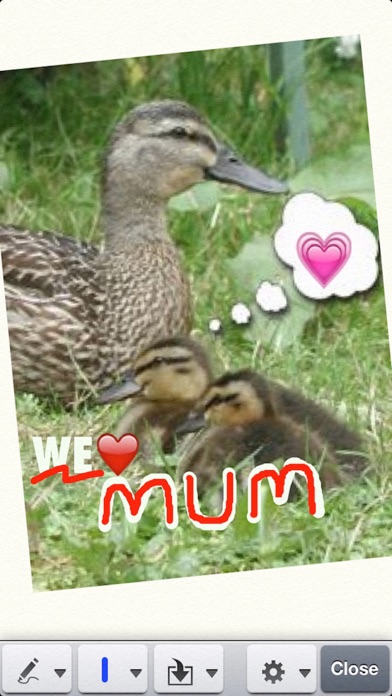
Description by Catalystwo Written by the developer, not by AppBrain. Click to read.
This #1 selling app has evolved since its creation and continues to get better with each update.
FastFinga 3 includes our other very popular Sketch Pad 3 app so you can now choose to create FastFinga documents or SketchPad documents.
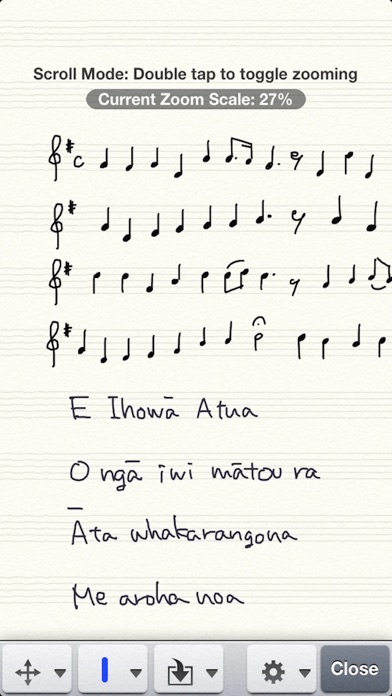
■ SHARE YOUR THOUGHTS and IDEAS... FastFinga's amazing inking enables you to…
- Make fast hand-written notes
- Send personalized emails in YOUR handwriting
- Create hand-written Tweets
- Post hand-written notes direct to Evernote, Twitter and Dropbox
■ SIMPLE AND EASY TO USE…
- Choose a pen size and color and write a word on the screen
- Use Cut and Paste to reorganize document.
■ SIMPLE FEATURES…
- 3 pen size
- 4 pen color palette allowing unlimited customization.
- Easy eraser
- Undoable pen strokes
- Undoable editing
- Cut & paste
- Fast and simple inserting of photos
- Fast and fun inserting of emojis
- Customizable button locations
- Customizable background colors
- Customizable Fonts
- Choose left-to-right/right-to-left directions setting for each document depending on your language preference
- Organize by folders.
■ FEATURES IN DETAIL…
- Universal binary… works on both iPad and iPhone.
- Built-in emoji keyboard.
- Keyboard for inserting typed text.
- Quick number and special character popup keys above keyboard. You can quickly insert special characters.
- Special character popup keys is customizable.
- Customizable font… more than 40 font families, or install your favorite font via iTunes.
- Compatible with left-to-right and right-to-left writing direction.
- Insert handwritten note
- Handwriting pad contains palm-rest in iPad version which prevents unwanted smudging. … suitable for both left-handed and right-handed.
- Tap enter to insert handwritten word into document, or enable automatic inserting.
- Handwriting pad is customizable for your preferred writing size.
- Insert checkbox
- Insert "Quote" … you can quickly copy frequently used sentences such as email template.
- Insert alarm
- Insert voice note (mp3, both in a note and as a separate file)
- Insert time stamp … in customizable format
- Insert photo (both in a note and as a separate file)
- Insert Sketch Pad (both in a note and as a separate file)
- Landscape and portrait compatible both on iPad and iPhone version.
- Create standard note with styled text, plain-text, Sketch Pad, voice note, and photo.
- Export note to printer, other apps including "Photos" app, Evernote, Twitter, Google docs, Google Picasa web, Dropbox.
- Pre-set email recipients.
- Synchronization with Dropbox … sync in both directions.
- Import files from Dropbox.
- Voice recorder can record MP3.
- Built in photo browser for jpeg and png files.
- Built in movie browser for videos.
- Search by contents and filename.
- Selectable from thumbnail style browser and list style browser.
- Rocket start for note… customizable so the app creates new blank note when opened.
** Sketch Pad features **
- Unlimited canvas size
- Trackpad for easy scrolling
- Detach and position tool-bar where you want
- Customizable grid lines
- Customizable background color
- Smooth line with rounded ends
- Organizing document folders
- Export to Twitter, Evernote, Google docs, Picasa, Dropbox, printer, other apps, email, photo library and Mac.
- Flag a sketch or note
- Assign Alarm to a sketch or note
- Palm Rest (ideal for stylus users)... Fully adjustable for either right-handed or left-handed users (iPad only)
- Two finger scrolling in writing mode
- Zooming in/out by double tapping in browse mode
- Zooming by pinching gesture can also be selectable
--------
iPad 3rd generation with Retina Display requires free upgrade to iOS 6 to use this app.
With Love by Tony on the Moon
http://homepage.ntlworld.com/tonyonthemoon/Poem-index.html