

Flowdia Diagrams
Flowdia Diagrams is made and published by Behzad Gorimar. AppBrain is an independent app data site and isn't affiliated with Behzad Gorimar. The app name, icon, screenshots and description belong to Behzad Gorimar and are shown as published on the App Store.
AppBrain's verdict
Established- Rating on App Store
- 3.44
- 66 ratings
- Last updated
- October 21, 2026
- Size
- 24.0 MB
It doesn't have enough ratings yet to judge what users think.
User feedback
Ratings and reviews on the App StoreComments on Flowdia Diagrams for iOS
We don't have enough comments to show example comments. Please check back later.
Store listing
By Behzad Gorimar, from the App Store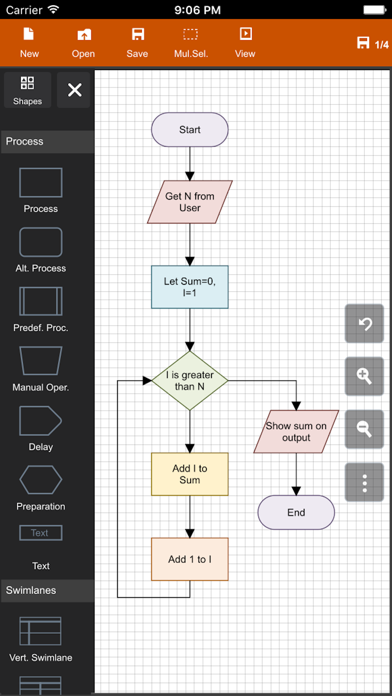
Description by Behzad Gorimar Written by the developer, not by AppBrain. Click to read.
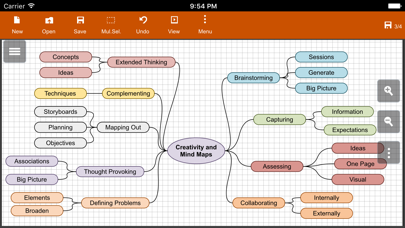
The app is designed with ease of use in mind. You can quickly connect flowchart shapes by simply selecting the start and end connection points and quickly add new lanes to a swimlane diagram or new sub-topics to a mind map diagram by using "+" button from the selected swimlane or mind map shape menu. The mind map sub-topics are automatically positioned on the page but can be easily moved as required.
Flowdia supports export of the diagram / flowchart to PNG, JPG, PDF and SVG formats.You can view exported SVG files in Microsoft Visio.
You can import custom PNG and JPG images.
The following diagrams can be created using Flowdia:
- Flowchart
- Swimlanes
- Mind Maps
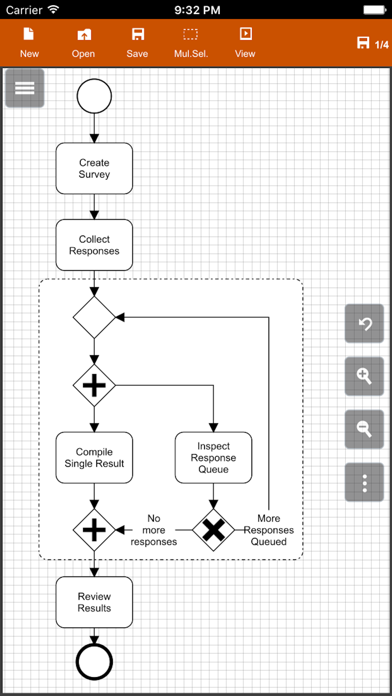
- BPMN
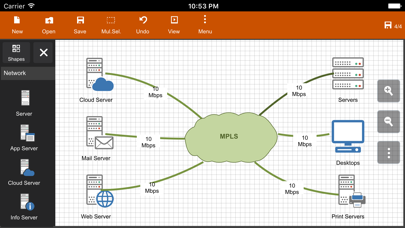
- Network Diagram
- AWS Architecture Diagram
- Cisco Network Diagram
- Server Layout Diagram
- Rack Diagram
- UML Class Diagram
- UML Activity Diagram
- UML Use Case Diagram
- UML Sequence Diagram
- Business Process Diagram
- Process Flow
- Chevron Diagram
You can quickly select and change BPMN activity, event and gateway types by using the special shape selector available to all BPMN shapes.
The flowchart shapes in this tool are not images can be re-sized without loosing quality. You can customize the look of the shapes by applying background color and also change the font color and size of the text.
**NOTE: Free version of Flowdia is restricted to:
- 4 files.
- 1 page per diagram.
- Cannot remove or duplicate pages.
- Image and PDF exports with watermark
Safety and technology
Found in the app by AppBrain- Price
- Free
- App size
- 24.0 MB
- Content rating
- Everyone
Technologies used by Flowdia Diagrams
Releases
Updates seen on the App Store- Version
- 1.25.1
- Launched
- January 2017
No changelog data
Alternatives
Similar apps and more from Behzad GorimarAlternatives to Flowdia Diagrams





More from Behzad Gorimar

Rankings
App Store top chartsApp Store Rankings for Flowdia Diagrams
About the app and developer
About Flowdia Diagrams
Flowdia Diagrams is a productivity app developed by Behzad Gorimar.
User Ratings
Flowdia Diagrams is rated 3.44 out of 5 stars. The rating is based on 66 ratings.
App Information
Flowdia Diagrams is freely available from the App Store. The app size is 24.00 MB. The latest version available is 1.25.1. The last update was on October 21, 2026.
Technical Requirements
The app has a content rating of Everyone. The app has been available on the App Store since January 2017.
Developer information for Behzad Gorimar
Address:
Frequently asked questions about Flowdia Diagrams
Is Flowdia Diagrams free?
Yes. Flowdia Diagrams is free on the App Store.
Is Flowdia Diagrams still available?
Yes. Flowdia Diagrams is on the App Store, and the last update we saw was on October 21, 2026.
How large is Flowdia Diagrams?
Flowdia Diagrams is 24.00 MB.
Is Flowdia Diagrams suitable for children?
App Store rates the content of Flowdia Diagrams as suitable for everyone.
How do people rate Flowdia Diagrams?
Flowdia Diagrams scores 3.44 out of 5 stars, from 66 ratings on the App Store.
Who made Flowdia Diagrams?
Flowdia Diagrams was developed by Behzad Gorimar. It is listed in the productivity category on the App Store.
What are the best alternatives to Flowdia Diagrams?
People looking at Flowdia Diagrams also look at these productivity apps: Lucidchart, Diagrams Notepad 3, SimpleMind - Mind Mapping, Mind Map Maker - Mindomo, Flow Chart, Block Diagram.