

GeoTagr is made and published by Galarina. AppBrain is an independent app data site and isn't affiliated with Galarina. The app name, icon, screenshots and description belong to Galarina and are shown as published on the App Store.
AppBrain's verdict
Established- Rating on App Store
- 3.50
- 24 ratings
- Last updated
- July 23, 2026
It doesn't have enough ratings yet to judge what users think.
Rankings
App Store top chartsApp Store Rankings for GeoTagr
Competitors
Similar apps and more from GalarinaAlternatives to GeoTagr








More from Galarina


Releases
Updates seen on the App Store- Version
- 5.2.10
- Launched
- before 2010
No changelog data
User feedback
Ratings and reviews on the App StoreComments on GeoTagr for iOS
We don't have enough comments to show example comments. Please check back later.
Technology
Found in the app by AppBrain- Price
- $4.99
- App size
- 26.3 MB
- Content rating
- Everyone
Technologies used by GeoTagr
About the app and developer
About GeoTagr
GeoTagr is a photo & video app developed by Galarina.
User Ratings
GeoTagr is rated 3.50 out of 5 stars. The rating is based on 24 ratings.
App Information
GeoTagr costs $4.99. The app size is 26.34 MB. The latest version available is 5.2.10. The last update was on July 23, 2026.
Technical Requirements
The app has a content rating of Everyone. The app has been available on the App Store since before 2010.
Developer information for Galarina
Address:
Store listing
By Galarina, from the App Store
Description by Galarina Written by the developer, not by AppBrain. Click to read.
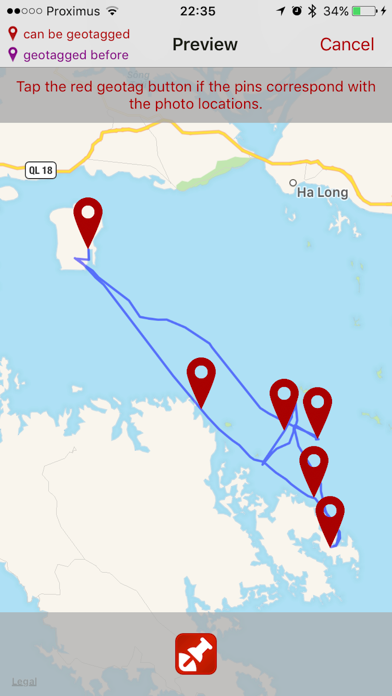
That's where GeoTagr comes to the rescue. GeoTagr tags your photos with the location where you made them (a.k.a. geotagging).
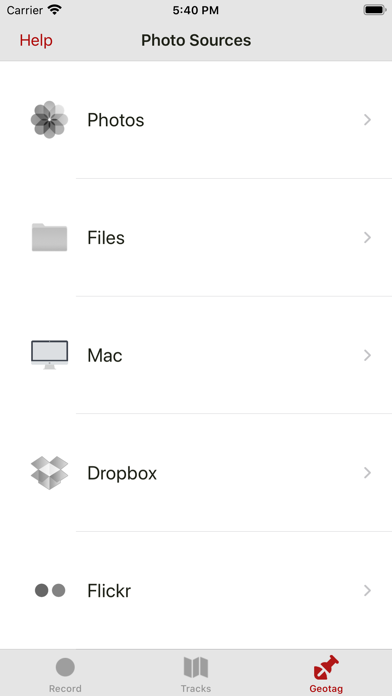
GeoTagr supports 6000+ types of digital cameras and geotags iPhone, iPad, Mac, Dropbox and Flickr photos.
CORE FEATURES:
- Record your location with an iPhone or iPad while you make photos with a digital camera
- Geotag those photos no matter where you manage them (iPhone, iPad, Mac, Dropbox, SmugMug)
- Support for JPEG and RAW photos
- Export GPX files (iTunes Sharing, Dropbox, Mail, browser)
- Import GPX files (iTunes Sharing, Dropbox, Mail, …) e.g. generated by a dedicated GPS data logger
EXTRA:
- Record your location with an iPhone and use those locations to wirelessly geotag photos on your iPad or Mac
- 3 recording modes on iPhone for optimal balance between accuracy and battery life
- Pause and resume when recording locations
- While recording, shows an estimate for the remaining battery time
- Background recording
- Track management
- Geotags photos on your Mac using the GeoTagr Companion menubar app (available in the Mac App Store for free)
- Today extension for quick access
- All maps have 3 modes: Standard, Satellite, Hybrid
- Comprehensive built-in Help section
Continued use of GPS running in the background can dramatically decrease battery life.