Glance Notes: Lock Screen is a productivity app developed by SKAISTART, OOO.
What is the rating of Glance Notes: Lock Screen?
Glance Notes: Lock Screen has no ratings yet.
Is Glance Notes: Lock Screen free?
Glance Notes: Lock Screen is free. The app size is 27.36 MB. The latest version available is 1.0.0. The last update was on September 2, 2026.
What are the requirements for Glance Notes: Lock Screen?
The app has a content rating of Everyone. The app has been available on the App Store since September 2026.
Description by SKAISTART, OOO(from the App Store)
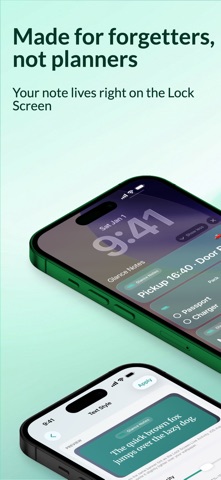
Lock screen notes and widgets you can keep in sight without unlocking. Reminders, to-do checklists, sticky memos, and a simple planner on your Lock Screen and Home Screen. 3 notes are free forever. No account required. Pro is optional.
Glance Notes is built for short notes you need to see: lock screen notes, visual widgets, quick capture, and reminders.
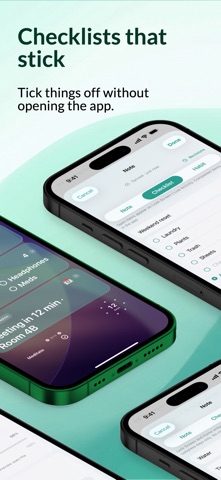
WHAT YOU GET • Lock Screen and Home Screen note widgets • Reminders by date or repeating times • Reminder photos on the notification (Pro) • To-do checklists you can tick from the Lock Screen (Pro) • Daily habits with a streak on the widget (Pro) • Live Activity banners for notes you want in front of you (Pro) • Background keep-alive for Live Activities (Pro) • iCloud sync with visible status: Synced, Syncing, Offline, or Conflict • Local snapshot history so a sync conflict never silently overwrites a note • Quick capture from the app, microphone, and Control Center (iOS 18+)
FREE 3 Lock Screen notes, widgets, text reminders, and sync. One Live Activity assignment every 7 days.
PRO Unlimited notes, Always On keep-alive, checklists, habits, reminder photos, Live look (fonts, colors, layout), and up to 3 Live Activities at once.
SUBSCRIPTIONS Optional auto-renewable subscriptions: Glance Notes Pro Monthly (1 month) and Glance Notes Pro Annual (1 year, with a 7-day free trial). Lifetime Pro is a one-time In-App Purchase, not a subscription.
Prices are shown in the app and may vary by region. Payment is charged to your Apple ID at confirmation of purchase. Subscriptions renew automatically unless auto-renew is turned off at least 24 hours before the end of the current period. Manage or cancel in Settings → Apple ID → Subscriptions.
Privacy Policy: https://glance-notes-app.web.app/privacy.html Terms of Use (EULA): https://www.apple.com/legal/internet-services/itunes/dev/stdeula/ Support: https://glance-notes-app.web.app/support.html
Each subscription will automatically renew 3 days before the expiration date for
the same time period. Subscriptions can be cancelled at any time before the renewal.