

Google Calendar: Get Organized
Google Calendar: Get Organized is made and published by Google. AppBrain is an independent app data site and isn't affiliated with Google. The app name, icon, screenshots and description belong to Google and are shown as published on the App Store.
AppBrain's verdict
EstablishedLoved by users- Rating on App Store
- 4.53
- 132,366 ratings
- Last updated
- October 13, 2026
- Size
- 290.3 MB
Users love it: 4.5 stars from 132,366 ratings. Its best ranking is #11 in Top Free, Productivity in Japan.
User feedback
Ratings and reviews on the App StoreComments on Google Calendar: Get Organized for iOS
We don't have enough comments to show example comments. Please check back later.
Store listing
By Google, from the App Store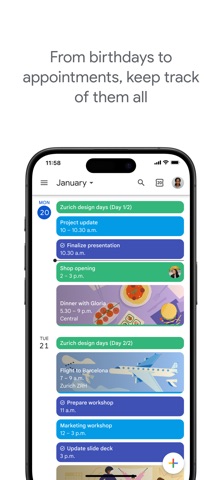



Description by Google Written by the developer, not by AppBrain. Click to read.
With Google Calendar, you can:
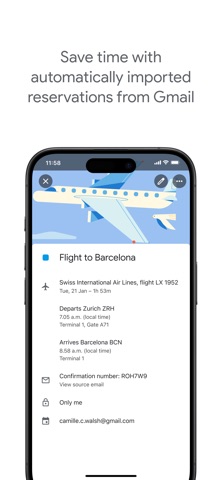
• Get events automatically added to your Calendar from Gmail, including flight, hotel, concert, and restaurant reservations.
• Go from using Calendar on your iPhone, iPad, or Apple Watch to your computer without missing a beat when you’re logged into the same Google account.
• Consolidate and view Google Calendar events side-by-side with other calendars on your device, including Exchange and iCloud.
• Keep family, friends, and colleagues in the loop with shared calendars, so they can view, add, or modify events.
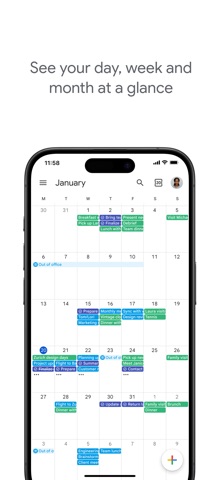
• Quickly switch between month, week, and day views.
• Stay on top of to-dos by creating and managing tasks alongside your events in Calendar.
• Personalize your Google Calendar with light or dark mode or by color-coding your events
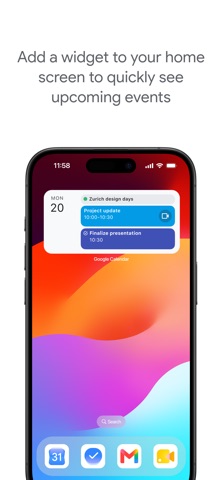
• Always know what's next while on the go with Google Calendar on Apple Watch by customizing your watch face with Calendar complications or adding widgets.
Google Calendar is part of Google Workspace, allowing you and your team to easily connect, create, and collaborate across all your favorite Google tools. You can:
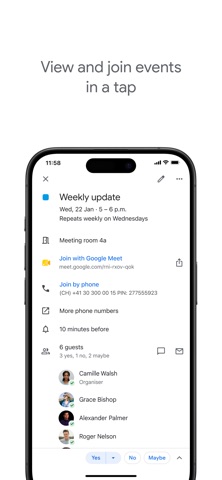
• Collaborate in a hybrid work environment by adding a Google Meet video call to an Calendar event
• Get access to professional booking pages to easily book clients and customers*.
• Schedule meetings with teammates by checking their availability or layering their calendars in a single view
• Add your working location to your calendar to make it easier for your teammates to schedule meetings with you*.
• Keep everyone on track for a meeting by attaching meeting notes, pre-read materials, and other documents directly to a calendar event.
• Use Google Calendar with confidence knowing it’s supported by Google’s enterprise-level privacy, user safety and data security.
* Requires a Google Workspace or Google One AI Premium subscription
Safety and technology
Found in the app by AppBrain- Price
- Free
- App size
- 290.3 MB
- Content rating
- Everyone
Technologies used by Google Calendar: Get Organized
Releases
Updates seen on the App Store- Version
- 26.39.1
- Launched
- March 2015
No changelog data
Alternatives
Similar apps and more from GoogleAlternatives to Google Calendar: Get Organized


More from Google


Rankings
App Store top charts- Highest rank
- #11
- Chart
- Top Free
- Productivity
- Country
- Japan
App Store Rankings for Google Calendar: Get Organized
Top rankings
| Rank | Country | Category | List |
|---|---|---|---|
| 11 | Japan | Productivity | Top Free |
| 18 | United States | Productivity | Top Free |
| 17 | Canada | Productivity | Top Free |
| 19 | France | Productivity | Top Free |
| 25 | Germany | Productivity | Top Free |
| 17 | Switzerland | Productivity | Top Free |
| 17 | Finland | Productivity | Top Free |
| 17 | Portugal | Productivity | Top Free |
| 18 | Australia | Productivity | Top Free |
| 18 | Czech Republic | Productivity | Top Free |
Ranking history in Japan
About the app and developer
About Google Calendar: Get Organized
Google Calendar: Get Organized is a productivity app developed by Google.
User Ratings
Google Calendar: Get Organized is rated 4.53 out of 5 stars. The rating is based on 130 thousand ratings.
App Information
Google Calendar: Get Organized is freely available from the App Store. The app size is 290.34 MB. The latest version available is 26.39.1. The last update was on October 13, 2026.
Technical Requirements
The app has a content rating of Everyone. The app has been available on the App Store since March 2015.
Developer information for Google
Address: