Users love it: 4.6 stars from 12,564 ratings. Its best ranking is #91 in Top Grossing, Productivity in Finland.
Pencil Planner & Calendar Pro is made and published by
Wasdesign, LLC.
AppBrain is an independent app data site and isn't affiliated with Wasdesign, LLC.
The app name, icon, screenshots and description belong to Wasdesign, LLC and are shown as
published on the App Store.
About Pencil Planner & Calendar Pro
Pencil Planner & Calendar Pro is a productivity app developed by Wasdesign, LLC.
User Ratings
Pencil Planner & Calendar Pro is rated 4.64 out of 5 stars. The rating is based on 13 thousand ratings.
App Information
Pencil Planner & Calendar Pro is freely available from the App Store. The app size is 46.57 MB. The latest version available is 2.1.1. The last update was on September 22, 2026.
Technical Requirements
The app has a content rating of Everyone. The app has been available on the App Store since May 2020.
Description by Wasdesign, LLC(from the App Store)
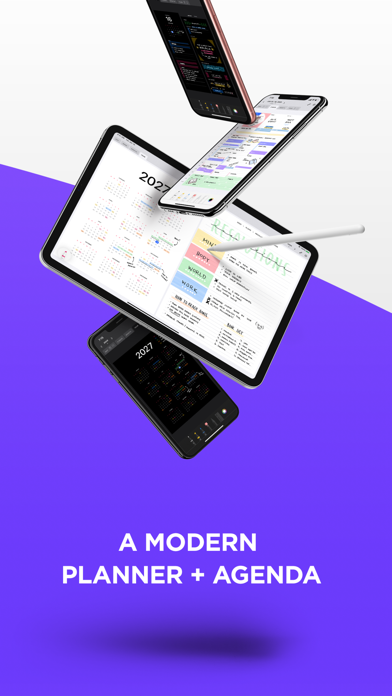
Write on your calendar with Apple Pencil. Pencil Planner brings the freedom of a paper planner to your digital calendar, so you can handwrite plans, highlight appointments, and take notes around the events already in your schedule.
Plan on iPad, then check your calendar and handwritten plans on iPhone. Cloud backup and sync keep your planner and notes connected across devices.
YOUR CALENDAR, WITH ROOM TO WRITE * See events from the calendars you use with Apple's Calendar app * Write directly over and around your calendar events * Bring tasks into your planner with Apple Reminders integration * Add handwritten priorities, time blocks, and sketches
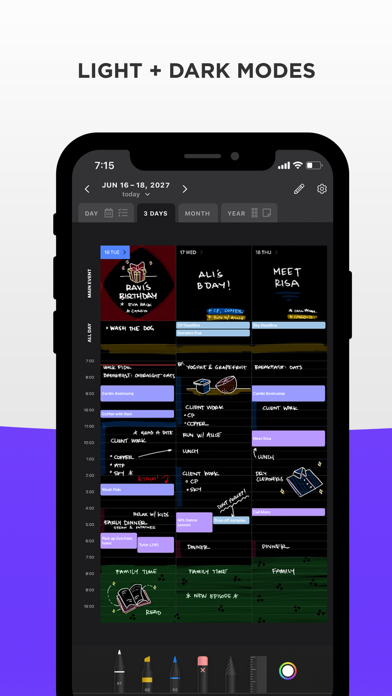
PLAN YOUR DAY, WEEK, MONTH, AND YEAR * Bring your schedule, tasks, and linked notes together in Day view * Plan your week, highlight important dates, and see the year ahead * With Version 2 layouts, schedule handwriting is shared between Day and Week, and daily highlights appear in Day, Week, and Month
KEEP NOTES WITH YOUR PLANS * Create handwritten or typed notes for meetings, classes, projects, and ideas * Link notes to dates or calendar events and open them alongside your day * Organize notes into folders and pin your favorites * Add pages to handwritten notes with blank, lined, or dot-grid paper
MAKE IT YOUR OWN * Write with Apple Pencil, Logitech Crayon, or your finger * Choose pens, pencils, and highlighters with adjustable colors and thickness * Move handwriting, erase whole strokes or parts of them, and undo or redo changes * Pinch to zoom for precise writing * Use light or dark mode in portrait, landscape, or Split View
PRO ACCESS Unlock all planner features with a monthly or annual Pro Access subscription, including unlimited entries, storage, and devices, plus cloud backup and sync. Subscription prices and any available trial offers are shown in the app.
QUESTIONS? Contact support@pencilplanner.app with questions or feature requests.
Terms of use: https://pencilplanner.app/terms-of-use/
AppBrain offers valuable information about your app and those of your competitors. Join AppBrain for free and claim this app to view more ranking data, view history etc.
Each subscription will automatically renew 3 days before the expiration date for
the same time period. Subscriptions can be cancelled at any time before the renewal.