Download Android Apps and Games
AppBrain
  • Apps
  • Apps being viewed right now Trending apps today Most popular apps All-time most downloaded apps Top rated apps
  • Intelligence ▾
    Intelligence overview → Track any Android app or your whole market
    Track & analyze
    Keyword Tracker & OptimizerTrack & improve Play rankings App Performance ReportOne-off PDF for any app StatisticsFree Android & Play market stats
    Promote your app
    Featured Apps App Links
  • Intelligence
  • Pricing
  • Dashboard
  • Sign up
  • Log in
Last updated on: 2026-06-24
App Store Apps > Lifestyle > HomeSense
HomeSense icon

HomeSense

3.7.2
Revery Codes
4.34
79 reviews
Free

HomeSense Screenshot 1 of 9
HomeSense Screenshot 2 of 9
HomeSense Screenshot 3 of 9
HomeSense Screenshot 4 of 9
HomeSense Screenshot 5 of 9
HomeSense Screenshot 6 of 9
HomeSense Screenshot 7 of 9
HomeSense Screenshot 8 of 9
HomeSense Screenshot 9 of 9
Download from the App Store

About HomeSense

HomeSense is an overall app developed by Revery Codes.

Download Statistics

User Ratings

HomeSense is rated 4.34 out of 5 stars. The rating is based on 79 ratings.

App Information

HomeSense is FREE to download. The APK download size is 24.80 MB. The latest version available is 3.7.2. The last update was on May 29, 2025.

Technical Requirements

The app has a content rating of Everyone. The app has been available on Google Play June 2016.

Description
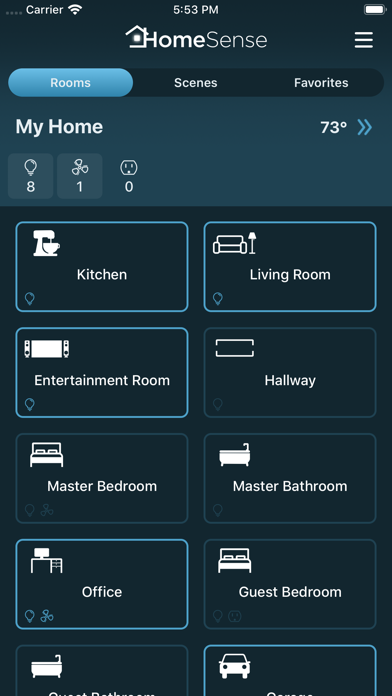
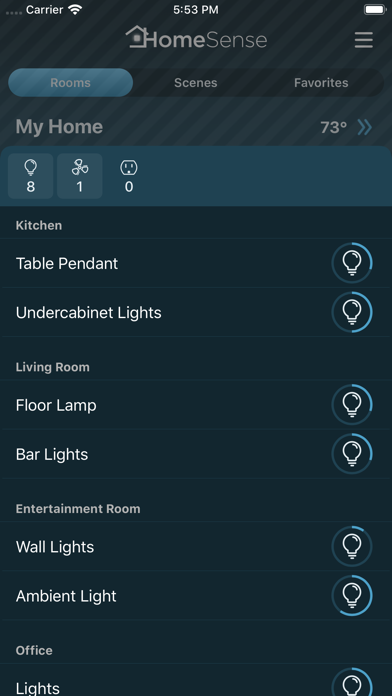
HomeSense turns your iPhone or iPad into a command center for your automated home. HomeSense supports Caséta Wireless, Lutron RadioRA 2, Lutron RadioRA 3, Lutron HomeWorks QS, Philips Hue Personal Wireless Lighting, Sonos speakers, Honeywell Lyric Thermostat and HomeKit, providing seamless integration between these systems. See the state of your connected devices, rooms, and convenient summary of your whole home with the base version, and upgrade to control lights, fans, shades, thermostats, edit schedule and more. With Notification Center widget, favorites, home and room scenes, HomeSense is flexible, convenient and easy to use.

Please note that device control and editing for scenes and schedules requires a purchase.

Common Features
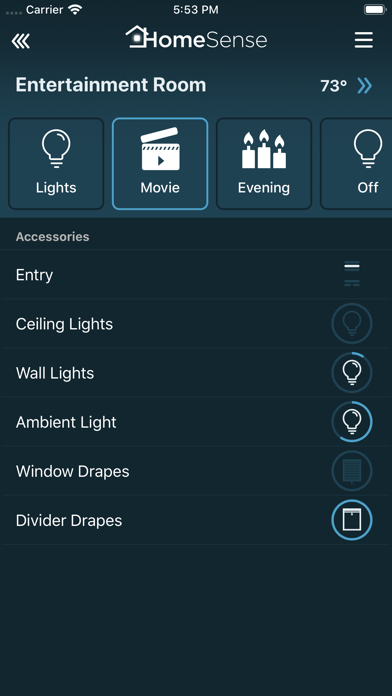
- See and control lights, ceiling fans, shades, blinds and thermostats from the application.
- Home overview shows the state of every room and makes it easy to see what rooms have lights or fans on.
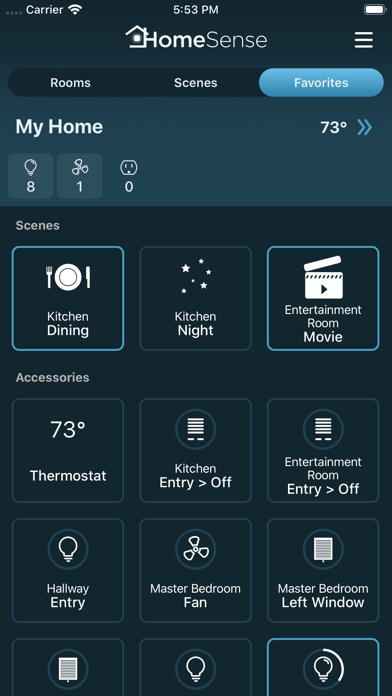
- Add often used controls or scenes to the Favorites. Any light, fan, shade, or even individual keypad button can be added to Favorites to appear on a separate screen. Tap to toggle, or tap and hold to open the detail view.
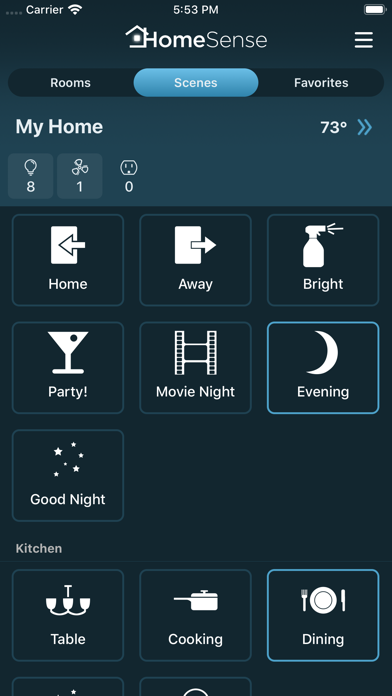
- Create your own home and room scenes that can combine devices from different systems.
- Turn off all lights and fans in a room with a single gesture - just choose “All Off” action on the room.
- Set up additional actions for a room to be recalled quickly from actions menu.
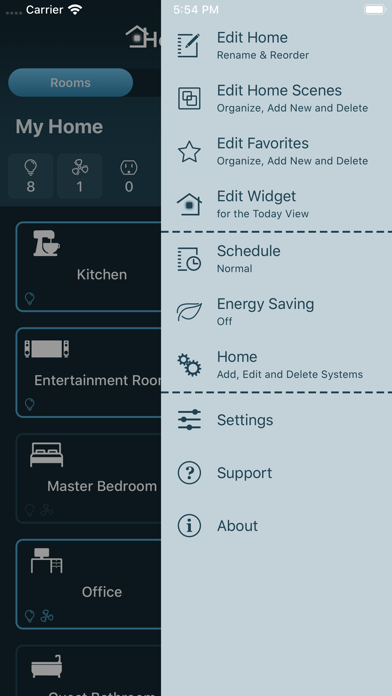
- Organize your home: manage rooms, rename controls and keypad buttons, hide unwanted devices.
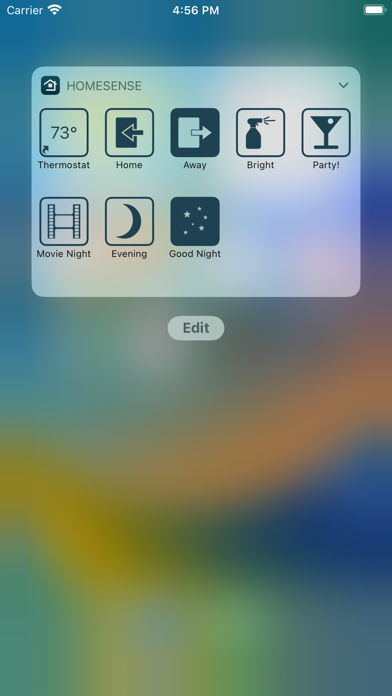
- Today widget lets you access selected controls or scenes without launching the app.
- Change switch type - choose if switch controls an outlet, light or fan.
- Adjust device defaults - set default brightness, fade-in and fade-out time for dimmers, set default speed for fans.
- iCloud sync keeps your home configuration up-to-date on all of your devices.

Caséta Wireless Features
- View and edit Pico button programming and scheduled events.

Lutron RadioRA 2 and HomeWorks QS Features
- View and edit keypad button programming, scheduled events and thermostat schedules.
- Change schedule and energy saving (“Green”) mode.

Philips Hue Features
- View and edit scheduled events, including events relative to sunrise or sunset.

HomeKit Features
- Supported devices include outlets, switches, lights, fans, shades, blinds, thermostats, door locks, garage door openers, faucets, and sensors.
- Scheduled events support both weekly events, as well as time triggers with repeat intervals, from 5 minutes up to one month.

Sonos Features
- Play, pause, and control volume.
- Select a playlist or a station to play from your Sonos favorites.
- Group speakers to play music to more than one rooms.

Requirements
- For Caséta Wireless, Smart Bridge or Smart Bridge Pro connected to home WiFi network.
- For Lutron, professionally installed system connected to home WiFi network.
- For Philips Hue, Philips Hue lights with bridge connected to home WiFi network.
- For Lyric, Lyric Round Wi-Fi Thermostat, Lyric T5 or Lyric T6 Pro Wi-Fi Thermostat with working Internet connection.

Trademarks
Lutron, HomeWorks, RadioRA are trademarks of Lutron Electronics Co., Inc registered in the US and other countries.
Caséta, RadioRA 2, RadioRA 3, GRAFIK RA are trademarks of Lutron Electronics Co., Inc.

Lyric, Lyric Round are trademarks of Honeywell International Inc.

PHILIPS is a registered trademark of Koninklijke Philips N.V.

Sonos and Sonos product names are either trademarks or registered trademarks of Sonos, Inc.
Show more Show less

More data about HomeSense

Price Free to download
Rating 4.34 based on 79 ratings
Ranking Not ranked
Version 3.7.2
App download size 24.8 MB
Suitable for Everyone

Alternative downloads for the HomeSense app

The Home Remote icon The Home Remote
The Home Remote LLC
3.8
Free
93 ratings
Lutron Home Control+ LEGACY icon Lutron Home Control+ LEGACY
Lutron Electronics co., Inc.
2.4
Free
49 ratings
Lutron RadioRA 2 + HWQS App icon Lutron RadioRA 2 + HWQS App
Lutron Electronics co., Inc.
2.3
Free
167 ratings
Home+ 6 icon Home+ 6
Matthias Hochgatterer
4.4
$14.99
998 ratings
openHAB V1 icon openHAB V1
openHAB Foundation e.V.
4.0
Free
40 ratings
Lutron App icon Lutron App
Lutron Electronics co., Inc.
4.8
Free
4.9K ratings
Hubitat icon Hubitat
Hubitat, Inc
2.8
Free
166 ratings
Signals for HomeKit icon Signals for HomeKit
CoreBits LLC
4.0
Free
138 ratings

Changelog of HomeSense

No changelog data

Developer information for Revery Codes

Revery Codes

Address:

Share HomeSense

Comments on HomeSense for iOS

We don't have enough comments to show example comments. Please check back later.

App Store Rankings for HomeSense

This app is not ranked

Technologies used by HomeSense

The Home Remote icon The Home Remote
Lutron Home Control+ LEGACY icon Lutron Home Control+ LEGACY
Lutron RadioRA 2 + HWQS App icon Lutron RadioRA 2 + HWQS App
Home+ 6 icon Home+ 6
openHAB V1 icon openHAB V1
Lutron App icon Lutron App
Hubitat icon Hubitat
Signals for HomeKit icon Signals for HomeKit

Back to top
AppBrain Intelligence premium content

Subscribe now to get full and unlimited access to AppBrain Intelligence. You'll have access to:

  • App Intelligence dashboard (performance timeline, competitor comparison, country rankings, insight cards)
  • Detailed ranking data per app
  • Full timeline per developer
  • Device market shares data per country
1 Month

$75/mo
(billed every month)

SAVE 0%
Subscribe
3 Months

$65/mo
($195 billed every 3 months)

SAVE 13%
Subscribe
1 Year

$57.50/mo
($690 billed every year)

SAVE 23%
Subscribe
Each subscription will automatically renew 3 days before the expiration date for the same time period. Subscriptions can be cancelled at any time before the renewal.

AppBrain is a directory focused on discovering great apps and games. We give statistics, rankings and search options that Google Play and the App Store don't have. All trademarks are owned by their respective owners. AppBrain doesn't offer APKs or binaries, and always lets users install the official version from Google Play or the App Store.

More apps

  • Top Android apps being viewed
  • View Snivo Messenger
  • Thoothukudi Karuvadukadai
  • Zoom Earth - Weather Forecast

Android Statistics

  • Android statistics
  • Google Play Developer stats
  • Trending Android Apps
  • Top popular Apps
  • Buy the best Android phone

About AppBrain

  • Contact
  • Privacy
  • Documentation
  • DMCA takedowns
  • Articles
  • Blog
  • Top Free Games Apps for your iPhone or iPad
© 2010-2026 - AppBrain