

iFiles 2 is made and published by Imagam.com. AppBrain is an independent app data site and isn't affiliated with Imagam.com. The app name, icon, screenshots and description belong to Imagam.com and are shown as published on the App Store.
AppBrain's verdict
Established- Rating on App Store
- 2.19
- 21 ratings
- Last updated
- November 16, 2020
- Size
- 55.6 MB
It doesn't have enough ratings yet to judge what users think. Its best ranking is #31 in Top Paid, Productivity in Slovakia.
User feedback
Ratings and reviews on the App StoreComments on iFiles 2 for iOS
We don't have enough comments to show example comments. Please check back later.
Store listing
By Imagam.com, from the App Store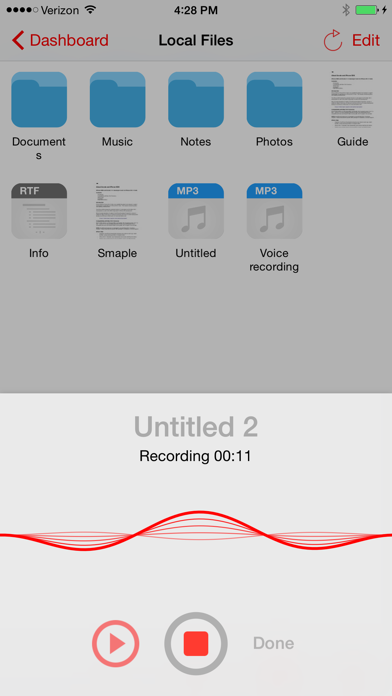
Description by Imagam.com Written by the developer, not by AppBrain. Click to read.
Whether you are looking for just a PDF Viewer with annotations and search, connectivity to many file cloud services, sharing file between your computer, voice recorder, web downloader or text editor, iFiles 2 is the only file manager you will ever need.
• Supported Online Cloud Services and Protocols:
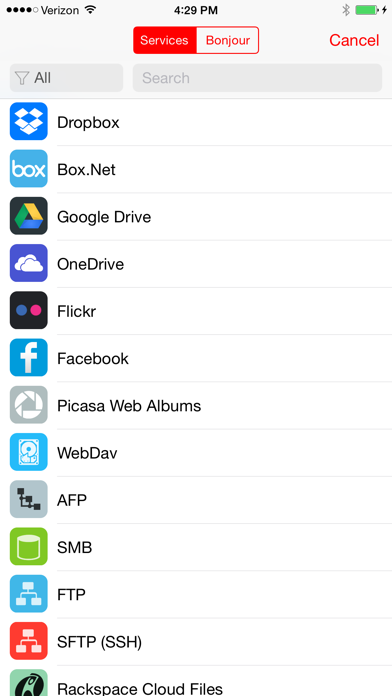
Dropbox, Google Drive, iCloud, Box.net, OneDrive, SMB/CIFS, SugarSync, AFP (Mac), FTP/FTPS, SFTP, Flickr, Google Photos, Facebook, Rackspace CloudFiles, CloudApp, PogoPlug, WebDav, Amazon S3, ownCloud, 4Shared, also using Amazon S3: DreamObjects and UltiCloud.
• PDF Reader with annotations, exceptional speed, search, and customizable!
- The most advanced PDF reading engine with search
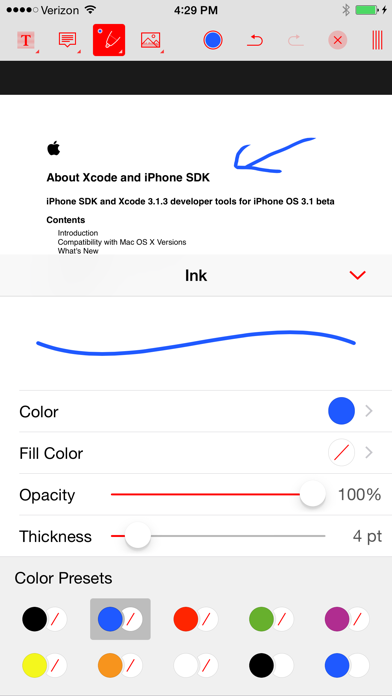
- Support for all common annotation types: drawings, highlights, notes, stamps, free text, images, sound recordings, and so much more
- Saving directly to a cloud service with offline support
• File Sharing
- Easily transfer files between your computer and iFiles using (SMB or HTTP) sharing or upload files over USB using iTunes.
- Export/import files to/from another app using extensions support
- Open In support to and from iFiles
- Email file or links for supported services
• New audio player/engine:
- Streaming - FLAC support - Inter-app audio, flexible audio bar,
- Equalizer build into audio bar for easy access
- Background audio
• File Manager
Intuitive and feature loaded; just tap and hold on a file for quick file operations, edit mode for multiple file operations,
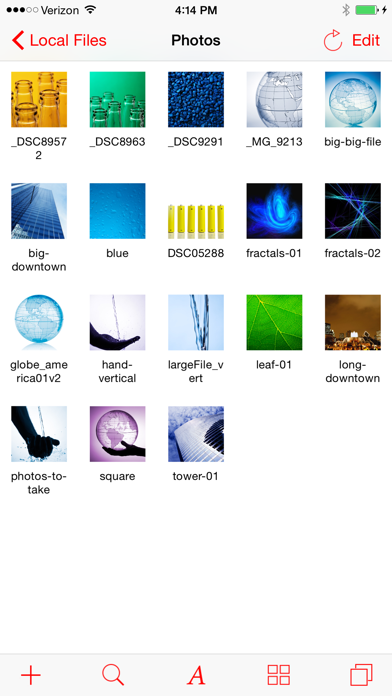
easily change between icon and list view, convenient and powerful sort options, use two finger pinch to change thumbnails size in icon mode, support for iPad split screen mode.
- Unarchive common formats: Zip, RAR, 7-zip, Tar, Gzip, and Bzip2
- Create zip files
- File operations: move, copy, upload, download, rename, delete, email, compress, share, batch rename, share, export, open in
- Thumbnails: image, video, PDF, and all supported by given service
- Popup menu - Tap and hold on file to display context popup menu with file operations
- Edit mode for multiple file operation
- Properties - view and change folder and files properties: color label, icon, and rename. For services with supported API you can edit: comments, description, tags/keywords, privacy, copy/generate links
- Convenient add menu: new folder, text file, voice recording, import, copy from, from photos, camera, from clipboard
- Batch rename - rename multiple files at once
• Other features
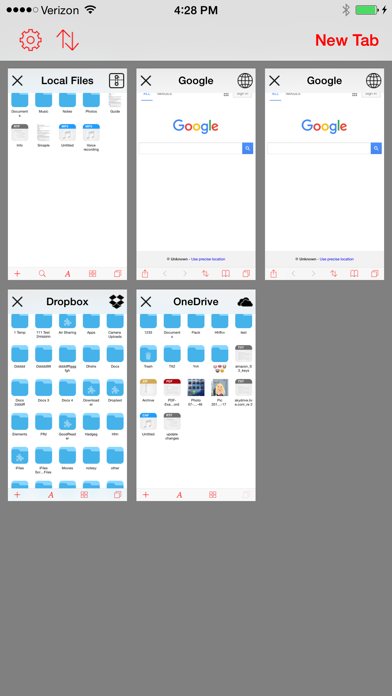
- Tabs - Multiple tabs can be opened at the same time
- Web browser and downloader
- Voice Recorder
- Passcode lock
- Advanced transfer manager with background support
- Print files using AirPrint
- Create and edit text files
- Photo library Import
- Camera support
- Audio Player (WAV, MP3, M4A, CAF, AIF, AIFF, ACC, FLAC)
- Video Player (iPhone supported formats: MP4, MOV, MPV, 3GP, M4V)
- Image Viewer (JPG, PNG, GIF, BMP, TIF, TIFF, ICO, CUR, XBM)
- View RTF (Rich Text Format) and RTFD
- View iWorks (Pages, numbers, Keynote) ’08 and ’09 (with or without Preview)
- View Microsoft Office (Word, Excel, PowerPoint)
• We are constantly add new features, latest once:
Batch Rename, SMB/CIFS support, folder synchronization, tabs, new redesigned Interface, document provider extension support., iPad split view support, and more.
or follow us on twitter:
@ifilesapp
Safety and technology
Found in the app by AppBrain- Price
- $2.99
- App size
- 55.6 MB
- Content rating
- High
Technologies used by iFiles 2
Releases
Updates seen on the App Store- Version
- 2.3.0
- Launched
- July 2016
No changelog data
Alternatives
Similar apps and more from Imagam.comAlternatives to iFiles 2








More from Imagam.com



Rankings
App Store top charts- Highest rank
- #31
- Chart
- Top Paid
- Productivity
- Country
- Slovakia
App Store Rankings for iFiles 2
Top rankings
| Rank | Country | Category | List |
|---|---|---|---|
| 31 | Slovakia | Productivity | Top Paid |
| 42 | Saudi Arabia | Productivity | Top Paid |
| 45 | Indonesia | Productivity | Top Paid |
| 47 | Czech Republic | Productivity | Top Paid |
| 57 | Poland | Productivity | Top Paid |
| 85 | Russia | Productivity | Top Paid |
Ranking history in Slovakia
About the app and developer
About iFiles 2
iFiles 2 is a productivity app developed by Imagam.com.
User Ratings
iFiles 2 is rated 2.19 out of 5 stars. The rating is based on 21 ratings.
App Information
iFiles 2 costs $2.99. The app size is 55.57 MB. The latest version available is 2.3.0. The last update was on November 16, 2020.
Technical Requirements
The app has a content rating of High Maturity. The app has been available on the App Store since July 2016.
Developer information for Imagam.com
Address:
Frequently asked questions about iFiles 2
Is iFiles 2 free?
No. iFiles 2 costs $2.99 on the App Store.
Is iFiles 2 still available?
Yes. iFiles 2 is on the App Store, and the last update we saw was on November 16, 2020.
How large is iFiles 2?
iFiles 2 is 55.57 MB.
Is iFiles 2 suitable for children?
App Store gives iFiles 2 a high maturity rating. It is meant for adults.
How do people rate iFiles 2?
iFiles 2 scores 2.19 out of 5 stars, from 21 ratings on the App Store.
Who made iFiles 2?
iFiles 2 was developed by Imagam.com. It is listed in the productivity category on the App Store.
What are the best alternatives to iFiles 2?
People looking at iFiles 2 also look at these productivity apps: Explain Everything Whiteboard, Writemator - Plain Text Editor, LiquidText, KyPass - KeePass in Sync, TileBrowser.