Download Android Apps and Games
AppBrain
  • Apps
  • Apps being viewed right now Trending apps today Most popular apps All-time most downloaded apps Top rated apps
  • Intelligence ▾
    Intelligence overview → Track any Android app or your whole market
    Track & analyze
    Keyword Tracker & OptimizerTrack & improve Play rankings App Performance ReportOne-off PDF for any app StatisticsFree Android & Play market stats
    Promote your app
    Featured Apps App Links
  • Intelligence
  • Pricing
  • Dashboard
  • Sign up
  • Log in
Last updated on: 2026-06-11
App Store Apps > Utilities > iRemoteDesktop
iRemoteDesktop icon

iRemoteDesktop

1.4.2
Hana Mobile
2.60
5 reviews
$4.99

Not recently updated — last update was on 2018-11-27. This app may no longer be actively maintained.
iRemoteDesktop Screenshot 1 of 5
iRemoteDesktop Screenshot 2 of 5
iRemoteDesktop Screenshot 3 of 5
iRemoteDesktop Screenshot 4 of 5
iRemoteDesktop Screenshot 5 of 5
Download from the App Store

About iRemoteDesktop

iRemoteDesktop is an overall app developed by Hana Mobile.

Download Statistics

User Ratings

iRemoteDesktop is rated 2.60 out of 5 stars. The rating is based on 5 ratings.

App Information

iRemoteDesktop costs $4.99 to download. The APK download size is 12.68 MB. The latest version available is 1.4.2. The last update was on November 27, 2018.

Technical Requirements

The app has a content rating of Everyone. The app has been available on Google Play before 2010.

Description
Specifically designed for both iPad and iPhone!! Optimized to use iPhone 4.0's HD screen!

If you want to access Windows PC from iPad/iPhone/iPod Touch, this is the app for you! Windows 7 Professional/Enterprise/Ultimate are supported!

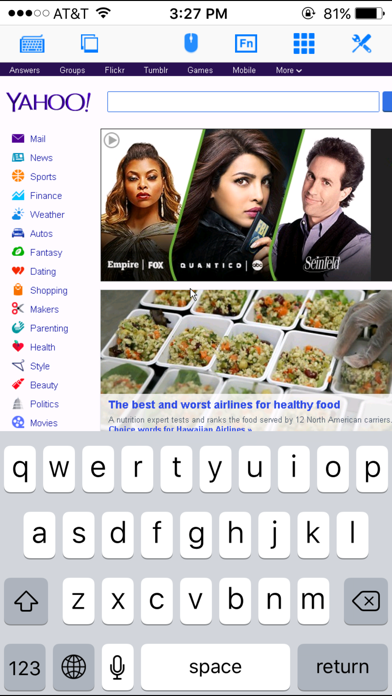
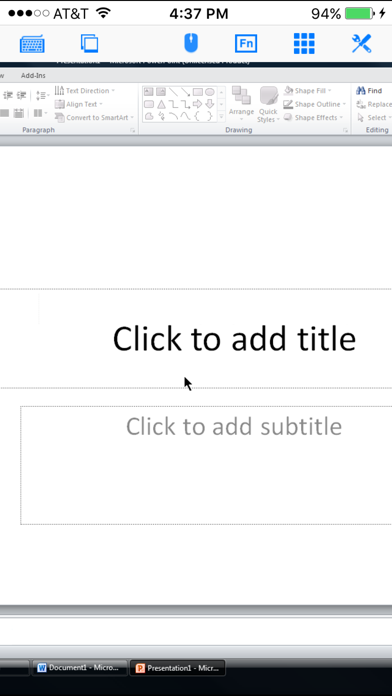
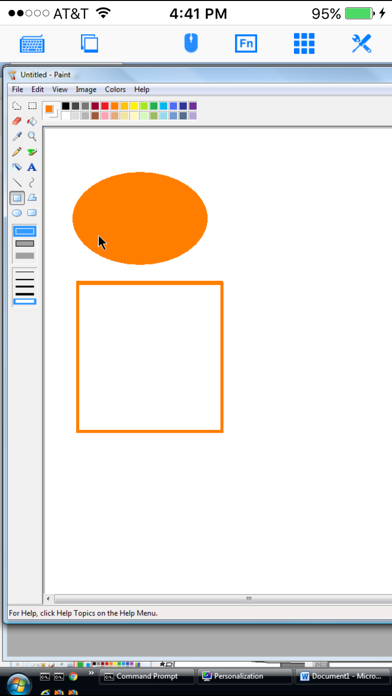
iRemoteDesktop is a Windows Remote Desktop (RDP) client for iPhone/iPod Touch. Using it you can access your Windows PC from anywhere at anytime.

Note: Not all Windows support remote desktop. Check below for supported platforms or download the tool from http://www.hanamobiles.com/tools/HanaEasyConfig.exe.

Supported Platform:
- Windows XP Professional
- Windows Vista Business/Enterprise/Ultimate
- Windows 7 Professional/Enterprise/Ultimate
- Windows Server 2000/2003/2008

Important: The following systems are NOT supported:
- Windows XP Home
- Windows Vista Home Basic/Premium
- Windows 7 Home Starter/Basic/Premium
- Others not listed in "Supported Platform" section

Features:
- Multiple connections
- Portrait and landscape mode
- Various resolutions and colors support
- Modifier keypad including Shift, Ctrl and Alt which enables you to press almost any key combinations.
- Cut, copy & paste and other shortcuts keypad, including HOME, END, PAGE UP, PAGE DOWN, Arrow keys, etc.
- Virtual mouse pad for precise and easy mouse control
- Virtual left button and right mouse button
- Easy dragging and resizing using virtual mousepad
- Startup password protection
- Support video output (need iPad or iOS4 and output connector)
- External keyboard support
- International keyboard support for many languages, including French, German, Korean, Russian etc.
- Support iPhone built-in VPN
- Easy to use UI

Setup Instructions:
http://www.hanajobs.com/mobile/posts/list/6958.page

Note:
- Make sure Remote Desktop is enabled on your computer
- IMPORTANT: For Vista, Windows 7 and Windows Server, choose "Allow connections from computers running any version of Remote Desktop (less secure)"
- Modify firewall settings to allow Remote Desktop. You should try to connect from another Windows computer to make sure the Remote Desktop is enabled.

For more infomation on how to enable Remote Desktop, see
Windows XP: http://www.microsoft.com/windowsXp/using/mobility/getstarted/Remoteintro.mspx
Windows Vista/Windows 7:
http://www.howtogeek.com/howto/windows-vista/turn-on-remote-desktop-in-windows-vista/
http://windows.microsoft.com/en-US/windows-vista/Remote-Desktop-Connection-frequently-asked-questions

Tip:
Q: How to do right click?
A: To do a right click, tap the area you want to right click AND hold finger on the iPhone/iPod touch screen without releasing until you see the right context menu. Basically, press for a bit long time to do right click.

Q: How to grab/move a window, icon or something else?
A: Double tap and hold. For example, if you want to move a window in the desktop, double tap the window title bar and, on the second tap, hold down your finger until the window is grabbed, then move your finger around the screen to drag it to another position.

Send your comments/suggestions to hanamobiles@gmail.com or visit our website.
Show more Show less

More data about iRemoteDesktop

Price $4.99
Rating 2.60 based on 5 ratings
Ranking Highly ranked
Version 1.4.2
App download size 12.7 MB
Suitable for Everyone

Alternative downloads for the iRemoteDesktop app

HeartbeatRM icon HeartbeatRM
HeartbeatRM
0.0
Free
Huaptec icon Huaptec
Shenzhen Huaptec Co., Ltd
0.0
Free
LinkBridge - Share links easy icon LinkBridge - Share links easy
Ivan Lobanov
0.0
Free
APN Assistant 2 icon APN Assistant 2
JchanKchan
2.6
$2.99
12 ratings
Higher rated
PondFone icon PondFone
PondFone
5.0
Free
2 ratings
Call My Lift icon Call My Lift
Genemek
0.0
Free
EMF Detector - Radiation Meter icon EMF Detector - Radiation Meter
Muhammad Aqib
0.0
Free
Higher rated
My Hearing Acuity icon My Hearing Acuity
Hear+Hi
5.0
Free
1 ratings

More from Hana Mobile

iSpending - Expense Tracker icon iSpending - Expense Tracker
Hana Mobile
4.4
Free
634 ratings
Connect My Computer icon Connect My Computer
Hana Mobile
3.5
Free
97 ratings
Alarm Night Clock / Music icon Alarm Night Clock / Music
Hana Mobile
4.2
$0.99
74 ratings
iRemoteDesktop Lite icon iRemoteDesktop Lite
Hana Mobile
3.8
Free
74 ratings
Connect to PC icon Connect to PC
Hana Mobile
3.3
$4.99
7 ratings
Connect My PC icon Connect My PC
Hana Mobile
2.3
$4.99
6 ratings
Connect Desktop icon Connect Desktop
Hana Mobile
2.8
$4.99
4 ratings
AlphaPassword Password Manager icon AlphaPassword Password Manager
Hana Mobile
5.0
Free
1 ratings

Changelog of iRemoteDesktop

No changelog data

Developer information for Hana Mobile

Hana Mobile

Address:

Share iRemoteDesktop

Comments on iRemoteDesktop for iOS

We don't have enough comments to show example comments. Please check back later.

App Store Rankings for iRemoteDesktop

Top rankings

Rank Country Category List
95 Spain Utilities Top Paid

Ranking history in Spain

AppBrain offers valuable information about your app and those of your competitors. Join AppBrain for free and claim this app to view more ranking data, view history etc.
I'm the developer of this app

Technologies used by iRemoteDesktop

HeartbeatRM icon HeartbeatRM
Huaptec icon Huaptec
LinkBridge - Share links easy icon LinkBridge - Share links easy
APN Assistant 2 icon APN Assistant 2
PondFone icon PondFone
Call My Lift icon Call My Lift
EMF Detector - Radiation Meter icon EMF Detector - Radiation Meter
My Hearing Acuity icon My Hearing Acuity

Back to top
AppBrain Intelligence premium content

Subscribe now to get full and unlimited access to AppBrain Intelligence. You'll have access to:

  • App Intelligence dashboard (performance timeline, competitor comparison, country rankings, insight cards)
  • Detailed ranking data per app
  • Full timeline per developer
  • Device market shares data per country
1 Month

$75/mo
(billed every month)

SAVE 0%
Subscribe
3 Months

$65/mo
($195 billed every 3 months)

SAVE 13%
Subscribe
1 Year

$57.50/mo
($690 billed every year)

SAVE 23%
Subscribe
Each subscription will automatically renew 3 days before the expiration date for the same time period. Subscriptions can be cancelled at any time before the renewal.

AppBrain is a directory focused on discovering great apps and games. We give statistics, rankings and search options that Google Play and the App Store don't have. All trademarks are owned by their respective owners. AppBrain doesn't offer APKs or binaries, and always lets users install the official version from Google Play or the App Store.

More apps

  • Top Android apps being viewed
  • VidBox – Movies, TV ShortDrama
  • View Voice Changer with Effects
  • 14 August Photo Frame 2025 for Android

Android Statistics

  • Android statistics
  • Google Play Developer stats
  • Trending Android Apps
  • Top popular Apps
  • Buy the best Android phone

About AppBrain

  • Contact
  • Privacy
  • Documentation
  • DMCA takedowns
  • Articles
  • Blog
  • Tips to improve your Android promotional campaign
© 2010-2026 - AppBrain