It doesn't have enough ratings yet to judge what users think. Its best ranking is #39 in Top Paid, Business in South Korea.
Connect My PC is made and published by
Hana Mobile.
AppBrain is an independent app data site and isn't affiliated with Hana Mobile.
The app name, icon, screenshots and description belong to Hana Mobile and are shown as
published on the App Store.
About Connect My PC
Connect My PC is a business app developed by Hana Mobile.
User Ratings
Connect My PC is rated 2.33 out of 5 stars. The rating is based on 6 ratings.
App Information
Connect My PC costs $4.99. The app size is 12.63 MB. The latest version available is 1.3.2. The last update was on November 16, 2018.
Technical Requirements
The app has a content rating of Everyone. The app has been available on the App Store since March 2010.
Description by Hana Mobile(from the App Store)
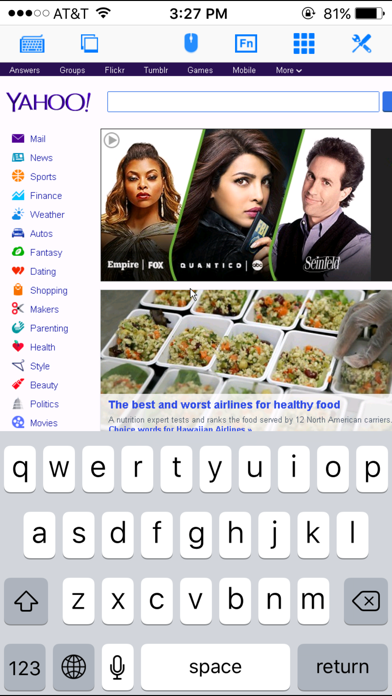
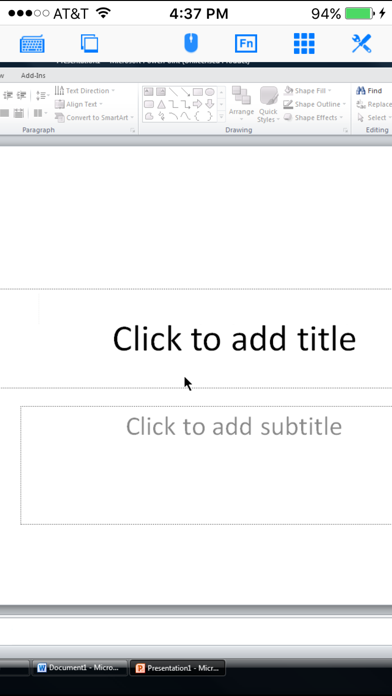
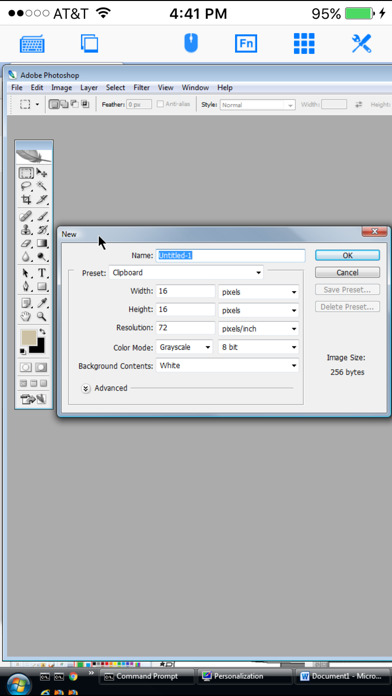
Optimized to use iPhone XS Max screen! Designed for both iPad and iPhone!! Connect My PC let you access Windows PC from anywhere at anytime!
Note: Not all Windows support remote desktop. Check below for supported platforms or download the tool from http://www.hanamobiles.com/tools/HanaEasyConfig.exe
Features: - Portrait and landscape mode - Multiple connections - Support various resolutions and colors - Modifier keypad including Shift, Ctrl and Alt which enables you to press almost any key combinations. - Cut, copy & paste and other shortcuts keypad, including HOME, END, PAGE UP, PAGE DOWN, Arrow keys, etc. - Virtual mouse pad for precise and easy mouse control - Better mouse pad with virtual left and right mouse button - Easy dragging and resizing using virtual mousepad - Startup password protection - International keyboard support for many languages, including French, German, Korean, Russian etc. - Video output (need iPad or iOS4 and output connector) - Easy to use design
Supported Platform: - Windows XP Professional - Windows Vista Business/Enterprise/Ultimate - Windows 7 Professional/Enterprise/Ultimate - Windows Server 2000/2003/2008
Important: The following systems are NOT supported: - Windows XP Home - Windows Vista Home Basic/Premium - Windows 7 Home Starter/Basic/Premium - Others not listed in "Supported Platform" section
Note: Others Windows versions not listed in "Supported Platform" section are NOT supported.
How to enable Windows Remote Desktop? - Windows XP: http://www.microsoft.com/windowsXp/using/mobility/getstarted/Remoteintro.mspx - Windows Vista/Windows 7: http://www.howtogeek.com/howto/windows-vista/turn-on-remote-desktop-in-windows-vista/ http://windows.microsoft.com/en-US/windows-vista/Remote-Desktop-Connection-frequently-asked-questions
Send your comments/suggestions to hanamobiles@gmail.com or visit our website.
AppBrain offers valuable information about your app and those of your competitors. Join AppBrain for free and claim this app to view more ranking data, view history etc.
Each subscription will automatically renew 3 days before the expiration date for
the same time period. Subscriptions can be cancelled at any time before the renewal.






 IBEW 40