
Connect Desktop
Connect Desktop is made and published by Hana Mobile. AppBrain is an independent app data site and isn't affiliated with Hana Mobile. The app name, icon, screenshots and description belong to Hana Mobile and are shown as published on the App Store.
AppBrain's verdict
Established- Rating on App Store
- 2.75
- 4 ratings
- Last updated
- February 2, 2019
It doesn't have enough ratings yet to judge what users think.
Rankings
App Store top chartsApp Store Rankings for Connect Desktop
Competitors
Similar apps and more from Hana MobileAlternatives to Connect Desktop








More from Hana Mobile



Releases
Updates seen on the App Store- Version
- 1.2.1
- Launched
- May 2010
No changelog data
User feedback
Ratings and reviews on the App StoreComments on Connect Desktop for iOS
We don't have enough comments to show example comments. Please check back later.
Technology
Found in the app by AppBrain- Price
- $4.99
- App size
- 12.4 MB
- Content rating
- Everyone
Technologies used by Connect Desktop
About the app and developer
About Connect Desktop
Connect Desktop is a productivity app developed by Hana Mobile.
What is the rating of Connect Desktop?
Connect Desktop is rated 2.75 out of 5 stars, based on 4 ratings.
Is Connect Desktop free?
Connect Desktop costs $4.99. The app size is 12.37 MB. The latest version available is 1.2.1. The last update was on February 2, 2019.
What are the requirements for Connect Desktop?
The app has a content rating of Everyone. The app has been available on the App Store since May 2010.
Developer information for Hana Mobile
Address:
Frequently asked questions about Connect Desktop
Is Connect Desktop free?
No. Connect Desktop costs $4.99 on the App Store.
Is Connect Desktop still available?
Yes. Connect Desktop is on the App Store, and the last update we saw was on February 2, 2019.
How large is Connect Desktop?
Connect Desktop is 12.37 MB.
Is Connect Desktop suitable for children?
App Store rates the content of Connect Desktop as suitable for everyone.
How do people rate Connect Desktop?
Connect Desktop scores 2.75 out of 5 stars, from 4 ratings on the App Store.
Who made Connect Desktop?
Connect Desktop was developed by Hana Mobile. It is listed in the productivity category on the App Store.
What are the best alternatives to Connect Desktop?
People looking at Connect Desktop also look at these productivity apps: Multi SM Pro, WorkMap.ai, Lafferty Metering Tip Calc, Yam Pad - Drawing Tablet, Mailo - Mail to Self.
Store listing
By Hana Mobile, from the App Store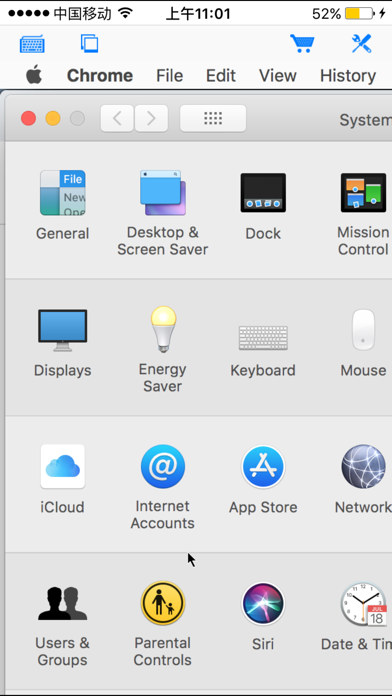

Description by Hana Mobile Written by the developer, not by AppBrain. Click to read.
Introductory price! Grab it before price goes up! Best functionality and great value!
Features:
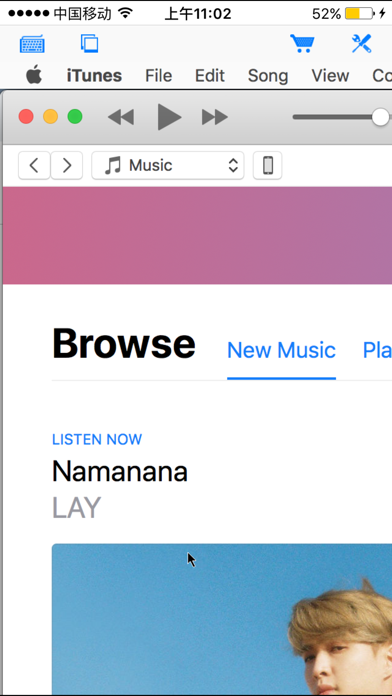
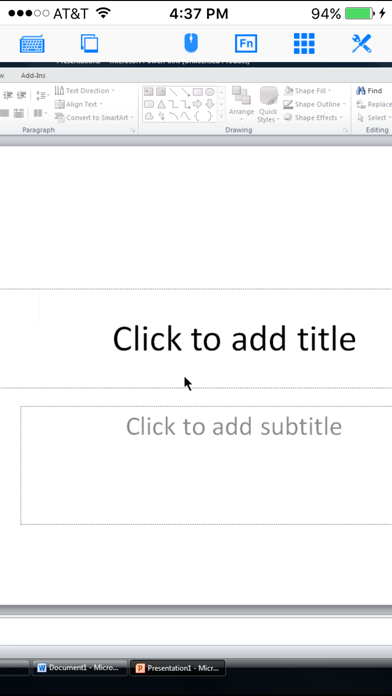
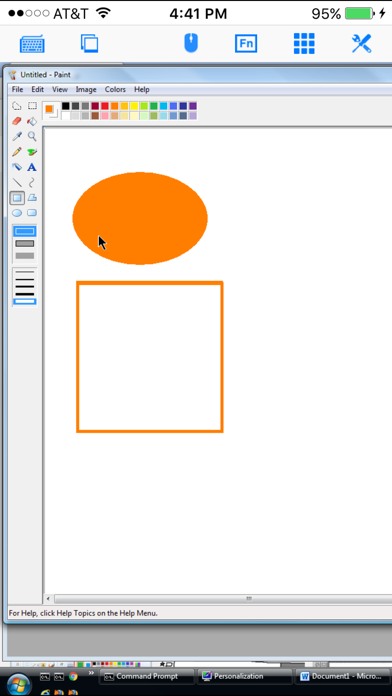
- Support both Mac and Windows computers
- Specifically designed for both iPad and iPhone
- Take advantage of iPad's big screen
- Portrait and landscape mode
- Multiple connections
- Support various resolutions and colors
- Tap to do click, double tap to double click, and all easy to use features
- Trackpad to move mouse cursor (also support click) and do mouse wheel scroll
- Modifier keypad including Shift, Ctrl, Alt and Cmd which enables you to press almost any key combinations.
- Cut, copy & paste and other shortcuts keypad, including HOME, END, PAGE UP, PAGE DOWN, Arrow keys, etc.
- Pinch to zoom in and out. Choose the zoom scale you like
- Better mouse pad with virtual left and right mouse button
- Video output (need iPad or iOS4 and output connector)
- Better external keyboard support
- Easy dragging and resizing using virtual mousepad
- Startup password protection
- International keyboard support for many languages, including French, German, Italian, Korean, Russian, Swedish, Spanish, Portuguese etc.
- Support Mac OS X Login
- Compatible and tested with UltraVNC, TightVNC and RealVNC
- Easy to use design
Supported Platform:
- Mac OS X Mountain Lion
- Mac OS X Lion
- Mac OS X Tiger
- Mac OS X Leopard
- Mac OS X Snow Leopard
- Windows XP
- Windows Vista
- Windows 7
- Windows Server 2000/2003/2008
Note: This is an VNC client, do not support native Microsoft Windows RDP. See "Connect to PC" for Microsoft Windows RDP support.
Brief install instructions (Use it if you do not need step-by-step instructions):
How to configure my Mac?
- Mac OS Tiger: http://www.macminicolo.net/Mac_VNC_tutor.html
- Leopard or Snow Leopard: http://reviews.cnet.com/8301-13727_7-10329122-263.html
How to configure my Windows?
- Install UltraVNC (remember to install it as a service) from: http://www.uvnc.com/download/index.html
- Configure your UltraVNC: http://www.uvnc.com/install/configuration.html
For detailed setup instructions and more information, see
http://www.hanajobs.com/mobile/forums/show/12.page
Send your comments/suggestions to hanamobiles@gmail.com or visit our website.