

JoshCam - Video Editor
JoshCam - Video Editor is made and published by VER SE INNOVATION PRIVATE LIMITED. AppBrain is an independent app data site and isn't affiliated with VER SE INNOVATION PRIVATE LIMITED. The app name, icon, screenshots and description belong to VER SE INNOVATION PRIVATE LIMITED and are shown as published on the App Store.
AppBrain's verdict
Established- Rating on App Store
- 4.00
- 4 ratings
- Last updated
- March 9, 2022
It doesn't have enough ratings yet to judge what users think.
Rankings
App Store top chartsApp Store Rankings for JoshCam - Video Editor
Competitors
Similar apps and more from VER SE INNOVATION PRIVATE LIMITEDAlternatives to JoshCam - Video Editor








More from VER SE INNOVATION PRIVATE LIMITED


Releases
Updates seen on the App Store- Version
- 1.0.2
- Launched
- August 2021
No changelog data
User feedback
Ratings and reviews on the App StoreComments on JoshCam - Video Editor for iOS
We don't have enough comments to show example comments. Please check back later.
Technology
Found in the app by AppBrain- Price
- Free
- App size
- 163.2 MB
- Content rating
- Everyone
Technologies used by JoshCam - Video Editor
About the app and developer
About JoshCam - Video Editor
JoshCam - Video Editor is a photo & video app developed by VER SE INNOVATION PRIVATE LIMITED.
User Ratings
JoshCam - Video Editor is rated 4.00 out of 5 stars. The rating is based on 4 ratings.
App Information
JoshCam - Video Editor is freely available from the App Store. The app size is 163.17 MB. The latest version available is 1.0.2. The last update was on March 9, 2022.
Technical Requirements
The app has a content rating of Everyone. The app has been available on the App Store since August 2021.
Developer information for VER SE INNOVATION PRIVATE LIMITED
VER SE INNOVATION PRIVATE LIMITED
Address:
Frequently asked questions about JoshCam - Video Editor
Is JoshCam - Video Editor free?
Yes. JoshCam - Video Editor is free on the App Store.
Is JoshCam - Video Editor still available?
Yes. JoshCam - Video Editor is on the App Store, and the last update we saw was on March 9, 2022.
How large is JoshCam - Video Editor?
JoshCam - Video Editor is 163.17 MB.
Is JoshCam - Video Editor suitable for children?
App Store rates the content of JoshCam - Video Editor as suitable for everyone.
How do people rate JoshCam - Video Editor?
JoshCam - Video Editor scores 4.00 out of 5 stars, from 4 ratings on the App Store.
Who made JoshCam - Video Editor?
JoshCam - Video Editor was developed by VER SE INNOVATION PRIVATE LIMITED. It is listed in the photo & video category on the App Store.
What are the best alternatives to JoshCam - Video Editor?
People looking at JoshCam - Video Editor also look at these photo & video apps: Video Editor : Film Maker PRO, Video editor - Tonqly, Video Editor : Video Maker,Cut, Vidtoon Editor, YaVi - Video Editor.
Store listing
By VER SE INNOVATION PRIVATE LIMITED, from the App Store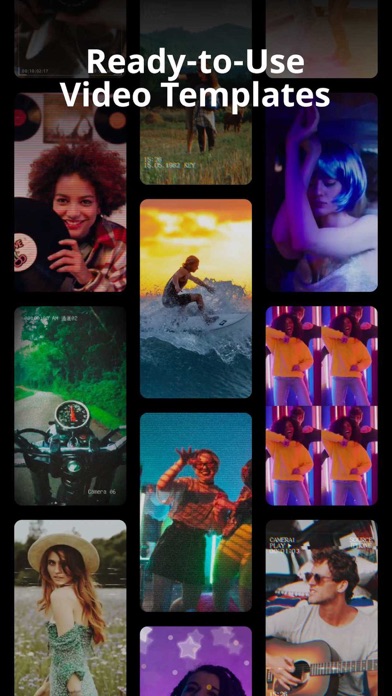


Description by VER SE INNOVATION PRIVATE LIMITED Written by the developer, not by AppBrain. Click to read.
Discover new depths of your creativity while making short videos and image slideshows to share on your favourite social networks.
Features:
Motion Video Templates:
- Tons of ready-to-use video templates with filters, effects and music
- Templates for every mood and genre - party, travel, love, retro and more
Timeline & Layers:
- An intuitive & sleek multi-layer editing interface. Add a combination of videos, photos, effects, audio & text & reorder however you like.
- Merge multiple photos to create a slideshow with music, text, filters and effects
- Customize layers with transform tools, masking, and overlay
- Apply seamless cinematic transitions and animations to your clips
Powerful Editing:
- Edit clips with cut, trim, split, duplicate, mirror, rotate and reverse
- Change canvas aspect ratio and fit clips automatically
- Crop videos & images in custom ratios with zoom in & zoom out
- Customize backgrounds with colors, gradients, patterns and blur
- Color correct with adjustable brightness, contrast, saturation, highlight, shadow, temperature, tint, vignette, sharpness and fade
- Speed up videos, add slow motion and freeze moments with video speed control
Beauty Tools:
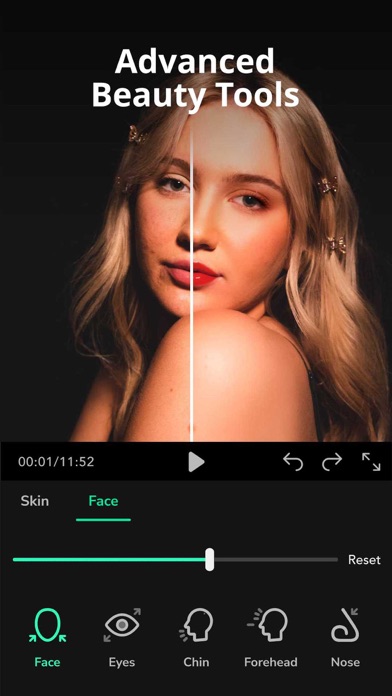
- Beautify faces with skin smoothening, whitening and adding blush
- Edit face features to reshape jawline, eyes, chin, forehead, nose and lips
Filters & Effects:
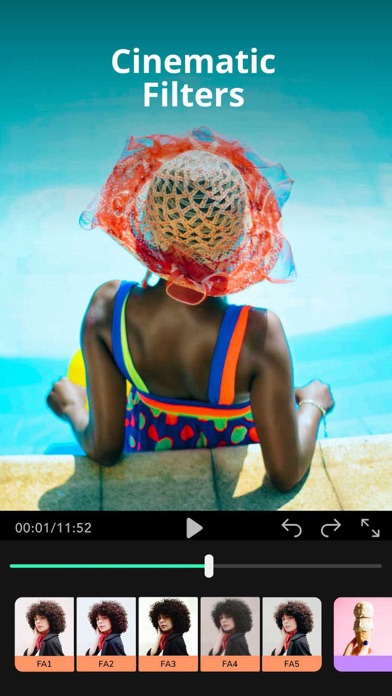
- Make your videos aesthetic with rich, high quality color, adjustable filters
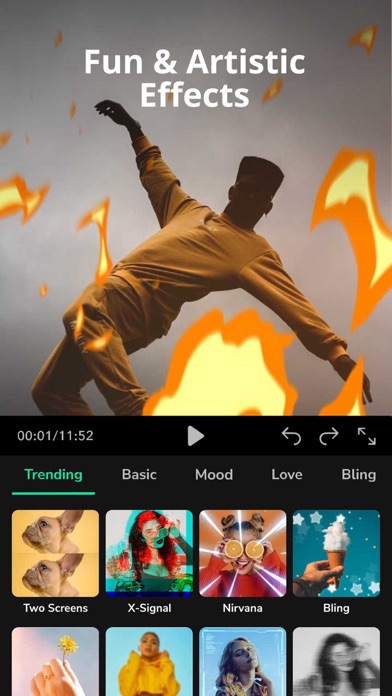
- Add funky effects like glitches, light leaks, split screens, bling and more
Music & Audio:
- Add music & sound effects from the stock library ranging different moods and genres - or add your own from local device
- Record or extract audio from any video & add voice effects, fade in fade out transitions, adjust volume, speed & pitch
Text:
- Add text with a variety of fonts, pre-made effects, animations & color
- Customize stroke width, opacity, background color, line & character spacing, positioning & alignment
Stickers:
- Choose from a collection of animated stickers & emojis
- Add custom watermark & effects
And more!
- Unlimited undo/redo - back to any step you want!
- Auto-saved projects - pick up & continue from where you left off
- Full-screen preview
- Guided mini-tutorials
We love to hear from you. For complaints, feedback, or suggestions – reach out to us at hello@joshcam.in