It doesn't have enough ratings yet to judge what users think.
Jottable Flash Cards Lite is made and published by
Satoshi Horiguchi.
AppBrain is an independent app data site and isn't affiliated with Satoshi Horiguchi.
The app name, icon, screenshots and description belong to Satoshi Horiguchi and are shown as
published on the App Store.
About Jottable Flash Cards Lite
Jottable Flash Cards Lite is an education app developed by Satoshi Horiguchi.
What is the rating of Jottable Flash Cards Lite?
Jottable Flash Cards Lite is rated 5.00 out of 5 stars, based on one rating ratings.
Is Jottable Flash Cards Lite free?
Jottable Flash Cards Lite is free. The app size is 7.00 MB. The latest version available is 2.9.9. The last update was on October 31, 2025.
What are the requirements for Jottable Flash Cards Lite?
The app has a content rating of High Maturity. The app has been available on the App Store since April 2011.
Description by Satoshi Horiguchi(from the App Store)
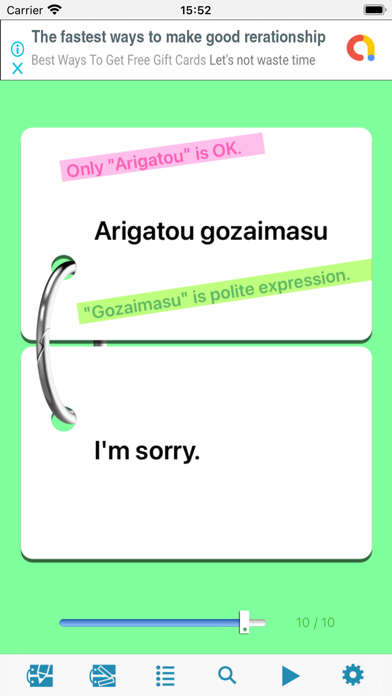
This is a flash cards app, you can take a note with color marker other than main word. It also has the following functions. Automatic flipping, searching word, reordering cards, skipping cards with slider, importing and exporting text files.
==Principal Functions== 1. Uses animation for flipping cards. 2. Can have up to 3 memos on each card. 3. Can import or export text file using iTunes' "File Sharing". 4. Can have plural sheaves. 5. Can flip card automatically. 6. Can shuffle order of cards. 7. Can search keyword. 8. Can skip cards using slider. 9. Can hide cards by pressing and dragging card. 10. Supports both 3.5 and 4 inch Retina displays. 11. Can change card size on 4 inch display.
==To import or export text files using iTunes == 1. Use iTunes' "File Sharing", if you want to import or export text files. 2. The importing file needs to be Tab separated text or Comma separated text with UTF8 encoding. The extension for Tab separated text is ".txt", for Comma separated text is ".csv". 3. If you want to import text file with line feed code, you need to separate cards using semicolon(;). 4. The exporting file is always Tab separated text with UTF8 encoding.
==To import or export text files using clip board == 1. You can import or export text files using clipboard. 2. The importing file needs to be Tab separated text with UTF8 encoding. 3. If you want to import text file with line feed code, you need to separate cards using semicolon(;). 4. The exporting file is always Tab separated text with UTF8 encoding.
Each subscription will automatically renew 3 days before the expiration date for
the same time period. Subscriptions can be cancelled at any time before the renewal.