

Keyboard Macros PRO
Keyboard Macros PRO is made and published by Dating DNA, Inc. AppBrain is an independent app data site and isn't affiliated with Dating DNA, Inc. The app name, icon, screenshots and description belong to Dating DNA, Inc. and are shown as published on the App Store.
AppBrain's verdict
Established- Rating on App Store
- 3.40
- 10 ratings
- Last updated
- June 14, 2020
It doesn't have enough ratings yet to judge what users think.
Rankings
App Store top chartsApp Store Rankings for Keyboard Macros PRO
Competitors
Similar apps and more from Dating DNA, Inc.Alternatives to Keyboard Macros PRO








More from Dating DNA, Inc.








Releases
Updates seen on the App Store- Version
- 1.04
- Launched
- September 2019
No changelog data
User feedback
Ratings and reviews on the App StoreComments on Keyboard Macros PRO for iOS
We don't have enough comments to show example comments. Please check back later.
Technology
Found in the app by AppBrain- Price
- $2.99
- App size
- 22.3 MB
- Content rating
- Everyone
Technologies used by Keyboard Macros PRO
About the app and developer
About Keyboard Macros PRO
Keyboard Macros PRO is an utilities app developed by Dating DNA, Inc.
What is the rating of Keyboard Macros PRO?
Keyboard Macros PRO is rated 3.40 out of 5 stars, based on 10 ratings.
Is Keyboard Macros PRO free?
Keyboard Macros PRO costs $2.99. The app size is 22.26 MB. The latest version available is 1.04. The last update was on June 14, 2020.
What are the requirements for Keyboard Macros PRO?
The app has a content rating of Everyone. The app has been available on the App Store since September 2019.
Developer information for Dating DNA, Inc.
Address:
Store listing
By Dating DNA, Inc., from the App Store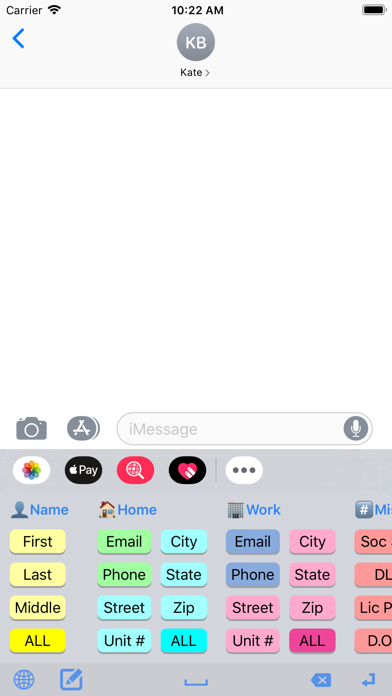



Description by Dating DNA, Inc. Written by the developer, not by AppBrain. Click to read.
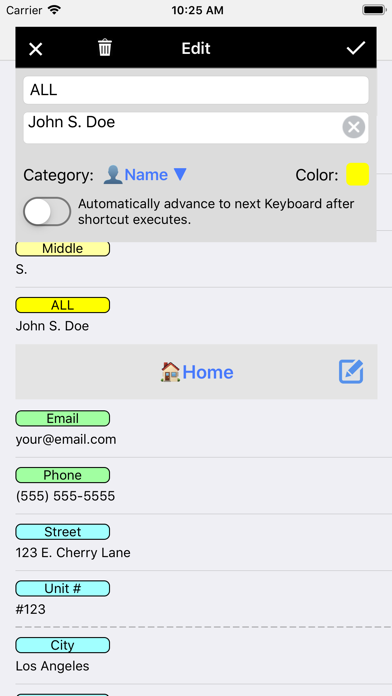
For example, when ordering items on the web, you can quickly enter your email address, name, address, etc., with just a single tap.
The app comes with dozens of example macros to get your mind working on the many creative ways you can use the app.
Here are just a few examples of who Keyboard Macros PRO is great for:
• SALESPEOPLE who repeatedly email or text message with the same replies.
• SINGLES using TINDER or other dating apps to quickly ask and reply to typical dating questions. No more typing the same thing over, and over, and over...
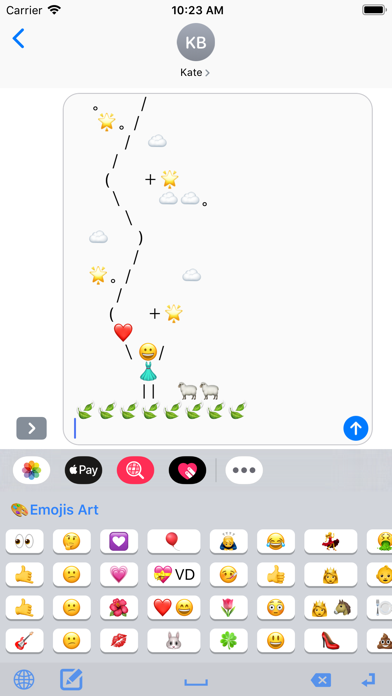
• JUST FOR FUN with text messaging your favorite EMOJIS, EMOJI ART, ASCII ART and even loads of JOKES and KNOCK KNOCK JOKES that come pre-installed.
• CUSTOMER SUPPORT reps to quickly respond with answers to common questions.
• UBER/LYFT DRIVERS to quickly text riders with usual replies.
• AIRBNB HOSTS to quickly email or text message guests with check-in instructions.
• EVERYONE! You'll be surprised all the creative ways you'll find to use it.
Check out these great features!
• KEYBOARD EXTENSION: Insert large amounts of text into any app with one tap from keyboard.
• ALL APPS: Works with iMessage, Email, Tinder, Kik, and virtually any app.
• iCLOUD: Saves your text shortcuts to iCloud so they can be shared between devices.
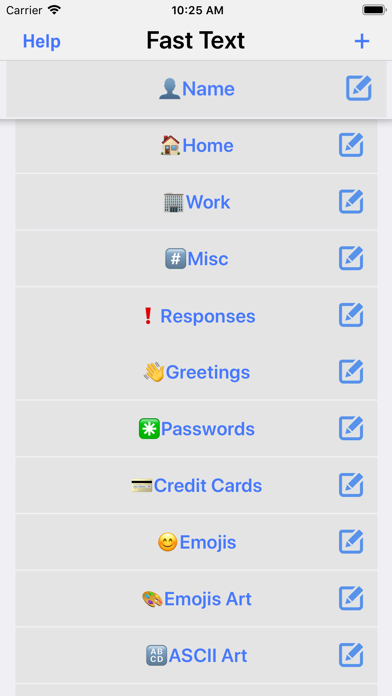
• CATEGORIES: Organize your shortcuts into unlimited Categories.
• DRAG N DROP: Reorder Shortcuts and Categories by simply dragging and dropping them.
• PRE-LOADED EXAMPLES: Comes pre-loaded with dozens of examples, including Emojis, Emoji Art, ASCII Art, Jokes, etc.
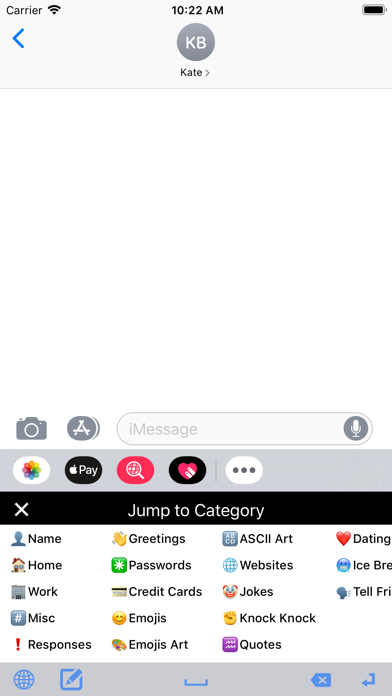
Here are the example categories that come pre-loaded with the app:
• Name (first, last, full, etc.)
• Home (email, phone, address, etc.)
• Work (email, phone, address, etc.)
• Misc. (Soc. Security number, DL number, License Plate number, etc.)
• Responses (on phone, in meeting, etc.)
• Greetings (good morning, good night, etc.)
• Passwords
• Credit Cards
• Emojis
• Emoji Art
• ASCII Art
• Websites (Facebook, Twitter, LinkedIn, etc.)
• Jokes
• Knock, Knock Jokes
• Quotes
• Dating Responses
• Dating Ice Breakers
TO INSTALL THE KEYBOARD EXTENSION:
Run your device's Settings app, then go to General > Keyboard > Keyboards > Add a New Keyboard... > Macros PRO.
NEED HELP?
Run the app and tap the Help button for a tutorial video that shows you how to turn on the keyboard extension as well as adding and editing the macros.
Also, feel free to contact us anytime at support@clipish.net