

LibreCam: Manual RAW Camera
LibreCam: Manual RAW Camera is made and published by Timo Josten. AppBrain is an independent app data site and isn't affiliated with Timo Josten. The app name, icon, screenshots and description belong to Timo Josten and are shown as published on the App Store.
AppBrain's verdict
New- Rating on App Store
- 5.00
- 4 ratings
- Last updated
- October 23, 2026
LibreCam: Manual RAW Camera came out 73 days ago. It doesn't have enough ratings yet to judge what users think.
Rankings
App Store top chartsApp Store Rankings for LibreCam: Manual RAW Camera
Competitors
Similar apps and more from Timo JostenMore from Timo Josten


Releases
Updates seen on the App Store- Version
- 1.10
- Launched
- August 2026
No changelog data
User feedback
Ratings and reviews on the App StoreComments on LibreCam: Manual RAW Camera for iOS
We don't have enough comments to show example comments. Please check back later.
Technology
Found in the app by AppBrain- Price
- Free
- App size
- 12.2 MB
- Content rating
- Everyone
Technologies used by LibreCam: Manual RAW Camera
About the app and developer
About LibreCam: Manual RAW Camera
LibreCam: Manual RAW Camera is a photo & video app developed by Timo Josten.
User Ratings
LibreCam: Manual RAW Camera is rated 5.00 out of 5 stars. The rating is based on 4 ratings.
App Information
LibreCam: Manual RAW Camera is freely available from the App Store. The app size is 12.17 MB. The latest version available is 1.10. The last update was on October 23, 2026.
Technical Requirements
The app has a content rating of Everyone. The app has been available on the App Store since August 2026.
Developer information for Timo Josten
Address:
Frequently asked questions about LibreCam: Manual RAW Camera
Is LibreCam: Manual RAW Camera free?
Yes. LibreCam: Manual RAW Camera is free on the App Store.
Is LibreCam: Manual RAW Camera still available?
Yes. LibreCam: Manual RAW Camera is on the App Store, and the last update we saw was on October 23, 2026.
How large is LibreCam: Manual RAW Camera?
LibreCam: Manual RAW Camera is 12.17 MB.
Is LibreCam: Manual RAW Camera suitable for children?
App Store rates the content of LibreCam: Manual RAW Camera as suitable for everyone.
How do people rate LibreCam: Manual RAW Camera?
LibreCam: Manual RAW Camera scores 5.00 out of 5 stars, from 4 ratings on the App Store.
Who made LibreCam: Manual RAW Camera?
LibreCam: Manual RAW Camera was developed by Timo Josten. It is listed in the photo & video category on the App Store.
Store listing
By Timo Josten, from the App Store




Description by Timo Josten Written by the developer, not by AppBrain. Click to read.
The stock camera applies Smart HDR, Deep Fusion, noise reduction, sharpening and tone mapping to every shot. LibreCam turns off everything that can be turned off, and is honest about what cannot.
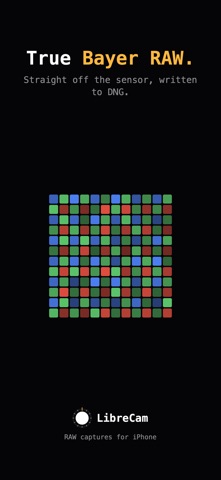
DNG: the true Bayer sensor readout. No fusion, no noise reduction, no tone mapping, no distortion correction. One frame, exactly as the sensor read it.
HEIF: a single frame developed by the hardware ISP. No fusion, no HDR, no semantic tricks.
LOOKS: nine fixed color recipes, applied to the HEIF as you shoot. Build your own with dials in the Look Editor, and import or export standard .cube files. The DNG is never touched.
PRINT: share a shot as a framed print. Ink or paper matte, and a label with the exposure, camera, date, place and your name, set like a museum caption. A copy made for sharing; the photo itself stays as it is.
LIBRECAM PRO: one purchase, no subscription, and only two things are paid: the Look Editor for your own recipes, and the Apple Watch remote. Everything else is free.
FEATURES
- Every physical lens on your iPhone. No digital zoom, ever.
- The front camera too, with mirrored or true-to-sensor selfies.
- An Apple Watch remote: shutter, readouts, framing assist. (LibreCam Pro)
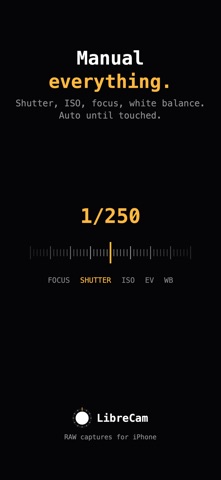
- Manual focus, shutter, ISO, exposure bias and white balance. Everything is automatic until touched.
- Focus peaking: the sharpest edges glow amber while you focus.
- Level: a horizon line that reports the tilt your photo will actually have. It never straightens anything.
- Histogram: all three channels live on the glass, with marks for which one is clipping, and at which end.
- Nine looks free; build your own with LibreCam Pro.
- Print: a framed, captioned copy of any shot, ready to share.
- Frame lock: 9:16, 2:3, 4:5 or 1:1 on the glass, the developed copy cropped to match. The DNG keeps the full frame.
- Flash: off, auto or on. On auto, the bolt turns amber only when the scene will fire it.
- Aperture on iPhone 18 Pro: f/1.48 to f/4 on the 24 mm lens in thirds of a stop, one tap each. Automatic until touched.
- Shutter priority and ISO priority metering.
- Camera Control on iPhone 16 and later: focus, aperture, shutter, ISO, EV, white balance and the lenses, right on the button.
- Hardware shutter on the volume buttons. No shutter sound.
- Add-only Photos access. No account, no tracking.
- Optional location tagging, written into the photo on your device.
A camera, not a computer.