

Live Expenses
Live Expenses is made and published by Bonazzi S.r.l. con Socio unico. AppBrain is an independent app data site and isn't affiliated with Bonazzi S.r.l. con Socio unico. The app name, icon, screenshots and description belong to Bonazzi S.r.l. con Socio unico and are shown as published on the App Store.
AppBrain's verdict
EstablishedLoved by users- Best rank
- #87
- Top Grossing, India
- Rating on App Store
- 4.64
- 210 ratings
- Last updated
- September 22, 2017
Users love it: 4.6 stars from 210 ratings. Its best ranking is #87 in Top Grossing, Finance in India.
Rankings
App Store top charts- Highest rank
- #87
- Chart
- Top Grossing
- Finance
- Country
- India
App Store Rankings for Live Expenses
Top rankings
| Rank | Country | Category | List |
|---|---|---|---|
| 87 | India | Finance | Top Grossing |
Ranking history in India
Competitors
Similar apps and more from Bonazzi S.r.l. con Socio unicoAlternatives to Live Expenses

 Expenses and Income Tracker




 Budget Expense Tracker|Manager
More from Bonazzi S.r.l. con Socio unico


Releases
Updates seen on the App Store- Version
- 1.34
- Launched
- December 2011
No changelog data
User feedback
Ratings and reviews on the App StoreComments on Live Expenses for iOS
We don't have enough comments to show example comments. Please check back later.
Technology
Found in the app by AppBrain- Price
- Free
- App size
- 13.1 MB
- Content rating
- Everyone
Technologies used by Live Expenses
About the app and developer
About Live Expenses
Live Expenses is a finance app developed by Bonazzi S.r.l. con Socio unico.
User Ratings
Live Expenses is rated 4.64 out of 5 stars. The rating is based on 210 ratings.
App Information
Live Expenses is freely available from the App Store. The app size is 13.10 MB. The latest version available is 1.34. The last update was on September 22, 2017.
Technical Requirements
The app has a content rating of Everyone. The app has been available on the App Store since December 2011.
Developer information for Bonazzi S.r.l. con Socio unico
Bonazzi S.r.l. con Socio unico
Address:
Frequently asked questions about Live Expenses
Is Live Expenses free?
Yes. Live Expenses is free on the App Store.
Is Live Expenses still available?
Yes. Live Expenses is on the App Store, and the last update we saw was on September 22, 2017.
How large is Live Expenses?
Live Expenses is 13.10 MB.
Is Live Expenses suitable for children?
App Store rates the content of Live Expenses as suitable for everyone.
How do people rate Live Expenses?
Live Expenses scores 4.64 out of 5 stars, from 210 ratings on the App Store.
Who made Live Expenses?
Live Expenses was developed by Bonazzi S.r.l. con Socio unico. It is listed in the finance category on the App Store.
What are the best alternatives to Live Expenses?
People looking at Live Expenses also look at these finance apps: Visual Budget - Finances, Expenses and Income Tracker, Expense manager -Money tracker, MoneyControl Spending Tracker, iSpending - Expense Tracker.
Store listing
By Bonazzi S.r.l. con Socio unico, from the App Store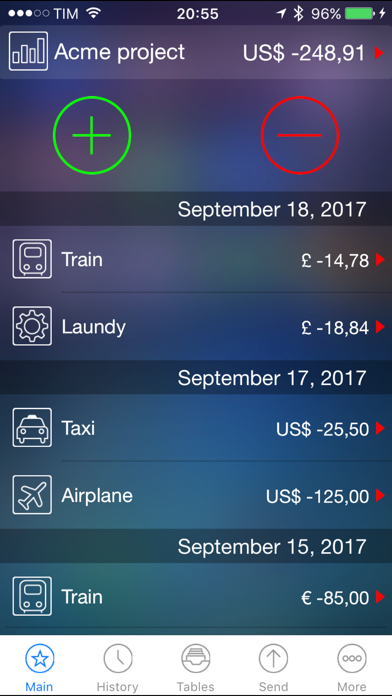

Description by Bonazzi S.r.l. con Socio unico Written by the developer, not by AppBrain. Click to read.
Imagine:
- You are far from your company and you want to track your expenses ... or simply inform your company how are you spending the money... you can email you receips… so you don’t have to wait your return to deliver them. With LIVE EXPENSES you can do it!
- You want to manage a budget and keep track of all the flows (day by day or month by month). With LIVE EXPENSES you can do it!
- You want to manage inputs and outputs for each Project and store the documents of each operation. With LIVE EXPENSES you can do it!
Using a simple “user interface” you can add your inputs (for ex. your expense budget) and outputs (hotels, restaurants, car rental, etc. ...).
Each movement (in or out) can be related to:
- A project: you can create new projects to connect with your inputs and outputs;
- A picture of your receipt / invoice / bill / document. In this way, the company will have a printout while the are waiting you deliver the original document;
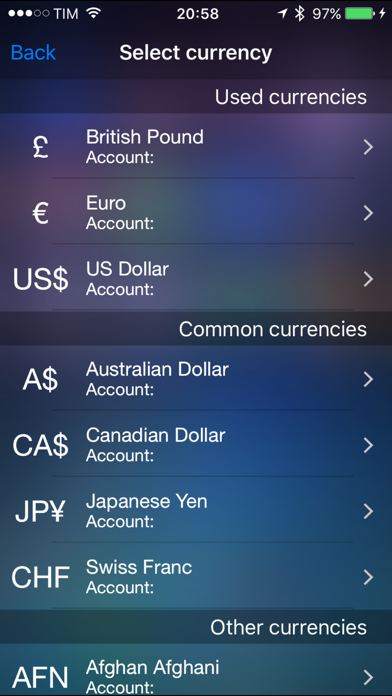
- A currency: use foreign currencies and the exchange rates;
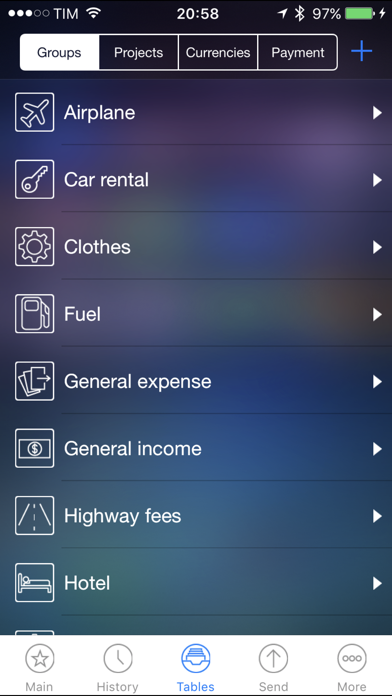
- A type of expense/income: you can specify the type of input or output, such as restaurant, taxi, train, plane, etc...;
- A type of payment: such as cash, credit cards, etc...;
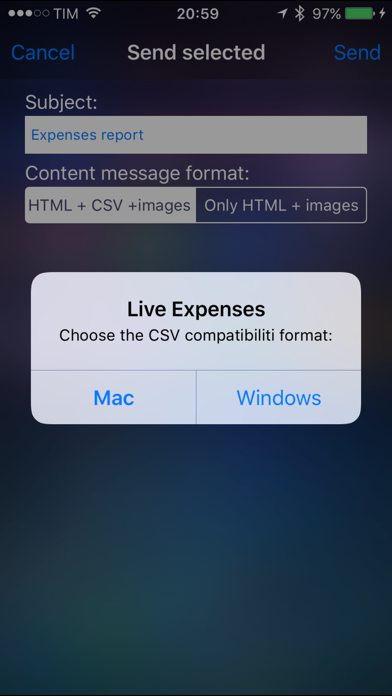
And finally, email eveything in HTML format and/or CSV (Microsoft Excel © compatible and all common spreadsheets) with all the pictures(documents) taken attached to your email.
Easy, fast and intuitive... With LIVE EXPENSES you can do it!