

LockTimer is made and published by Mishima Design. AppBrain is an independent app data site and isn't affiliated with Mishima Design. The app name, icon, screenshots and description belong to Mishima Design and are shown as published on the App Store.
AppBrain's verdict
- Last updated
- September 3, 2026
Rankings
App Store top chartsApp Store Rankings for LockTimer
Competitors
Similar apps and more from Mishima DesignAlternatives to LockTimer


More from Mishima Design


Releases
Updates seen on the App Store- Version
- 1.0.3
- Launched
- July 2026
No changelog data
User feedback
Ratings and reviews on the App StoreComments on LockTimer for iOS
We don't have enough comments to show example comments. Please check back later.
Technology
Found in the app by AppBrain- Price
- Free
- App size
- 4.95 MB
- Content rating
- Everyone
Technologies used by LockTimer
About the app and developer
About LockTimer
LockTimer is a productivity app developed by Mishima Design.
User Ratings
The app has no ratings yet.
App Information
LockTimer is freely available from the App Store. The app size is 4.95 MB. The latest version available is 1.0.3. The last update was on September 3, 2026.
Technical Requirements
The app has a content rating of Everyone. The app has been available on the App Store since July 2026.
Developer information for Mishima Design
Address:
Store listing
By Mishima Design, from the App Store


Description by Mishima Design Written by the developer, not by AppBrain. Click to read.
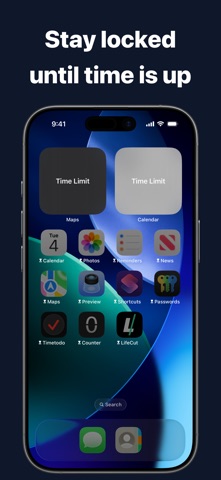
Instead of blocking apps immediately, set a limited amount of time to use them first. When time is up, the selected apps lock automatically. Access returns when the lock duration ends.
Use it before bed, during breaks, before work, or whenever you want to step away from your phone after using it briefly.
How It Works
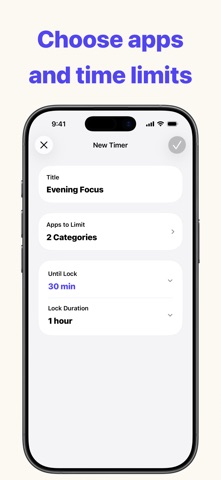
1. Choose the apps to lock
2. Set the time until lock
3. Set the lock duration and start the timer
You can also create schedules that lock apps automatically on selected days and times. Timers take priority while running, and active schedules resume afterward.
Features
• Set the time until apps lock
• Set the lock duration
• Choose apps to lock
• Create schedules by weekday and time
• View the remaining lock time
• Check timers with Live Activity
• Manage multiple timers and schedules
The free version lets you create up to two timers and start one timer per day.
Pro removes timer creation and daily start limits and enables schedules.
Terms of Use
https://apps.mishimadesign.com/locktimer/legal.html#terms-en