

Magic Cube 3D Classic
Magic Cube 3D Classic is made and published by AppLabNexus LLC. AppBrain is an independent app data site and isn't affiliated with AppLabNexus LLC. The app name, icon, screenshots and description belong to AppLabNexus LLC and are shown as published on the App Store.
AppBrain's verdict
- Last updated
- October 3, 2026
Rankings
App Store top chartsApp Store Rankings for Magic Cube 3D Classic
Competitors
Similar apps and more from AppLabNexus LLCAlternatives to Magic Cube 3D Classic




More from AppLabNexus LLC




Releases
Updates seen on the App Store- Version
- 4.1
- Launched
- September 2016
No changelog data
User feedback
Ratings and reviews on the App StoreComments on Magic Cube 3D Classic for iOS
We don't have enough comments to show example comments. Please check back later.
Technology
Found in the app by AppBrain- Price
- Free
- App size
- 8.41 MB
- Content rating
- Everyone
Technologies used by Magic Cube 3D Classic
About the app and developer
About Magic Cube 3D Classic
Magic Cube 3D Classic is a games app developed by AppLabNexus LLC.
User Ratings
The app has no ratings yet.
App Information
Magic Cube 3D Classic is freely available from the App Store. The app size is 8.41 MB. The latest version available is 4.1. The last update was on October 3, 2026.
Technical Requirements
The app has a content rating of Everyone. The app has been available on the App Store since September 2016.
Developer information for AppLabNexus LLC
Address:
Frequently asked questions about Magic Cube 3D Classic
Is Magic Cube 3D Classic free?
Yes. Magic Cube 3D Classic is free on the App Store.
Is Magic Cube 3D Classic still available?
Yes. Magic Cube 3D Classic is on the App Store, and the last update we saw was on October 3, 2026.
How large is Magic Cube 3D Classic?
Magic Cube 3D Classic is 8.41 MB.
Is Magic Cube 3D Classic suitable for children?
App Store rates the content of Magic Cube 3D Classic as suitable for everyone.
Who made Magic Cube 3D Classic?
Magic Cube 3D Classic was developed by AppLabNexus LLC. It is listed in the games category on the App Store.
What are the best alternatives to Magic Cube 3D Classic?
People looking at Magic Cube 3D Classic also look at these games apps: Flat Cubik, Cube202005, Magic Cube³D, Pocket Cube Solver, Patterns for Magic Cube.
Store listing
By AppLabNexus LLC, from the App Store

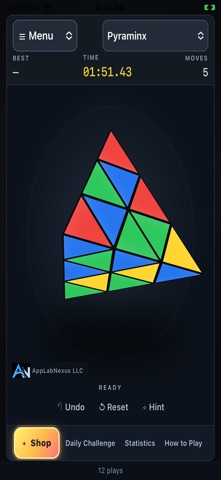
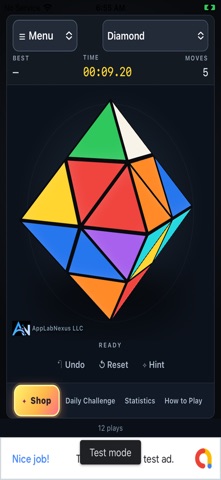
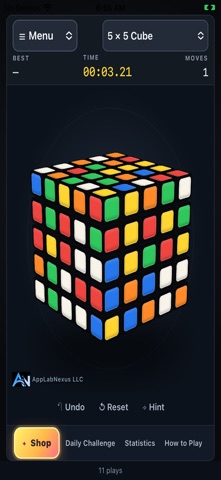
Description by AppLabNexus LLC Written by the developer, not by AppBrain. Click to read.
FIVE PUZZLES, ONE BEAUTIFUL GAME
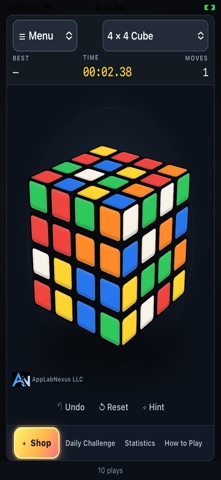
Play the classic 3x3 cube, Pyraminx, Diamond, 4x4 and 5x5 cubes. New games begin scrambled by legal moves from a solved puzzle, not randomly colored stickers. The 3x3 cube is the default puzzle.
DIRECT TOUCH CONTROLS
Drag on the puzzle to turn a row or column. The selected layer follows your finger, then snaps into place on release; a short drag springs back. Drag outside the puzzle to rotate your view. Enjoy a portrait layout that keeps the puzzle central, with quick access to the menu, shop and help.
AUTOMATIC TIMING AND SAVED PROGRESS
The first layer move starts the timer; solving the puzzle stops it automatically. Track your moves and celebrate completed puzzles and new personal bests. Progress is saved separately for each puzzle type. Return to a saved game without spending another play. Time pauses while away, during ads and during demonstrations. These are local active-play statistics, not official competition timing.
DAILY AND GUIDED CHALLENGES
Daily challenges use the same legal scramble for each puzzle type and UTC date. Track your local daily best and streak. Try short 3x3 practice challenges: make the white cross, finish the first layer or solve a puzzle three moves from completion. Hints explain the next moves. These are guided examples, not a complete beginner course.
SOLUTION PLAYBACK AND PRACTICE
The 3x3 two-phase solver calculates a solution from the current position; it does not guarantee the shortest solution. Other puzzle types restore the puzzle by reversing the recorded scramble and moves. Follow one move at a time, pause, replay or adjust playback speed. Undo and hints mark a game as assisted practice; automatic demonstrations never enter ranked results.
PERSONAL STATISTICS AND SHARING
View Recent 10 and Best 10 results, personal best, today's best, solve count, average time, moves per second, AO5 and AO12. Ranked statistics include only unassisted free and daily challenges. Copy scramble sequences and share puzzle or replay links. Results and daily streaks stay on your device; there is no global leaderboard.
SOUND AND ACCESSIBILITY
Enjoy action sounds, background music, separate volume controls and optional haptic feedback on supported devices. Choose high-contrast colors, sticker symbols for color identification, larger text or reduced motion. Your preferences are saved locally.
PLAY OPTIONS
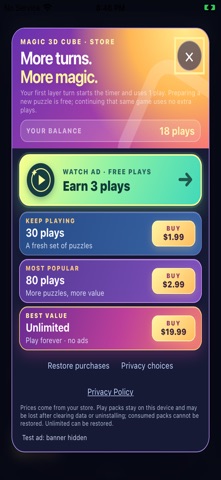
A new installation includes 5 plays. Preparing a puzzle is free: a new game consumes one play only when you first turn a layer. With no plays remaining, starting a new game opens the shop. Complete a rewarded ad to earn 3 plays. Optional consumable packs add 30 or 80 plays. Unlimited is a one-time purchase for permanently ad-free, unlimited play and supports Restore Purchases.
No player account is required. Puzzles can be played offline while plays are available; advertisements and store features require internet. Puzzle progress, results, preferences and play balance are stored locally. Deleting the app or clearing its data may lose unused consumable plays and local records. Consumable packs cannot be restored; Unlimited can be restored through the store.