

Map-Memo is made and published by RamSystem. AppBrain is an independent app data site and isn't affiliated with RamSystem. The app name, icon, screenshots and description belong to RamSystem and are shown as published on the App Store.
AppBrain's verdict
- Last updated
- February 21, 2022
Rankings
App Store top chartsApp Store Rankings for Map-Memo
This app is not ranked
Competitors
Similar apps and more from RamSystemAlternatives to Map-Memo







More from RamSystem







Releases
Updates seen on the App Store- Version
- 2.1.0
- Launched
- May 2019
No changelog data
User feedback
Ratings and reviews on the App StoreComments on Map-Memo for iOS
We don't have enough comments to show example comments. Please check back later.
Technology
Found in the app by AppBrain- Price
- Free
- App size
- 24.0 MB
- Content rating
- Everyone
Technologies used by Map-Memo
About the app and developer
About Map-Memo
Map-Memo is a lifestyle app developed by RamSystem.
What is the rating of Map-Memo?
Map-Memo has no ratings yet.
Is Map-Memo free?
Map-Memo is free. The app size is 23.98 MB. The latest version available is 2.1.0. The last update was on February 21, 2022.
What are the requirements for Map-Memo?
The app has a content rating of Everyone. The app has been available on the App Store since May 2019.
Developer information for RamSystem
Address:
Store listing
By RamSystem, from the App Store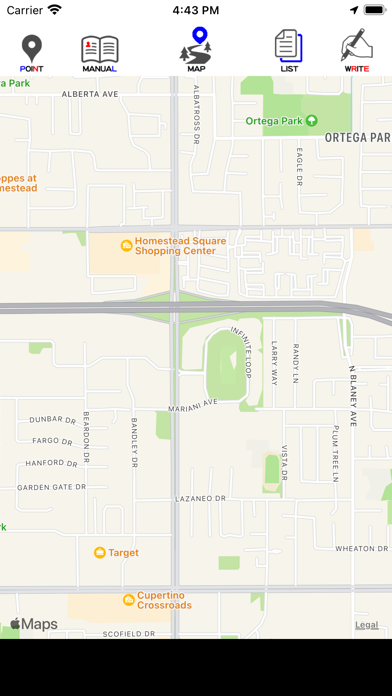
Screenshots by RamSystem, from the the App Store listing
Description by RamSystem Written by the developer, not by AppBrain. Click to read.
[Map screen]
This is the first screen to be displayed.
The current location is displayed, but by pinch-in, pinch-out, and drag
You can freely enlarge / reduce / move.
Press and hold until you hear a "pin".
The map moves around that position.
In addition, a blue pin stands to display the position in an easy-to-understand manner.
* About icons
This is a description of the icon at the top.
From the left
(POINT)
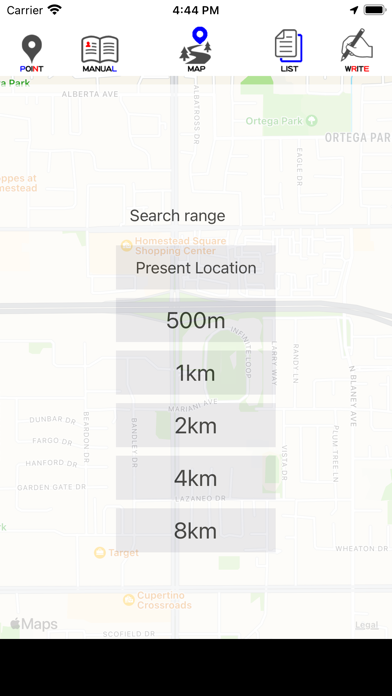
The record of the movement to the current location and the memories left behind is displayed on the map.
Tap the icon
You can select the search range on the map of memories or the display of your current location.
The search range can be set from 500m to 8km around the blue pin on the map.
(MANUAL)
The screen will change to display the operation manual.
This is the text chapter.
You can page forward, enlarge, and reduce sentences by pinching in, pinching out, and dragging.
(MAP)
The icon of the displayed screen.
This icon is for display only and has no function.
(LIST)
The screen will change to the memory list screen.
For details, refer to [List screen].
(WRITE)
It will change to the screen to make memories
For details, refer to [Create screen].
[Create screen]
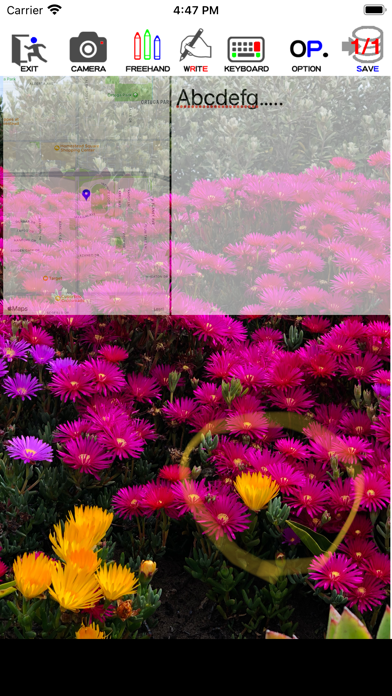
It is a screen to take a picture and write down an impression.
A map of the location is displayed in the upper left, and text characters can be written on the right.
In addition, you can write freehand on the entire screen.
The picture you take will look like its background.
The background photo can be freely pinched in, pinched out, and dragged.
You can enlarge / reduce / move the display part.
Once you tap the map screen, it will be displayed on the entire screen.
Tap it again to return it to its original size.
If there are many registered photos / characters, swipe left or right to display them.
* About icons
This is a description of the icon at the top.
From the left
(EXIT)
This is the end of the creation screen.
Use it when you want to finish without doing anything, or when you want to cancel what you have done and finish.
(CAMERA)
It is a camera shoot.
The standard iPhone camera will start and take a picture.
The picture taken will be displayed like the background of the screen.
(FREEHAND)
You can write freely on the entire screen.
A nib, color, eraser and ruler are available.
Tap again to finish the freehand process.
(WRITE)
The icon of the displayed screen.
This icon is for display only and has no function.
(KEYBOARD)
You can write text characters in the upper right half of the screen.
Tap it again to finish the writing process.
(OPTION)
It is an optional process.
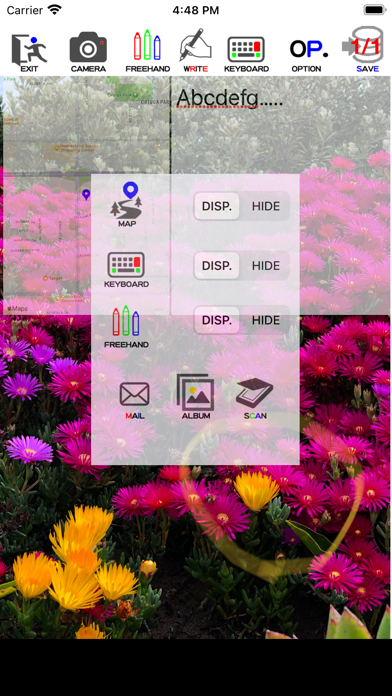
When you tap this icon, the option screen will be displayed in front of the screen.
Tap it again to turn off the options screen.
Optional processing
Select to show / hide the map screen
Select to show / hide the text screen
Select to show / hide things written by freehand
Email
Maps, text text, photos and freehand text, etc.
You can send it by email.
If it is hidden as an option, that part will not be sent.
album
You can select the photos saved in the iPhone album.
scan
If there are characters in the photo image, the characters will be transferred to the right half of the screen.
(SAVE)
This is the process for saving the written photos and characters.
You can register many photos and characters linked to the same place.
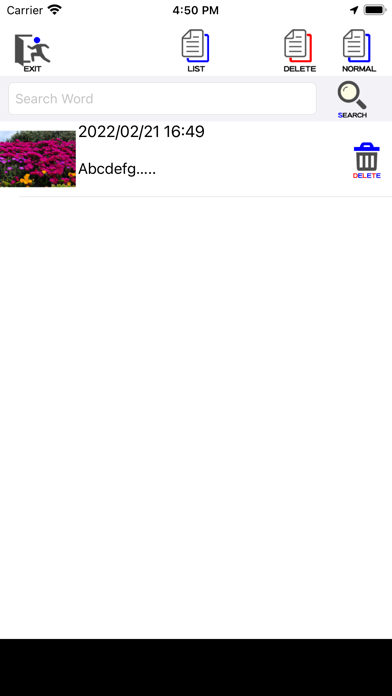
[List screen]
A list of registered memories,
You can delete each line by tapping the dust icon on the right side.
* About icons
This is a description of the icon at the top.
From the left
(EXIT)
This is the end of the list screen.
(LIST)
The icon of the displayed screen.
This icon is for display only and has no function.
(DELETE)
Display a list of deleted memories.
By tapping the dust icon on each line, you can change from deletion to normal.
(NORMAL)
It is a list of normal parts in the list of memories.
By tapping the dust icon on each line, it changes from normal to deleted.
(SEARCH)
Search for registered memories by writing characters and display them in a list.
This is the first screen to be displayed.
The current location is displayed, but by pinch-in, pinch-out, and drag
You can freely enlarge / reduce / move.
Press and hold until you hear a "pin".
The map moves around that position.
In addition, a blue pin stands to display the position in an easy-to-understand manner.
* About icons
This is a description of the icon at the top.
From the left
(POINT)
The record of the movement to the current location and the memories left behind is displayed on the map.
Tap the icon
You can select the search range on the map of memories or the display of your current location.
The search range can be set from 500m to 8km around the blue pin on the map.
(MANUAL)
The screen will change to display the operation manual.
This is the text chapter.
You can page forward, enlarge, and reduce sentences by pinching in, pinching out, and dragging.
(MAP)
The icon of the displayed screen.
This icon is for display only and has no function.
(LIST)
The screen will change to the memory list screen.
For details, refer to [List screen].
(WRITE)
It will change to the screen to make memories
For details, refer to [Create screen].
[Create screen]
It is a screen to take a picture and write down an impression.
A map of the location is displayed in the upper left, and text characters can be written on the right.
In addition, you can write freehand on the entire screen.
The picture you take will look like its background.
The background photo can be freely pinched in, pinched out, and dragged.
You can enlarge / reduce / move the display part.
Once you tap the map screen, it will be displayed on the entire screen.
Tap it again to return it to its original size.
If there are many registered photos / characters, swipe left or right to display them.
* About icons
This is a description of the icon at the top.
From the left
(EXIT)
This is the end of the creation screen.
Use it when you want to finish without doing anything, or when you want to cancel what you have done and finish.
(CAMERA)
It is a camera shoot.
The standard iPhone camera will start and take a picture.
The picture taken will be displayed like the background of the screen.
(FREEHAND)
You can write freely on the entire screen.
A nib, color, eraser and ruler are available.
Tap again to finish the freehand process.
(WRITE)
The icon of the displayed screen.
This icon is for display only and has no function.
(KEYBOARD)
You can write text characters in the upper right half of the screen.
Tap it again to finish the writing process.
(OPTION)
It is an optional process.
When you tap this icon, the option screen will be displayed in front of the screen.
Tap it again to turn off the options screen.
Optional processing
Select to show / hide the map screen
Select to show / hide the text screen
Select to show / hide things written by freehand
Maps, text text, photos and freehand text, etc.
You can send it by email.
If it is hidden as an option, that part will not be sent.
album
You can select the photos saved in the iPhone album.
scan
If there are characters in the photo image, the characters will be transferred to the right half of the screen.
(SAVE)
This is the process for saving the written photos and characters.
You can register many photos and characters linked to the same place.
[List screen]
A list of registered memories,
You can delete each line by tapping the dust icon on the right side.
* About icons
This is a description of the icon at the top.
From the left
(EXIT)
This is the end of the list screen.
(LIST)
The icon of the displayed screen.
This icon is for display only and has no function.
(DELETE)
Display a list of deleted memories.
By tapping the dust icon on each line, you can change from deletion to normal.
(NORMAL)
It is a list of normal parts in the list of memories.
By tapping the dust icon on each line, it changes from normal to deleted.
(SEARCH)
Search for registered memories by writing characters and display them in a list.