

Tongue_twister is made and published by RamSystem. AppBrain is an independent app data site and isn't affiliated with RamSystem. The app name, icon, screenshots and description belong to RamSystem and are shown as published on the App Store.
AppBrain's verdict
Established- Rating on App Store
- 2.00
- 1 ratings
- Last updated
- April 25, 2023
- Size
- 11.3 MB
It doesn't have enough ratings yet to judge what users think.
User feedback
Ratings and reviews on the App StoreComments on Tongue_twister for iOS
We don't have enough comments to show example comments. Please check back later.
Store listing
By RamSystem, from the App Store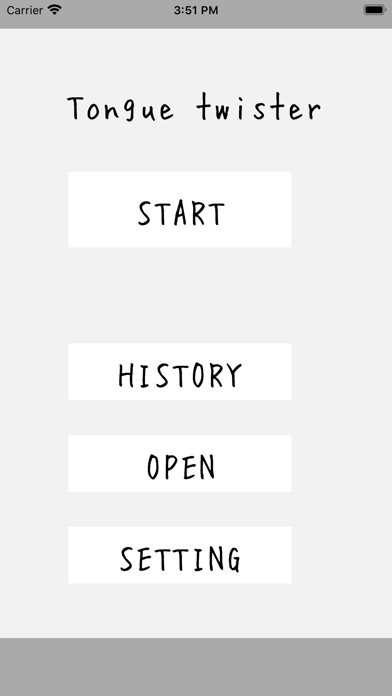


Description by RamSystem Written by the developer, not by AppBrain. Click to read.
1) Start button
The tongue twister game will start.
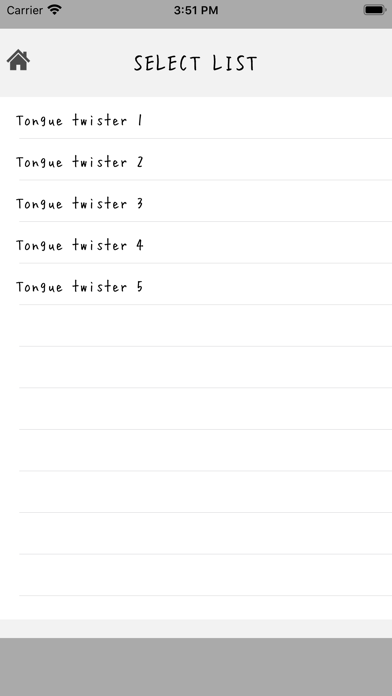
Select a set list of tongue twisters from the tongue twist list.
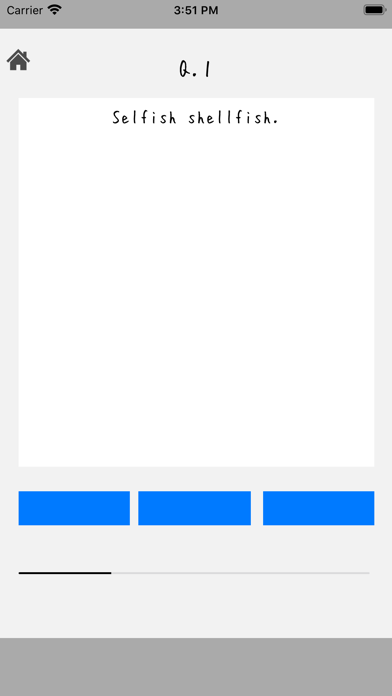
B. Spoken words are spoken in machine voice.
C. Please talk when all the lamps below are blue.
D. Talk time is within 2 seconds
E. Judgment will be issued.
f. The set list has about 10 questions.
You can continue or interrupt the process.
g. If you want to stop midway, tap the home icon on the upper left.
‥
2) History button
This is a history of tongue twisters
a. Select a set list of tongue twisters.
b. Each quick word will show you how many times you went before
c. When you tap the line, the history of that quick spoken word
Displayed with the audio output speaker icon.
d. Audio output The speaker icon allows you to hear the spoken audio.
e. If you tap the cloud up icon, this app user
Published with audio.
If you tap it again, the publication will be canceled.
f. Of the upper icons,
Home icon Return to start screen
X icon Returns to the previous screen
3) Released button
You can check the open tongue twister
A. A list of quick words and the number of publications are displayed.
B. You can hear the photo of the person who made it public, their name, and their tongue twisters.
By selecting the line c., You can register a comment for that person in characters and words.
D. Tap the microphone icon to start recording, then use the speaker icon
You can listen to the contents.
E. The icon is saved and the comment is added.
f. Of the upper icons,
Home icon Return to start screen
X icon Returns to the previous screen
4) Setting button
You can register your photo and name (nickname) and make various settings
Photographs can be selected from camera shooting and album (camera roll).
B. Please enter your name (nickname)
E.BGM ON / OFF can be selected
f. You can select ON / OFF of the sound effect.
g. ON / OFF of voice output (machine voice) can be selected
h. Language can be selected.
However, there are two choices, Japanese or English.
i. Toss list button creates a set of tossed words or
You can change the registered tongue twister.
-You can create a new set list with the plus icon in the upper right.
-If you select a set list row that has already been created,
A list of the tongue twisters is displayed
If you want to change the contents of the list, click the maintenance icon in the upper right
Please tap.
-To modify the registered content, a list of registered quick words will be displayed.
Please select the relevant row.
Each time you select a row, registration / registration deletion is displayed with a check mark on the right
(The line with a red dot is the registered line)
-It is also possible to modify the set name of the quick words
Finally, tap the disk icon to save the set list contents
j. In the block list, the list of blocked people and its cancellation can be set.
-Among the comments that have been added to your tongue twister that have been published, the X icon is displayed for the comment of the other person.
You can block by tapping the X icon.
-If you are blocked, you will not be able to access the information you have published.
-To cancel the block, tap the corresponding line from the block list.
Each time you tap the block will be set / cancelled.
Safety and technology
Found in the app by AppBrain- Price
- Free
- App size
- 11.3 MB
- Content rating
- Everyone
Technologies used by Tongue_twister
Releases
Updates seen on the App Store- Version
- 1.2.0
- Launched
- April 2020
No changelog data
Alternatives
Similar apps and more from RamSystemAlternatives to Tongue_twister


More from RamSystem




Rankings
App Store top chartsApp Store Rankings for Tongue_twister
About the app and developer
About Tongue_twister
Tongue_twister is an entertainment app developed by RamSystem.
What is the rating of Tongue_twister?
Tongue_twister is rated 2.00 out of 5 stars, based on one rating ratings.
Is Tongue_twister free?
Tongue_twister is free. The app size is 11.27 MB. The latest version available is 1.2.0. The last update was on April 25, 2023.
What are the requirements for Tongue_twister?
The app has a content rating of Everyone. The app has been available on the App Store since April 2020.
Developer information for RamSystem
Address:
Frequently asked questions about Tongue_twister
Is Tongue_twister free?
Yes. Tongue_twister is free on the App Store.
Is Tongue_twister still available?
Yes. Tongue_twister is on the App Store, and the last update we saw was on April 25, 2023.
How large is Tongue_twister?
Tongue_twister is 11.27 MB.
Is Tongue_twister suitable for children?
App Store rates the content of Tongue_twister as suitable for everyone.
How do people rate Tongue_twister?
Tongue_twister has one rating of 2.00 stars on the App Store.
Who made Tongue_twister?
Tongue_twister was developed by RamSystem. It is listed in the entertainment category on the App Store.
What are the best alternatives to Tongue_twister?
People looking at Tongue_twister also look at these entertainment apps: Video Tongue Twister, English story with real voice, SEGA Play AR, WAIS-IV Test Preparation, Best English Stories.