Markdown Viewer & Editor is an overall app developed by Zeeron Studio Pvt. Ltd..
Download Statistics
User Ratings
The app has no ratings yet.
App Information
Markdown Viewer & Editor is FREE to download. The APK download size is 18.94 MB. The latest version available is 1.4. The last update was on June 13, 2026.
Technical Requirements
The app has a content rating of Everyone. The app has been available on Google Play 4 weeks ago.
Description
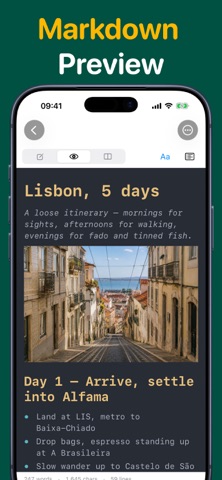
Write, preview, organize, and export Markdown documents entirely on your iPhone and iPad.
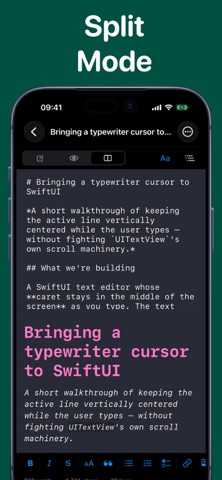
This app is a native, offline-first Markdown workspace built for fast writing and clean document output. Create notes, drafts, documentation, journals, and long-form writing with a focused editor, live preview, and on-device PDF export.
Everything important happens on your device. No account is required to start writing.
Features
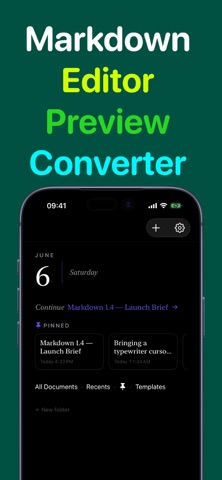
- Native Markdown editor designed for iPhone and iPad - Live preview while you write - Organize documents with folders - Full-text search across your local documents - Import Markdown and text files - Export Markdown files and generate PDFs on-device - Autosave and quick access to recent work - Clean, privacy-focused offline experience
Premium features
- Advanced PDF export options - Custom themes - Templates - Find and replace - Word count, reading time, and writing stats - Favorites, smart organization, and additional power-user tools
Who it’s for
- Students taking structured notes - Writers drafting articles and journals - Developers editing README files and documentation - Anyone who wants a simple, fast Markdown app without unnecessary complexity
Privacy-first by design
Your documents stay on your device by default. Core writing, preview, organization, and export features work offline, so you can write anywhere.
If you want a polished Markdown experience on iOS with native performance and local-first privacy, this app is built for you.
Subscription information: Markdown Pro is an optional auto-renewing subscription (monthly plan). Payment is charged to your Apple Account at confirmation of purchase. Subscription renews automatically unless canceled at least 24 hours before the end of the current period. You can manage or cancel your subscription anytime in your Apple Account settings.
Privacy Policy : https://zeeronstudio.com/privacy/markdown.html Terms of Service : https://www.apple.com/legal/internet-services/itunes/dev/stdeula/
Each subscription will automatically renew 3 days before the expiration date for
the same time period. Subscriptions can be cancelled at any time before the renewal.