

Memon for Mobile
Memon for Mobile is made and published by Yusuke Fukasawa. AppBrain is an independent app data site and isn't affiliated with Yusuke Fukasawa. The app name, icon, screenshots and description belong to Yusuke Fukasawa and are shown as published on the App Store.
AppBrain's verdict
- Last updated
- October 1, 2026
Rankings
App Store top chartsApp Store Rankings for Memon for Mobile
Competitors
Similar apps and more from Yusuke FukasawaAlternatives to Memon for Mobile


More from Yusuke Fukasawa

Releases
Updates seen on the App Store- Version
- 2.5.1
- Launched
- August 2026
No changelog data
User feedback
Ratings and reviews on the App StoreComments on Memon for Mobile for iOS
We don't have enough comments to show example comments. Please check back later.
Technology
Found in the app by AppBrain- Price
- Free
- App size
- 59.0 MB
- Content rating
- Everyone
Technologies used by Memon for Mobile
About the app and developer
About Memon for Mobile
Memon for Mobile is a productivity app developed by Yusuke Fukasawa.
What is the rating of Memon for Mobile?
Memon for Mobile has no ratings yet.
Is Memon for Mobile free?
Memon for Mobile is free. The app size is 59.04 MB. The latest version available is 2.5.1. The last update was on October 1, 2026.
What are the requirements for Memon for Mobile?
The app has a content rating of Everyone. The app has been available on the App Store since August 2026.
Developer information for Yusuke Fukasawa
Address:
Store listing
By Yusuke Fukasawa, from the App Store





Description by Yusuke Fukasawa Written by the developer, not by AppBrain. Click to read.
A macOS version is also available — using both together is highly recommended.
Key Features
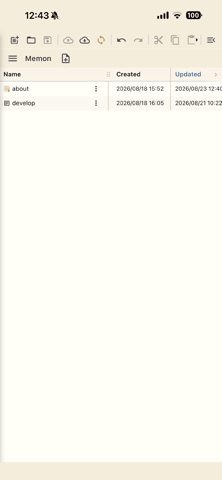
[Note Management]
· Hierarchical tree organization with groups and notes
· Color-coded display by importance level (star rating)
· Tag assignment and list view
· Icon customization for groups and notes (18 standard categories, 12 colors, custom images)
· Note sorting (by updated date, created date, title, importance, or tag)
· Move notes to another group (desktop: drag & drop; mobile: long-press to enter selection mode, then use checkboxes to select multiple notes)
· Resizable list column widths (drag column headers to adjust)
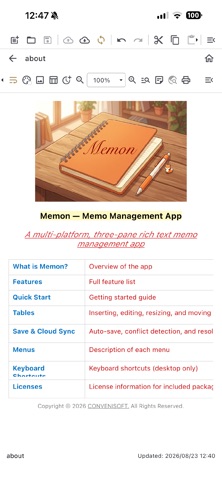
[Rich Text Editing]
· Bold, italic, underline, strikethrough
· Text color and background color
· Headings (H1–H3)
· Bullet lists, numbered lists, and checklists
· Per-note background color
· Image support (insert, resize, copy, move, delete)
· Zoom in/out (desktop: Ctrl + mouse wheel)
[Tables]
· Add, delete, resize, and move rows and columns
· Resize and align the entire table
· Cell formatting (bold, italic, underline, text color, background color, horizontal/vertical alignment)
· Cell copy & paste (TSV-compatible with Excel and Numbers)
[Search]
· Full-text search across all notes
· In-editor text search
· Search selected text on Google
[Cloud Integration]
· Save and load via iCloud Drive (macOS / iOS)
· Save and load via Google Drive (all platforms)
· Save and load via OneDrive (all platforms)
· Your local note file is the single source of truth, automatically synced to the cloud on every save
[Import / Export]
· Import XML note files from the original Windows version of Memon
· Bulk import text files from a selected folder
· Export selected notes as text, PDF, or rich text (RTF) files
· Export groups as text, PDF, or RTF files in a folder hierarchy
[Other]
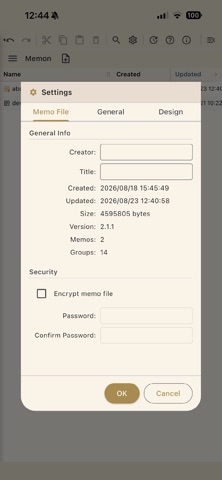
· Password protection with AES encryption
· Print (launched from the editor toolbar — printer selection, margins, header/footer, and preview)
· Sticky note display (open a note as a floating window on the desktop)
· Home screen widgets
· Font and background color customization
· In-app update checker