Midiflow Splitter (Audiobus) is an overall app developed by Johannes Doerr.
Download Statistics
User Ratings
Midiflow Splitter (Audiobus) is rated 3.40 out of 5 stars. The rating is based on 10 ratings.
App Information
Midiflow Splitter (Audiobus) costs $2.99 to download. The APK download size is 4.69 MB. The latest version available is 1.0.6. The last update was on May 7, 2024.
Technical Requirements
The app has a content rating of Everyone. The app has been available on Google Play April 2017.
Description
If you play your synth apps with an external keyboard, Midiflow Splitter is an essential tool for you. This MIDI effect app for Audiobus 3 lets you create split and layer configurations in an easy but powerful way. Thanks to Audiobus State Saving, everything can be saved and recalled when your show is about to start.
+ Add any number of split points + Assign resulting key zones to synth apps + Transpose each synth app in octaves + Choose which controllers (sustain, pitch-bend, etc.) should be active for each synth app + Solo sounds + Supports multiple keyboards
NOTE: This app requires Audiobus 3. Create at least two MIDI pipelines with your keyboard as input and different synth apps as output. Then insert this app into the effect ports.
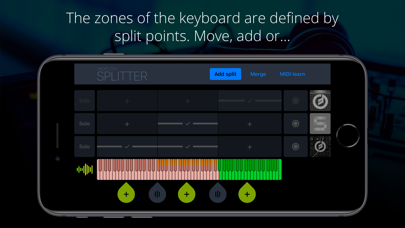
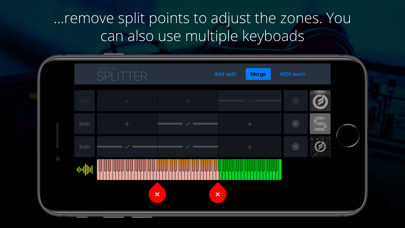
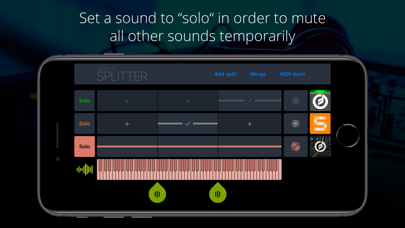
MANAGAGE SPLIT POINTS AND ASSIGN ZONES Midiflow Splitter shows all synth apps as rows above the input keyboard. For each synth, you can select in which zone it should be active. The zones of the keyboard are defined by split points. Move, add, or remove split points to adjust the zones. If you are using multiple keyboards, they will show up with independent split point selectors.
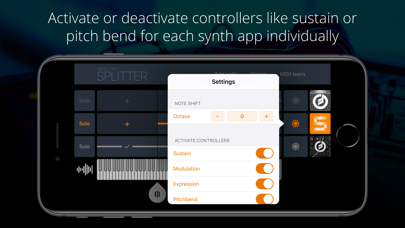
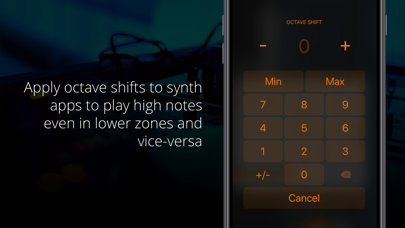
OCTAVE SHIFT AND CONTROLLER ASSIGNMENT An octave shift can be applied to each synth in your configuration. This is useful if you have assigned a sound to a zone on the lower part of the keyboard, but still want to trigger high notes. Just shift the notes by a couple of octaves, and you're done. You can also activate or deactivate controllers like sustain or pitch-bend for each synth app individually. That way, your controllers only affect the sounds you really want to manipulate, and keep the others unchanged.
SOLO After you have set up your split and layer configuration, you might need to tweak a synth's sound again. By activating "solo", all other synth apps will be deactivated so that you have the whole keyboard for this one sound. This is very handy if you have arranged the sound in a layer and quickly want to mute the other sounds for a moment.
Each subscription will automatically renew 3 days before the expiration date for
the same time period. Subscriptions can be cancelled at any time before the renewal.