

MP3 WAV M4A Audio Converter
MP3 WAV M4A Audio Converter is made and published by Ihar Shaduryn. AppBrain is an independent app data site and isn't affiliated with Ihar Shaduryn. The app name, icon, screenshots and description belong to Ihar Shaduryn and are shown as published on the App Store.
AppBrain's verdict
- Last updated
- August 29, 2026
- Size
- 2.71 MB
User feedback
Ratings and reviews on the App StoreComments on MP3 WAV M4A Audio Converter for iOS
We don't have enough comments to show example comments. Please check back later.
Store listing
By Ihar Shaduryn, from the App Store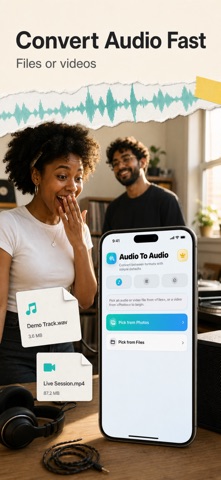




Description by Ihar Shaduryn Written by the developer, not by AppBrain. Click to read.
MP3 WAV M4A Audio Converter gives you a focused audio workflow on iPhone without the complexity of a multitrack editor. Choose an audio or video file from Files, or select a video from Photos, and the app inspects the source before showing the export choices that are actually available. You can see the source duration, file size, sample rate, and channel count before making changes.
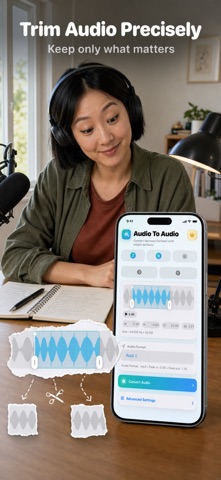
TRIM WITH A WAVEFORM
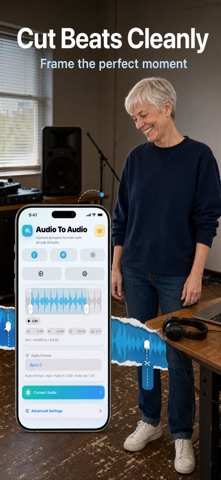
Use the waveform to find the part you want. Set a custom start and end point, preview from any position, and keep the complete source whenever no trim is needed. Clear time controls make it easy to prepare a short voice memo excerpt, a section of a lecture, a music clip, or audio taken from a personal video.
EXPORT A COMPATIBLE FORMAT
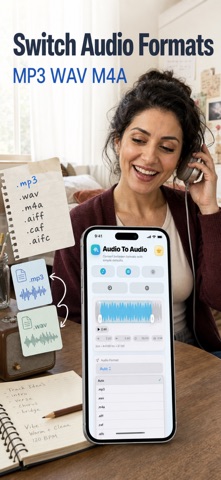
Choose Auto or select an available MP3, WAV, M4A, CAF, or AIFF option. Formats are shown only when the selected source and Apple's AVFoundation export path support them, so the exact list can vary from file to file. The app never promises a format that the current source cannot produce. Auto selects a compatible choice for a quick result.
EXTRACT AUDIO FROM VIDEO
Pick a video from Photos or open a local video from Files to work with its audio track. Trim the section you need, choose one of the compatible audio containers presented by the app, and create an audio-only result. This is useful for personal recordings, interview clips, class videos, voice segments, and other media you are permitted to use.
FADES AND EXPORT CONTROLS
Open Advanced Settings to add a fade in, a fade out, or both. You can also enable optimization for network use when that export path supports it. The app validates the selected range and format before processing, shows conversion progress, and lets you cancel an active job.
PREVIEW, SHARE, OR SAVE
When processing finishes, preview the exported audio inside the app. Review its duration and size, share it with the iOS share sheet, or save a copy to Files. The original source remains separate from the exported result, giving you a straightforward way to test a clip before sending or organizing it elsewhere.
BUILT FOR REPEAT TASKS
The three-step Source, Convert, and Result flow keeps routine work easy to follow. Recent trim and export settings can be remembered between sessions. The result screen keeps playback, Share, and Save to Files together.
LOCAL, PRIVATE WORKFLOW
Conversion uses Apple's media frameworks on your device. You do not need an account or sign-in to import a source, trim it, and export a result. Files remain under your control, and you decide when to share or save the finished audio. The interface is localized across supported languages and follows the same compact workflow in each locale.
GOOD FOR EVERYDAY AUDIO JOBS
Use the app to shorten a voice recording, isolate a useful passage, extract speech or music from your own video, add smooth edges with fades, or prepare a compatible audio file for another app. The app is intentionally focused: it does not claim noise removal, multitrack mixing, recording, metadata editing, or universal support for every media format.
The free plan includes 1 conversion per day. A yearly auto-renewable subscription unlocks unlimited conversions. You can restore the subscription in the app.
PREMIUM ACCESS:
- The free plan includes 1 conversion per day.
- A yearly auto-renewable subscription unlocks unlimited conversions.
- Payment is charged to your Apple ID when the subscription is confirmed.
- The subscription renews automatically each year unless canceled at least 24 hours before the end of the current period.
- Manage or cancel the subscription in your App Store account settings.
- You can restore the subscription from within the app.
Terms of Use: https://www.apple.com/legal/internet-services/itunes/dev/stdeula/
Privacy: https://yumcut.com/mobile/privacy
Safety and technology
Found in the app by AppBrain- Price
- Free
- App size
- 2.71 MB
- Content rating
- Everyone
Technologies used by MP3 WAV M4A Audio Converter
Releases
Updates seen on the App Store- Version
- 7
- Launched
- March 2026
No changelog data
Alternatives
Similar apps and more from Ihar ShadurynMore from Ihar Shaduryn


Rankings
App Store top chartsApp Store Rankings for MP3 WAV M4A Audio Converter
About the app and developer
About MP3 WAV M4A Audio Converter
MP3 WAV M4A Audio Converter is a music app developed by Ihar Shaduryn.
User Ratings
The app has no ratings yet.
App Information
MP3 WAV M4A Audio Converter is freely available from the App Store. The app size is 2.71 MB. The latest version available is 7. The last update was on August 29, 2026.
Technical Requirements
The app has a content rating of Everyone. The app has been available on the App Store since March 2026.
Developer information for Ihar Shaduryn
Address: