

NB202
NB202 is made and published by Supplier Relations US, LLC. AppBrain is an independent app data site and isn't affiliated with Supplier Relations US, LLC. The app name, icon, screenshots and description belong to Supplier Relations US, LLC. and are shown as published on the App Store.
AppBrain's verdict
- Last updated
- June 13, 2024
Rankings
App Store top chartsApp Store Rankings for NB202
Competitors
Similar apps and more from Supplier Relations US, LLC.More from Supplier Relations US, LLC.





Releases
Updates seen on the App Store- Version
- 1.3
- Launched
- May 2024
No changelog data
User feedback
Ratings and reviews on the App StoreComments on NB202 for iOS
We don't have enough comments to show example comments. Please check back later.
Technology
Found in the app by AppBrain- Price
- $4.99
- App size
- 51.0 MB
- Content rating
- Everyone
Technologies used by NB202
About the app and developer
About NB202
NB202 is a business app developed by Supplier Relations US, LLC.
What is the rating of NB202?
NB202 has no ratings yet.
Is NB202 free?
NB202 costs $4.99. The app size is 51.02 MB. The latest version available is 1.3. The last update was on June 13, 2024.
What are the requirements for NB202?
The app has a content rating of Everyone. The app has been available on the App Store since May 2024.
Developer information for Supplier Relations US, LLC.
Address:
Frequently asked questions about NB202
Is NB202 free?
No. NB202 costs $4.99 on the App Store.
Is NB202 still available?
Yes. NB202 is on the App Store, and the last update we saw was on June 13, 2024.
How large is NB202?
NB202 is 51.02 MB.
Is NB202 suitable for children?
App Store rates the content of NB202 as suitable for everyone.
Who made NB202?
NB202 was developed by Supplier Relations US, LLC. It is listed in the business category on the App Store.
Store listing
By Supplier Relations US, LLC., from the App Store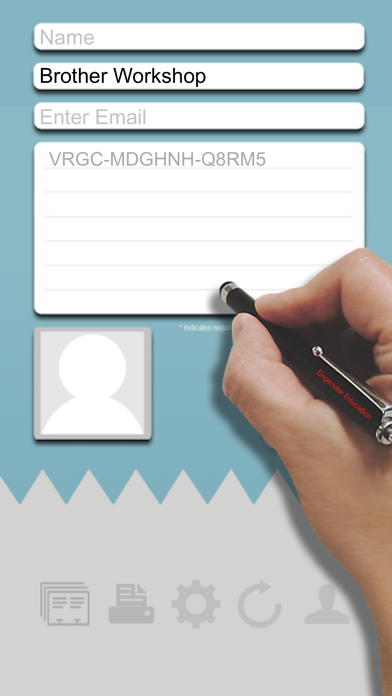

Description by Supplier Relations US, LLC. Written by the developer, not by AppBrain. Click to read.
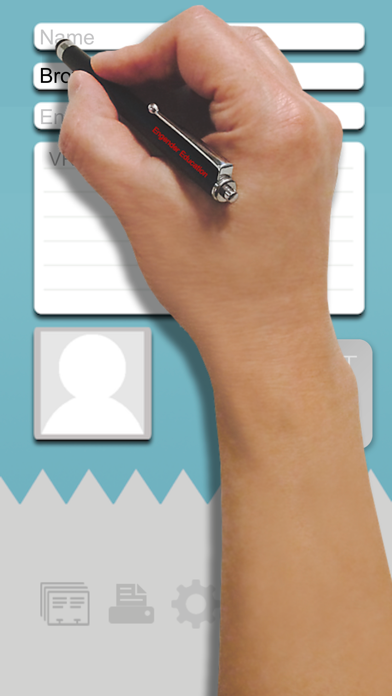
Let's get started! From downloading your new app to printing your first name badge, can you do it in 1 minute? NB202, short for Name Badge app with 202 uses, is a single app that lets you efficiently manage all your events. Its simplicity gets you up and running in no time. Its scalability allows you to handle any tasks, small or big. Its varieties will keep your events fresh and entertaining. Who said you can't have fun running an event? We will begin with the following scenarios to introduce you to some of its capabilities.
Scenario 1 - Easy
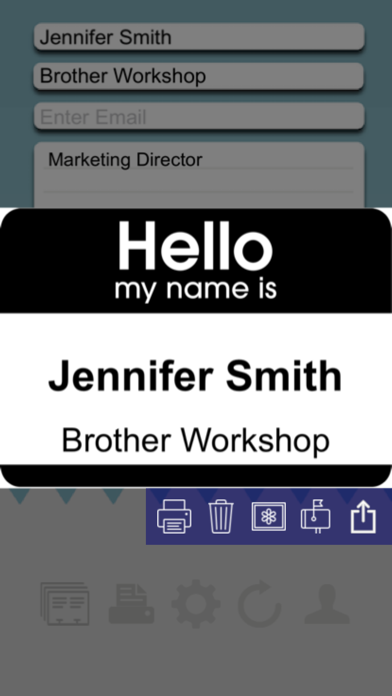
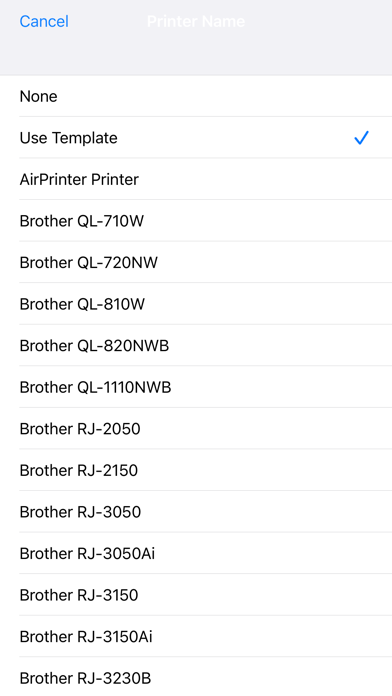
Print 1 to 1,000 name tags: instantly. If your events require professional, customized name tags, this app will do exactly that. To print, you must have the app installed, an AirPrint compatible printer, or a Brother QL-710W, QL-720NW, QL-810W, QL-820NWB, QL-1110NWB label printers. Just in case you don't have a printer yet, the app will simulate the print, and you can save the image for later. From start to finish, the mission is completed in 10 seconds. Try to beat that.
Scenario 2 - Efficient
Okay, now you've done the easy one. What about a large event with hundreds of attendees? You would love to maximize your resources and assure a successful event. We hear you. You can set up 1 to 10 kiosk stations and register guests onsite. Each station can handle up to 600 registrations per hour. Or, you can import 1,000 guest names into this app in less than a second with minimal preparation. We support just about every online event management system, including the popular Eventbrite and Meetup.
Scenario 3 - Entertaining
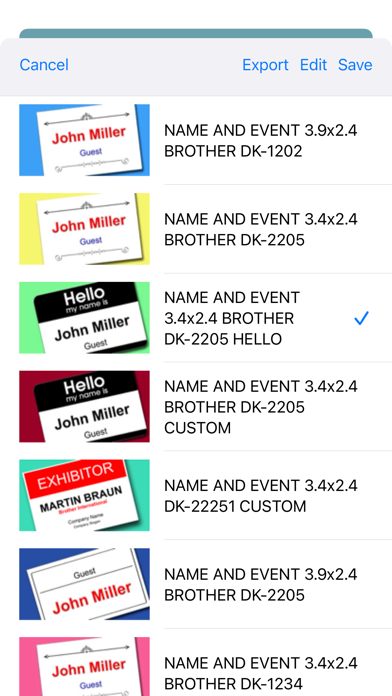
Let's get creative printing custom, more personalized name tags. What about a name tag with a raffle ticket attached? Our app supports serialized numbers, printed on the name tag as well as on the ticket stub. We also support QR code or barcode printing. You can conduct an old-fashioned drawing, or a virtual random pick directly from your device. Turn your name tags into fun games and entertain your guests with our growing list of creative templates, with just a single tap.
Scenario 4 - Formal
For formal corporate events, whether it is a gala, an awards ceremony, a product launch, a grand opening, a workshop, or even your shareholders meeting, this app can print professional-looking name tags that are right for the occasion. It can also be inserted into badge holders, or to be laminated for long-lasting use. You can print different name badges for each type of attendee. You can have one for the press, one for your VIP guests, one for the sponsors, one for employees, and one for the staff. Setting up these categories takes only just a couple of minutes.
QUICK START
To run the app, it is best with a Brother Label Printer QL-710W, QL-720NW, QL-810W, QL-820NWB, or an AirPrint compatible printer. Printing is optional but obviously helps. Here is how:
Launch the app
Add a new folder
Exit the app and relaunch the app in Kiosk Mode
Type in the name
Press [Return]
Tap at the large green [PRINT] button
You now will preview the name tag
Tap at the small [print] option to print (*1)
Continue
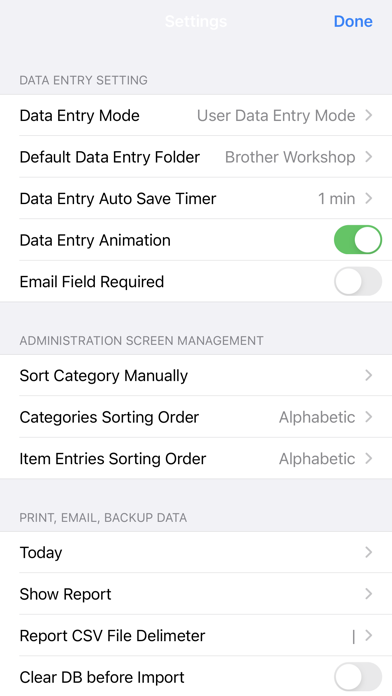
To activate the admin mode, tap the [Settings] button at the lower right corner
*1 - Default to print to QL-820NWB printer using DK-2205 label roll. If you do not have the printer ready, you can 1) email it, 2) save the image to your photo album, 3) trash the image, or 4) do nothing and the preview will disappear in 8 seconds.
Printers Supported:
PJ-773, PJ-763MFi, PJ-862, PJ-863, PJ-883, MW-145MFi, MW-260MFi, RJ-2050, RJ-2150, RJ-3050Ai, RJ-3150Ai, RJ-3230B, RJ-3250WB, RJ-4030Ai, RJ-4230B, RJ-4250WB, QL-820NWB, QL-820NWBc, QL-1110NWB, QL-1110NWBc, TD-2125NWB, TD-2135NWB, TD-4550DNWB, PT-P910BT, PT-E560BT, PT-E310BT, QL-710W, QL-720NW, QL-810W, RJ-4040, All AirPrint Compatible printers
Disclaimer:
Due to an enormous number of printers, and the complexity of custom templates, please be patient and let us know if you need any help.