

PartyPhoto
PartyPhoto is made and published by Supplier Relations US, LLC. AppBrain is an independent app data site and isn't affiliated with Supplier Relations US, LLC. The app name, icon, screenshots and description belong to Supplier Relations US, LLC. and are shown as published on the App Store.
AppBrain's verdict
- Rating on App Store
- 5.00
- 1 ratings
- Last updated
- June 5, 2024
- Size
- 161.1 MB
It doesn't have enough ratings yet to judge what users think.
User feedback
Ratings and reviews on the App StoreComments on PartyPhoto for iOS
We don't have enough comments to show example comments. Please check back later.
Store listing
By Supplier Relations US, LLC., from the App Store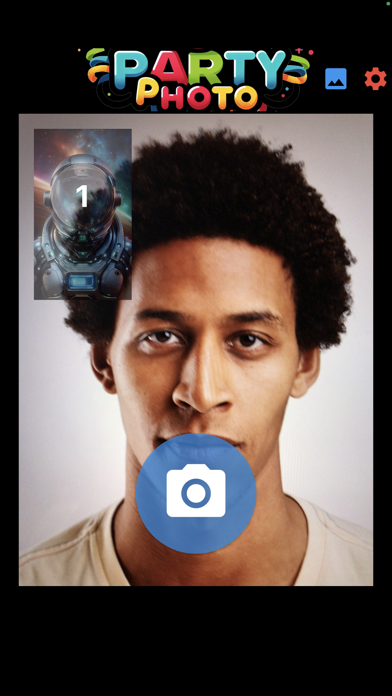



Description by Supplier Relations US, LLC. Written by the developer, not by AppBrain. Click to read.
Forget about a stingy 10 templates, 20 templates, or even 50 templates. PartyPhoto comes with a generous 150! They are beautiful templates for instant use, and they are free!
Bored with the standard 3 or 4 photos of a traditional vertical photo strip? You can print from 1 to an infinite number of photos, vertically or horizontally, as long as they are feasible. Our templates include 1, 2, 3, 4, 5, 6, and 7 photos.
Forget about low-resolution photo strips; our templates are all high resolution at 300dpi. Then again, it also depends on your device's camera specs.
Forget about licensing, copyright, and all those downloading hassles. PartyPhoto grants you unlimited uses, and you can add your own branding.
Tired of seeing rectangular photos? PartyPhoto supports all shapes: circle, oval, rectangular, square, diamond, heart, and even shapes with a helmet with a visor.
Want to customize your own Photo Booth templates? PartyPhoto can intelligently detect any template with transparent areas of any shape. Plus, we offer a special feature you won't find anywhere else.
PartyPhoto can print to virtually any printer, including the super portable Brother VC-500W color photo printer, supporting 2", 1", 3/4", 1/2", 3/8", and 1/8" strips. You can also print to any photo papers, whether it is 4x6, 5x8, 8x10, or 8.5x11.
Have a party or an event coming up? PartyPhoto's 150 templates cover just about any theme you can imagine. From birthday, Halloween, weddings, graduations, proms, baby showers, and family reunions to New Year celebrations, tail-gate parties at sports events, corporate events, trade shows, formal or casual, fun is always there!
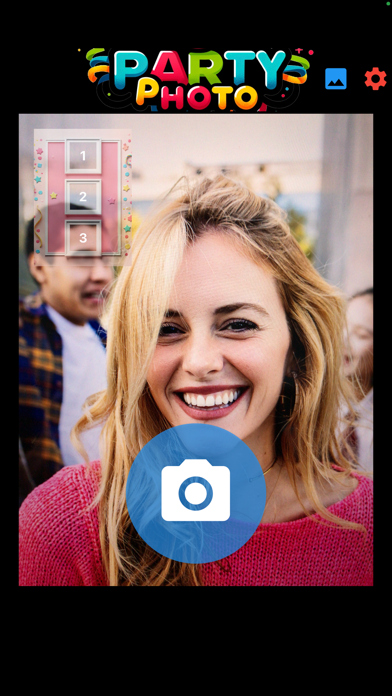
You can preview, save to your photo album, print, email, and send via text. On-screen preview shows you exactly where to place the photos.
Admin settings allow you to choose camera, flash, zoom, and countdown seconds.
One app works on both iPhone and iPad, with the iPad being great for kiosk setups.
**From a 15-year app developer, we present you with our latest and greatest - PartyPhoto.**
PartyPhoto requires zero learning curve. However, here is a simple workflow for you:
1. Launch the app. You will need to allow camera use the first time you are using it.
2. You will see a front camera view and an image of the default template. The template will also tell you how many photos and their locations.
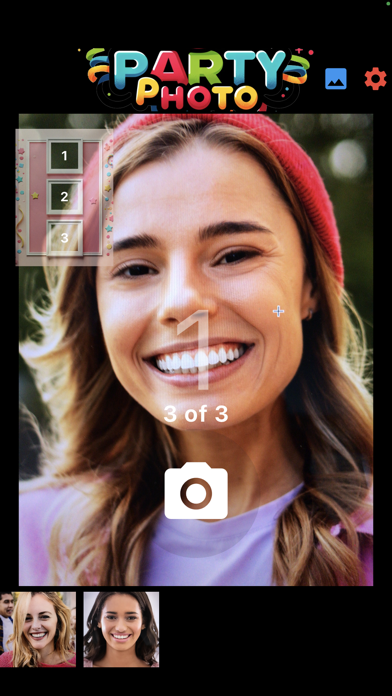
3. You can tap the camera button to start; that's it, just one tap. The camera will countdown from 5 to zero and a picture will be taken. It will also appear below the camera view.
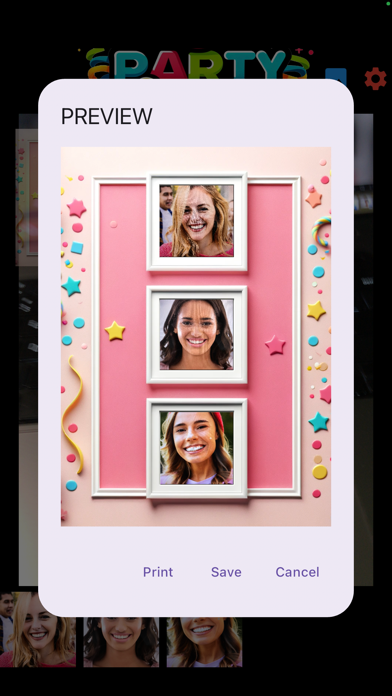
4. When all photos are taken, the app will process your photo strip. In less than a few seconds, you will see a preview screen with the image of your photo strip.
5. From the preview screen, you can tap Save to save it to your photo album and continue to the next shoot. You can tap Print and it will allow you to print to any compatible printer, or you can also share the image via email or text messaging.
6. You can also change the settings by tapping the settings button: front or rear camera, flash or no flash, zoom or close-up, timer from 1 to 10 seconds, and a branding text to appear at the bottom right of the photo strip.
7. You can select a different template by tapping the template button; they are listed in alphabetical order. You can use the search to find your templates, for example, "Halloween" to find all Halloween-themed templates. In the template screen, you can tap the Photo Album icon to import your own templates. Any PNG files with at least 1 transparent area will be detected. Keep the number of photos to be fewer than 10, and the image dpi 300 or under. PartyPhoto will remember your last selected template and the search criteria. This will make it super easy for continuous photo shoots and maintaining a consistent party theme.
HAVE FUN!!!
Safety and technology
Found in the app by AppBrain- Price
- $29.99
- App size
- 161.1 MB
- Content rating
- Everyone
Technologies used by PartyPhoto
Releases
Updates seen on the App Store- Version
- 1.0
- Launched
- June 2024
No changelog data
Alternatives
Similar apps and more from Supplier Relations US, LLC.More from Supplier Relations US, LLC.







Rankings
App Store top chartsApp Store Rankings for PartyPhoto
About the app and developer
About PartyPhoto
PartyPhoto is a photo & video app developed by Supplier Relations US, LLC.
User Ratings
PartyPhoto is rated 5.00 out of 5 stars. The rating is based on one rating ratings.
App Information
PartyPhoto costs $29.99. The app size is 161.08 MB. The latest version available is 1.0. The last update was on June 5, 2024.
Technical Requirements
The app has a content rating of Everyone. The app has been available on the App Store since June 2024.
Developer information for Supplier Relations US, LLC.
Address: