
NotateMe is made and published by Neuratron Ltd. AppBrain is an independent app data site and isn't affiliated with Neuratron Ltd. The app name, icon, screenshots and description belong to Neuratron Ltd and are shown as published on the App Store.
AppBrain's verdict
Established- Rating on App Store
- 2.58
- 26 ratings
- Last updated
- June 27, 2017
It doesn't have enough ratings yet to judge what users think.
Rankings
App Store top chartsApp Store Rankings for NotateMe
Competitors
Similar apps and more from Neuratron LtdAlternatives to NotateMe





Also available on Google Play

Releases
Updates seen on the App Store- Version
- 4.1.1.0
- Launched
- September 2013
No changelog data
User feedback
Ratings and reviews on the App StoreComments on NotateMe for iOS
We don't have enough comments to show example comments. Please check back later.
Technology
Found in the app by AppBrain- Price
- $39.99
- App size
- 26.8 MB
- Content rating
- Everyone
Technologies used by NotateMe
About the app and developer
About NotateMe
NotateMe is a music app developed by Neuratron Ltd.
What is the rating of NotateMe?
NotateMe is rated 2.58 out of 5 stars, based on 26 ratings.
Is NotateMe free?
NotateMe costs $39.99. The app size is 26.84 MB. The latest version available is 4.1.1.0. The last update was on June 27, 2017.
What are the requirements for NotateMe?
The app has a content rating of Everyone. The app has been available on the App Store since September 2013.
Developer information for Neuratron Ltd
Address:
Frequently asked questions about NotateMe
Is NotateMe free?
No. NotateMe costs $39.99 on the App Store.
Is NotateMe still available?
Yes. NotateMe is on the App Store, and the last update we saw was on June 27, 2017.
How large is NotateMe?
NotateMe is 26.84 MB.
Is NotateMe suitable for children?
App Store rates the content of NotateMe as suitable for everyone.
How do people rate NotateMe?
NotateMe scores 2.58 out of 5 stars, from 26 ratings on the App Store.
Who made NotateMe?
NotateMe was developed by Neuratron Ltd. It is listed in the music category on the App Store.
What are the best alternatives to NotateMe?
People looking at NotateMe also look at these music apps: Touch Notation, Symphony Pro - Music Notation, iWriteMusic Pro, SessionBand Jazz 1, SWAM Alto Sax.
Store listing
By Neuratron Ltd, from the App Store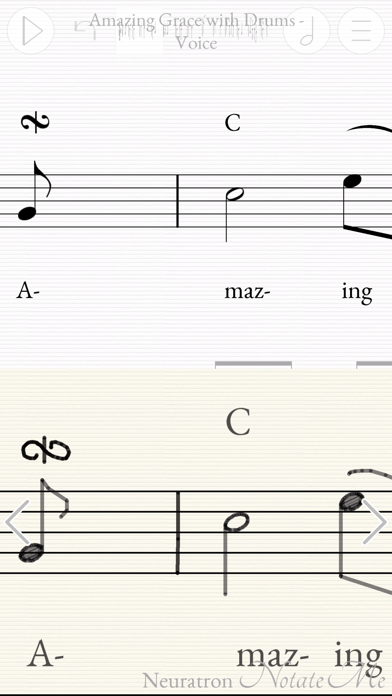
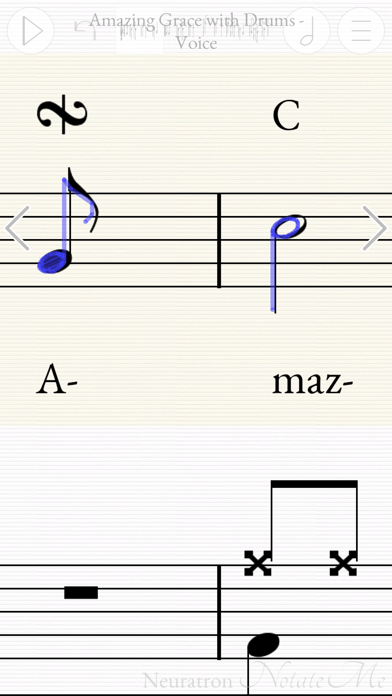
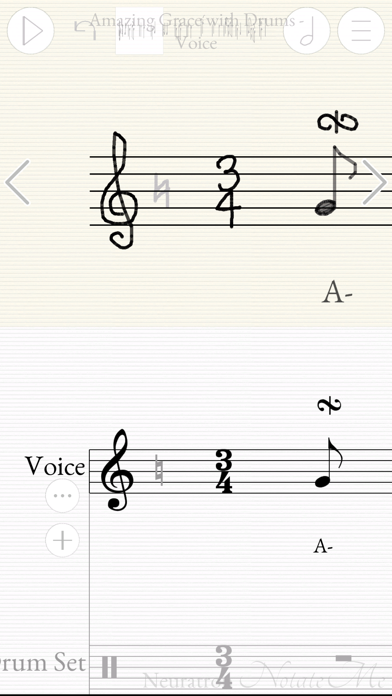
Description by Neuratron Ltd Written by the developer, not by AppBrain. Click to read.
Top 10 Music App in 62 countries!
iPad Pro & Apple Pencil recommended for best results.
- Quickly and accurately enter music notation with your finger or stylus.
- Write music on the train, in a plane, by a lake, or just sitting comfortably on your sofa!
- Simple, intuitive interface with little to distract you from your creativity - similar to writing with pen and paper, but with instant playback, editing and a score suitable for publishing at the end!
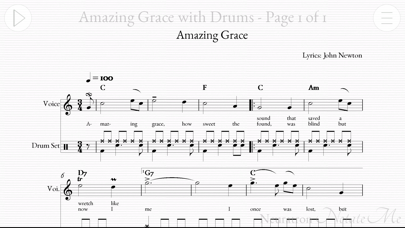
- Write music for solo instruments (including voice and piano), drums or ensembles from string quartets and choirs to full orchestral scores. Includes support for transposing instruments.
- PhotoScore Add-In (In-App Purchase): Take photos of printed sheet music with your device's camera, so you can play back and edit them with NotateMe! Recognizes 5-line staves and most markings including chords, flags, beams, rests, accidentals, articulation marks, clefs, key signatures, time signatures, tuplets, slurs, ties, hairpins and text including lyrics, dynamics and instrument names. Note: Requires 5MP camera & 1 GB RAM - so not for iPad 2, iPhone 4S, iPad Mini (1st gen) or earlier.
- Email PDF, MusicXML and MIDI files of your scores to friends or other musicians. Open in other apps and desktop notation packages. Print to paper.
- Import and edit MusicXML files (most music symbols supported).
- Automatically sync your scores to Dropbox so you can edit them on your phone whilst you are out, and then on your tablet when you get back.
- Great when learning or teaching music notation.
- NotateMe recognises a wide range of music symbols, including notes (with solid, open, and slanted noteheads), flags, beams (even cross-staff*), leger lines, multiple voices per staff, chords, rests, accidentals (natural, sharp, double sharp & flat), articulation marks, augmentation dots, ties, slurs, hairpins, clef changes, key signatures. Barlines, clefs, time signatures and tuplets are added automatically.
- Drag and drop (or set selected drawings to) further music symbols including cross noteheads, pedal markings, ornaments and appoggiatura.
- Add chord-symbols, dynamics, technique, tempo changes and lyrics to your score. Write comments or ideas in 'red pen'.
- If NotateMe doesn’t recognize your style immediately, keep at it, as it will adjust. Leave clear space between symbols and make markings clearer with further strokes if any transcription errors occur. If you experience problems, tap 'Help Improve NotateMe' from the Export menu and we will analyze your handwriting to help us improve NotateMe further.
* Cross-staff beaming requires an iPad
DEVICE REQUIREMENTS
MINIMUM RECOMMENDED:
iPhone 5/s/c, iPad (3rd gen onwards, iPad mini (2nd gen onwards), iPod Touch 5 onwards
Screen size - 4 inches diagonal
Writing implement - Finger or stylus
PhotoScore Add-In: 5MP rear facing camera with auto-focus, 1 GB RAM. Good lighting conditions.
Note: It may take a short while for you to become accustomed to aligning parts of musical symbols when writing using a finger, particularly on a smaller screen.
WILL NOT RUN ON iPhone 3GS OR iPod Touch 4th Gen or earlier.
RECOMMENDED:
iPad Pro with Apple Pencil
Screen size - 9.7+ inches diagonal
PhotoScore Add-In: 5MP rear facing camera with auto-focus, 1 GB RAM. Good lighting conditions.