

Notes Writer: PDF, Voice, AI
Notes Writer: PDF, Voice, AI is made and published by Kairoos Solutions SL. AppBrain is an independent app data site and isn't affiliated with Kairoos Solutions SL. The app name, icon, screenshots and description belong to Kairoos Solutions SL and are shown as published on the App Store.
AppBrain's verdict
EstablishedWell rated- Rating on App Store
- 4.48
- 7,327 ratings
- Last updated
- October 1, 2026
- Size
- 630.3 MB
Users rate it well: 4.5 stars from 7,327 ratings.
User feedback
Ratings and reviews on the App StoreComments on Notes Writer: PDF, Voice, AI for iOS
We don't have enough comments to show example comments. Please check back later.
Store listing
By Kairoos Solutions SL, from the App Store
Description by Kairoos Solutions SL Written by the developer, not by AppBrain. Click to read.
WRITE AND MAKE IT YOURS
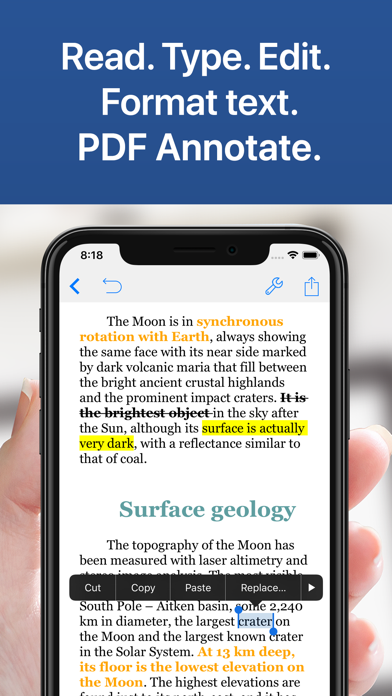
Create beautifully formatted notes with headings, lists, colors and highlights. Work with Word documents, RTF, Markdown and plain text. Open documents in tabs and move between your ideas and reference material without losing your place.
WRITE ON PDFs WITH APPLE PENCIL
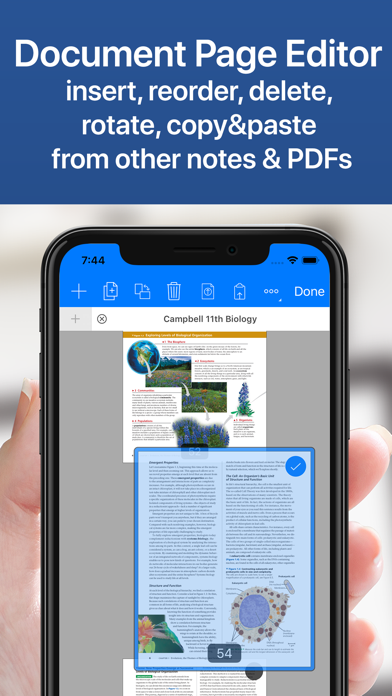
Take handwritten notes, sketch in the margins and highlight what matters. Choose from pens, pencils, markers, fountain pens and watercolor tools. Use the eraser, lasso and ruler to refine your work. Add text, shapes, images, signatures and audio to PDF notes. Fill forms, organize pages and keep your reading and annotations together. Measure distances and areas on scaled drawings, and apply text redactions in supported PDFs.
GIVE YOUR WRITING AN AI ASSIST
Rewrite a passage, simplify difficult language, fix spelling and grammar, or adjust the tone. Summarize, translate and explore ideas with AI tools and chat. Keep control of what goes into your notes and documents.
CAPTURE VOICE, FIND THE WORDS
Record lectures, meetings and ideas while they are fresh. Play recordings back at your pace and generate transcripts to revisit the details. Add recordings to your PDF notes and whiteboards for more context.
THINK BEYOND THE PAGE
Build visual whiteboards with notes, images and recordings. Capture quick thoughts on sticky notes. Structure ideas in Outline Notes with nested branches, rich text and images. Collapse sections, rearrange your thinking, and import or export outlines in OPML format.
WORK THROUGH THE NUMBERS
Combine explanations and calculations in Math Notebooks. Explore formulas with the built-in calculation tools and run Python cells when you need more. Create charts, write LaTeX documents and preview the finished PDF alongside your source.
ORGANIZE YOUR STUDY AND RESEARCH
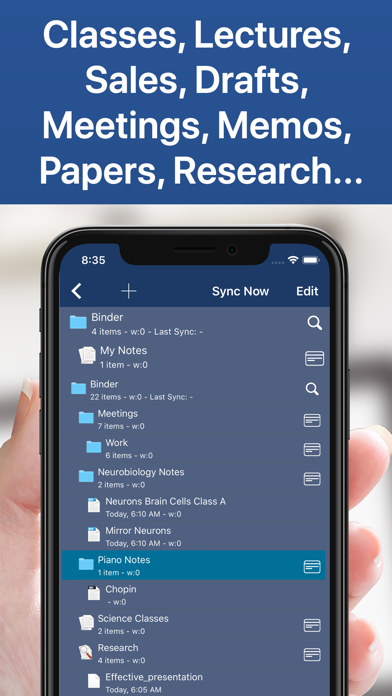
Bring your notes, readings and research together in Study Projects. Organize subjects, lectures and sources in the Binder, plan ideas on the Corkboard and keep reference material beside your notes. Study Projects give everything a place as your understanding grows.
TAKE BIG WRITING PROJECTS FURTHER
Organize writing projects into sections in the Binder, plan with a Corkboard and review your writing as a manuscript. Keep research beside your draft, save snapshots and compile your work into a finished document or ebook.
ORGANIZE, SCAN AND SHARE
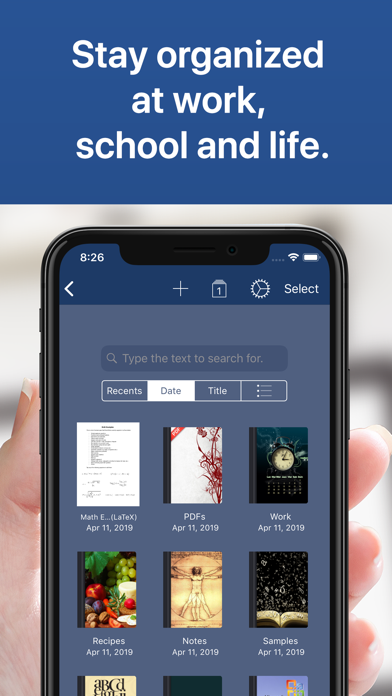
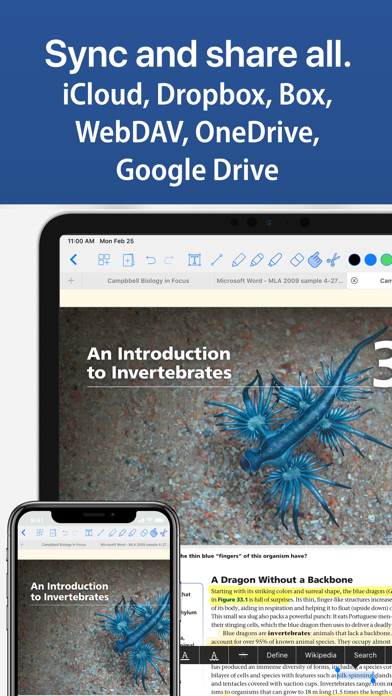
Keep notes and documents in folders with recognizable covers. Scan paper documents, import files and find what you need with search. Export supported documents to formats including PDF, DOCX, RTF, HTML and EPUB. Use the Files app and supported cloud locations to bring your work with you.
LOOK AFTER YOUR WORK
Autosave, document recovery and automatic backups help protect your progress. Use app and folder passcodes for an extra layer of privacy. Continue opening your existing Notes Writer PDF notes and outlines as you move to the new workspace.
From your first handwritten idea to your final document, make room for the way you think.
Privacy Policy
http://www.noteswriter.com/Kairoos_Privacy_Policy.html
Terms of Use
https://www.apple.com/legal/internet-services/itunes/dev/stdeula/
Safety and technology
Found in the app by AppBrain- Price
- Free
- App size
- 630.3 MB
- Content rating
- Everyone
Technologies used by Notes Writer: PDF, Voice, AI
Releases
Updates seen on the App Store- Version
- 27.1.1
- Launched
- August 2018
No changelog data
Alternatives
Similar apps and more from Kairoos Solutions SLAlternatives to Notes Writer: PDF, Voice, AI



More from Kairoos Solutions SL





Rankings
App Store top chartsApp Store Rankings for Notes Writer: PDF, Voice, AI
About the app and developer
About Notes Writer: PDF, Voice, AI
Notes Writer: PDF, Voice, AI is a productivity app developed by Kairoos Solutions SL.
What is the rating of Notes Writer: PDF, Voice, AI?
Notes Writer: PDF, Voice, AI is rated 4.48 out of 5 stars, based on 7.3 thousand ratings.
Is Notes Writer: PDF, Voice, AI free?
Notes Writer: PDF, Voice, AI is free. The app size is 630.29 MB. The latest version available is 27.1.1. The last update was on October 1, 2026.
What are the requirements for Notes Writer: PDF, Voice, AI?
The app has a content rating of Everyone. The app has been available on the App Store since August 2018.
Developer information for Kairoos Solutions SL
Address:
Frequently asked questions about Notes Writer: PDF, Voice, AI
Is Notes Writer: PDF, Voice, AI free?
Yes. Notes Writer: PDF, Voice, AI is free on the App Store.
Is Notes Writer: PDF, Voice, AI still available?
Yes. Notes Writer: PDF, Voice, AI is on the App Store, and the last update we saw was on October 1, 2026.
How large is Notes Writer: PDF, Voice, AI?
Notes Writer: PDF, Voice, AI is 630.29 MB.
Is Notes Writer: PDF, Voice, AI suitable for children?
App Store rates the content of Notes Writer: PDF, Voice, AI as suitable for everyone.
How do people rate Notes Writer: PDF, Voice, AI?
Notes Writer: PDF, Voice, AI scores 4.48 out of 5 stars, from 7,327 ratings on the App Store.
Who made Notes Writer: PDF, Voice, AI?
Notes Writer: PDF, Voice, AI was developed by Kairoos Solutions SL. It is listed in the productivity category on the App Store.
What are the best alternatives to Notes Writer: PDF, Voice, AI?
People looking at Notes Writer: PDF, Voice, AI also look at these productivity apps: QuickNotes X: Notes, AI & PDF, MyScript Notes: AI Handwriting, CollaNote: Notes & PDF Markup, Noteful: Notes & PDF Markup, LiquidText.