

Numbers: Make Spreadsheets
Numbers: Make Spreadsheets is made and published by Apple. AppBrain is an independent app data site and isn't affiliated with Apple. The app name, icon, screenshots and description belong to Apple and are shown as published on the App Store.
AppBrain's verdict
EstablishedLoved by users- Rating on App Store
- 4.63
- 224,176 ratings
- Last updated
- September 29, 2026
Users love it: 4.6 stars from 224,176 ratings.
Rankings
App Store top chartsApp Store Rankings for Numbers: Make Spreadsheets
Competitors
Similar apps and more from AppleAlternatives to Numbers: Make Spreadsheets


More from Apple


Releases
Updates seen on the App Store- Version
- 15.4
- Launched
- April 2010
No changelog data
User feedback
Ratings and reviews on the App StoreComments on Numbers: Make Spreadsheets for iOS
We don't have enough comments to show example comments. Please check back later.
Technology
Found in the app by AppBrain- Price
- Free
- App size
- 630.5 MB
- Content rating
- Everyone
Technologies used by Numbers: Make Spreadsheets
About the app and developer
About Numbers: Make Spreadsheets
Numbers: Make Spreadsheets is a productivity app developed by Apple.
User Ratings
Numbers: Make Spreadsheets is rated 4.63 out of 5 stars. The rating is based on 220 thousand ratings.
App Information
Numbers: Make Spreadsheets is freely available from the App Store. The app size is 630.55 MB. The latest version available is 15.4. The last update was on September 29, 2026.
Technical Requirements
The app has a content rating of Everyone. The app has been available on the App Store since April 2010.
Developer information for Apple
Address:
Store listing
By Apple, from the App Store




Description by Apple Written by the developer, not by AppBrain. Click to read.
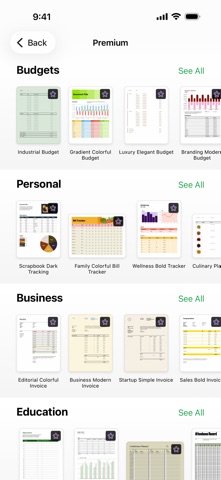
Create gorgeous spreadsheets with Numbers on iPhone, iPad and Mac. Get started with Apple-designed templates for everything from a home budget to an invoice. Add tables, charts, text, and images anywhere on the flexible canvas. Animate your data with interactive charts, find patterns with pivot tables, and use hundreds of powerful functions.
Get Started Quickly
• Work from iPhone, iPad, Mac, or even a PC with iCloud.com
• Select from a wide variety of Apple-designed templates
• Add from a library of shapes, tables, and charts with pre-defined styles
• Import and edit Microsoft Excel and CSV files
Create Beautiful Spreadsheets
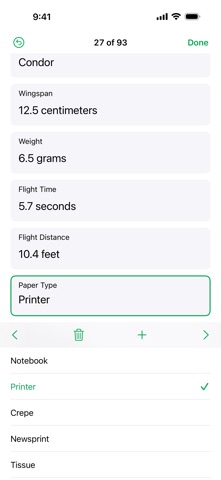
• Place tables, charts, text, and images anywhere on the flexible canvas
• Create a form on iPhone or iPad to quickly enter data on the go
• Draw or write with Apple Pencil on iPad
Formulas for Everyone
• Choose from hundreds of powerful functions, including XLOOKUP and RegEx
• Search the integrated function browser for built-in help and sample formulas
• Easily add stock information to spreadsheets
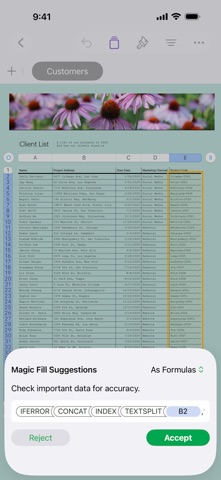
• See results from a single formula across multiple cells using spilling arrays
Everything Adds Up Beautifully
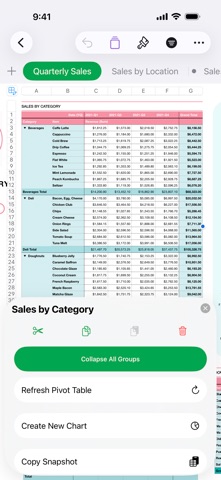
• Use pivot tables and categories to see your data in a whole new way
• Quickly organize and summarize tables to gain new insights
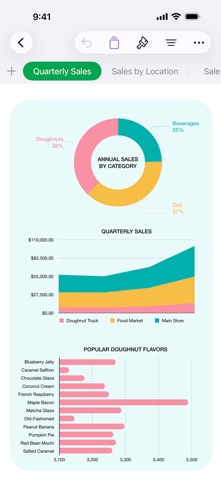
• Insert gorgeous 2D and 3D charts, including bar, column, line, area, pie, donut, and radar charts
• Animate data with interactive column, bar, scatter, and bubble charts
• Easily filter through large tables for specific values, text, or duplicate entries
• Change values in cells using sliders, steppers, checkboxes, pop-ups, and star ratings
Share with Anyone
• Share your spreadsheet publicly or collaborate with specific people using iCloud or Box
• Make changes from any device and see a list of changes from others in real-time
• Export your spreadsheet in CSV, TSV, PDF, and Microsoft Excel
Apple Intelligence
• Use Writing Tools to proofread, rewrite, summarize, and compose text
• Create your own fun images with Image Playground based on a description
Some features of Apple Creator Studio require an Apple Intelligence–capable device. For full system requirements and usage limits for Apple Creator Studio intelligence features, see Apple Support article 125029.