

Octrix is made and published by 迪远 王. AppBrain is an independent app data site and isn't affiliated with 迪远 王. The app name, icon, screenshots and description belong to 迪远 王 and are shown as published on the App Store.
AppBrain's verdict
- Last updated
- September 10, 2026
Rankings
App Store top chartsApp Store Rankings for Octrix
This app is not ranked
Competitors
Similar apps and more from 迪远 王Alternatives to Octrix


More from 迪远 王





Releases
Updates seen on the App Store- Version
- 1.0.3
- Launched
- September 2026
No changelog data
User feedback
Ratings and reviews on the App StoreComments on Octrix for iOS
We don't have enough comments to show example comments. Please check back later.
Technology
Found in the app by AppBrain- Price
- $24.99
- App size
- 3.34 MB
- Content rating
- Everyone
Technologies used by Octrix
About the app and developer
About Octrix
Octrix is an overall app developed by 迪远 王.
User Ratings
The app has no ratings yet.
App Information
Octrix costs $24.99. The app size is 3.34 MB. The latest version available is 1.0.3. The last update was on September 10, 2026.
Technical Requirements
The app has a content rating of Everyone. The app has been available on the App Store since September 2026.
Developer information for 迪远 王
Address:
Store listing
By 迪远 王, from the App Store


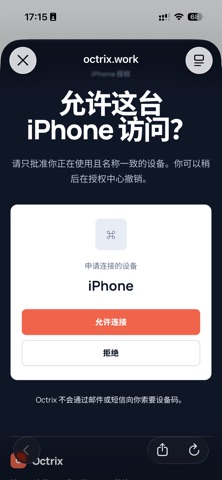


Screenshots by 迪远 王, from the the App Store listing
Description by 迪远 王 Written by the developer, not by AppBrain. Click to read.
Octrix lets you securely access the AI coding agents running on your own Mac from your iPhone. Install Octrix Host on your Mac, sign in with the same Octrix account, and continue conversations and tasks while your Mac stays in the background.
With Octrix, you can:
• Connect to an authorized Mac through Octrix Cloud
• View and continue AI conversations from your iPhone
• Work with supported AI coding agents
• Manage individual chats and multi-agent collaboration groups
• Use voice input to draft messages
• Review task status and outputs remotely
Your Mac remains the process owner and does not need an inbound public port. Octrix requires a Mac running Octrix Host and a supported AI CLI.
With Octrix, you can:
• Connect to an authorized Mac through Octrix Cloud
• View and continue AI conversations from your iPhone
• Work with supported AI coding agents
• Manage individual chats and multi-agent collaboration groups
• Use voice input to draft messages
• Review task status and outputs remotely
Your Mac remains the process owner and does not need an inbound public port. Octrix requires a Mac running Octrix Host and a supported AI CLI.