OnePDF: Scanner & Editor is made and published by
Nguyen Thi Thu Huong.
AppBrain is an independent app data site and isn't affiliated with Nguyen Thi Thu Huong.
The app name, icon, screenshots and description belong to Nguyen Thi Thu Huong and are shown as
published on the App Store.
About OnePDF: Scanner & Editor
OnePDF: Scanner & Editor is a productivity app developed by Nguyen Thi Thu Huong.
User Ratings
The app has no ratings yet.
App Information
OnePDF: Scanner & Editor is freely available from the App Store. The app size is 15.99 MB. The latest version available is 1.0.0. The last update was on June 16, 2026.
Technical Requirements
The app has a content rating of Everyone. The app has been available on the App Store since June 2026.
Description by Nguyen Thi Thu Huong(from the App Store)
OnePDF is your complete PDF workspace for iPhone and iPad.
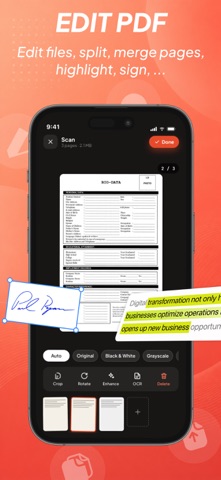
Scan documents, convert files, edit PDFs, sign contracts, organize paperwork and protect sensitive information — all in one powerful app.
SCAN & OCR
• Scan documents with automatic edge detection
• Create multi-page PDFs in seconds
• OCR text recognition
• Search, select and copy text from scans
• Turn paper documents into searchable PDFs
CONVERT FILES
• Word to PDF
• Excel to PDF
• Photos to PDF
• Image to Text
• Create PDFs from blank pages
• Import files from Files, iCloud Drive and Dropbox
EDIT PDFs
• Merge PDF files
• Split PDF pages
• Reorder pages
• Rotate pages
• Compress PDF size
• Add text and images
• Draw and annotate
• Fill PDF forms
• Redact sensitive information
SIGN & PROTECT
• Sign documents electronically
• Password protect PDFs
• AES-256 PDF encryption
• Face ID app lock
• Watermark documents
• Add page numbers
• Crop PDF pages
ORGANIZE YOUR FILES
• Powerful file manager
• Favorites and recent documents
• Smart search
• 30-day trash recovery
• Dark Mode support
• Available in 14 languages
ONEPDF PREMIUM
Unlock unlimited conversions, all PDF tools, larger files, batch processing and an ad-free experience.
Subscriptions automatically renew unless canceled at least 24 hours before the end of the current period.
Read more about Terms of Use: https://www.apple.com/legal/internet-services/itunes/dev/stdeula/
Each subscription will automatically renew 3 days before the expiration date for
the same time period. Subscriptions can be cancelled at any time before the renewal.